Everything InfoLobby does, in four parts
A platform your team works in, an engine that automates it, AI you can point at your records, and the doors you open to everyone else.
All four read and write the same records.
The platform your team works in
This is the part people log into. Tables for your records, the line items underneath them, the views each team looks at, the reports that summarise them, and the tasks and comments that hang off the work. Roles and permissions decide who sees what.
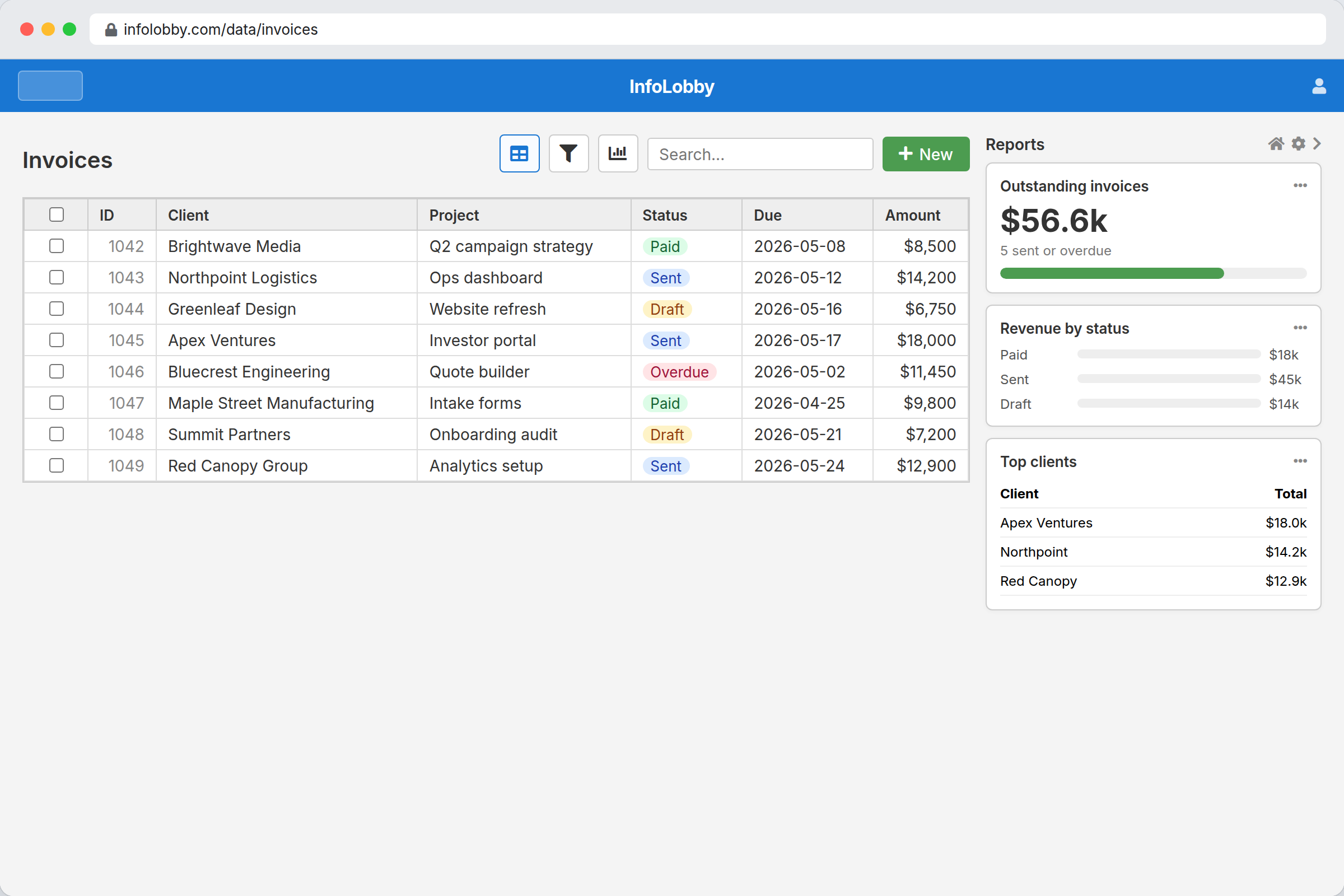
Managed Database
A real MySQL database and file storage, ready the moment you sign up. Nothing to provision.
Explore Managed DatabaseMaster-Detail
Type line items straight onto the invoice. Parent and lines save as one, and rollups total them for you.
Explore Master-DetailViews & Layouts
Grid, calendar, gallery, kanban. Same records, saved filters, a layout to suit each team.
Explore Views & LayoutsReports & Charts
Values, progress bars, aggregate tables and charts, built from a table's own records and pinned where people will see them.
Explore Reports & ChartsInternal Tools
Add fields, edit forms, reshape tables. Yourself, the day the process changes.
Explore Internal ToolsTeam Collaboration
Comment on a record, follow it, get notified. The discussion sits on the record, not in a chat channel.
Explore Team CollaborationActivity Overview
One feed across every workspace you are in: what changed, who changed it, and what is waiting on you.
Explore Activity OverviewTasks
Assign a task with a due date and a reminder, attached to the record it belongs to.
Explore TasksThe engine that runs when the office is empty
Automation that goes past "when status changes, send an email". Schedules, branching, loops, calls to other systems, and real code when you need it. You write the rule once and stop thinking about it.
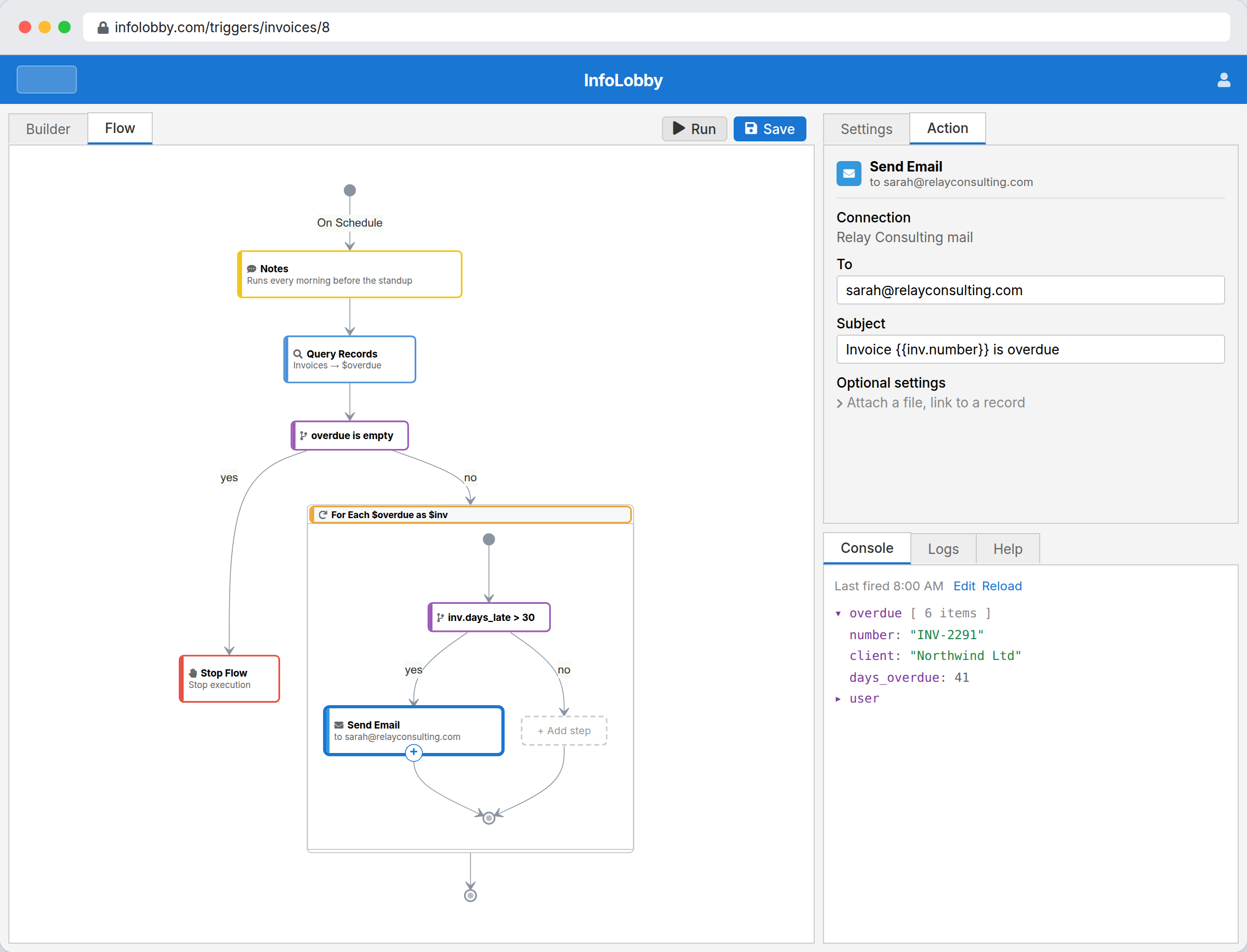
Workflow Automation
Flows that fire on record changes, schedules or webhooks. Branches, loops, API calls, and real code when you need it.
Explore Workflow AutomationIntegrations
Call any REST API, send email, move files, prompt OpenAI. Credentials saved once and reused by every flow.
Explore IntegrationsAI that works your actual records
Work with Claude, ChatGPT, or your favorite LLM. It reads and writes the same rows your team does, only in the workspaces you allow, and you can revoke it in one click.
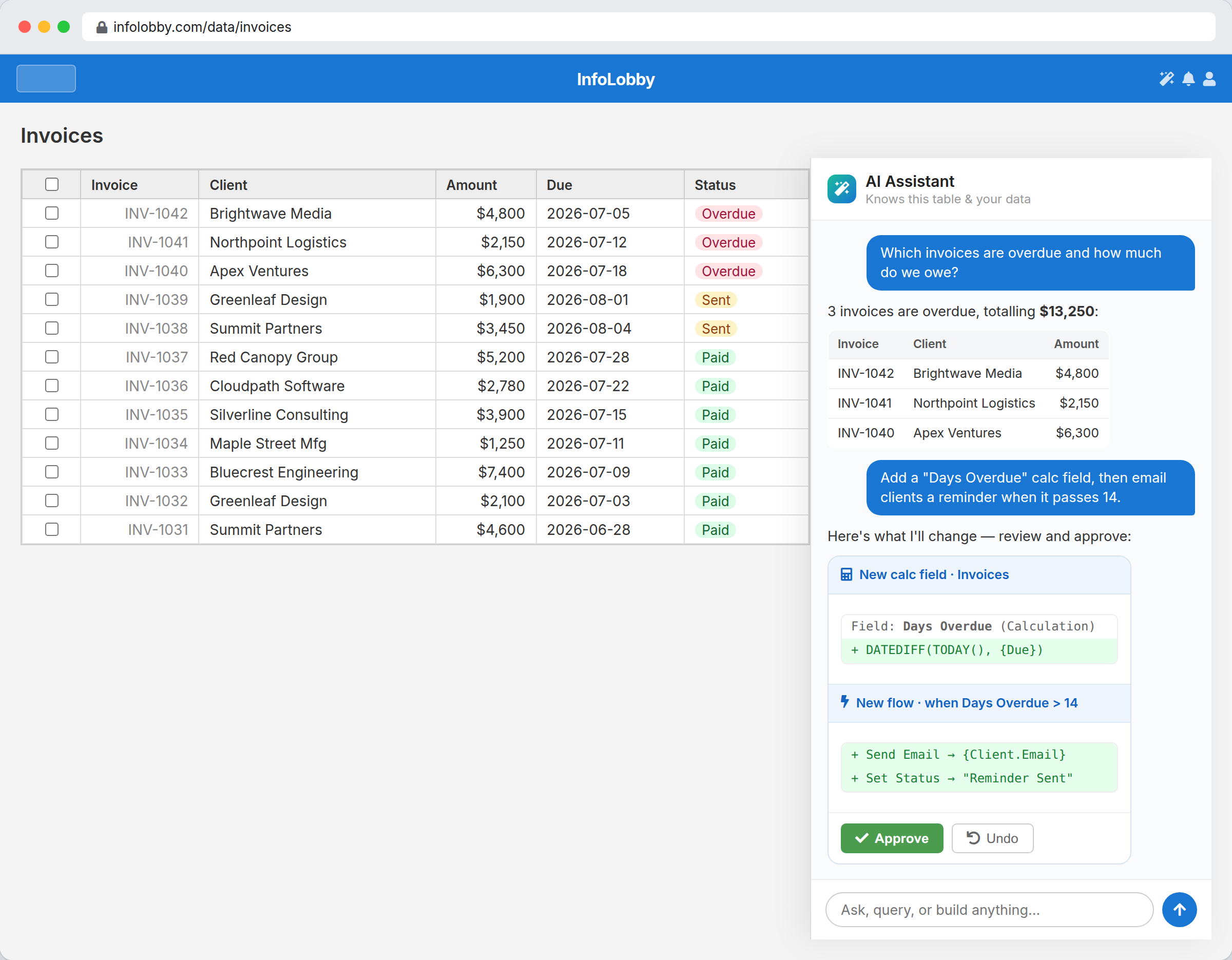
AI Assistant
Ask questions of your live records. Ask for a field or a flow and approve the exact change before it applies.
Explore AI AssistantClaude & MCP
Claude, ChatGPT, Claude Code or Cursor, working your real records. You pick the workspaces, you revoke in one click.
Explore Claude & MCPWhat you let the outside world touch
Every one of these is a door you open on purpose: a form on your website, a document out for signature, a calendar feed, an embedded view, an email address, an API key, a portal. You decide what sits behind each one.
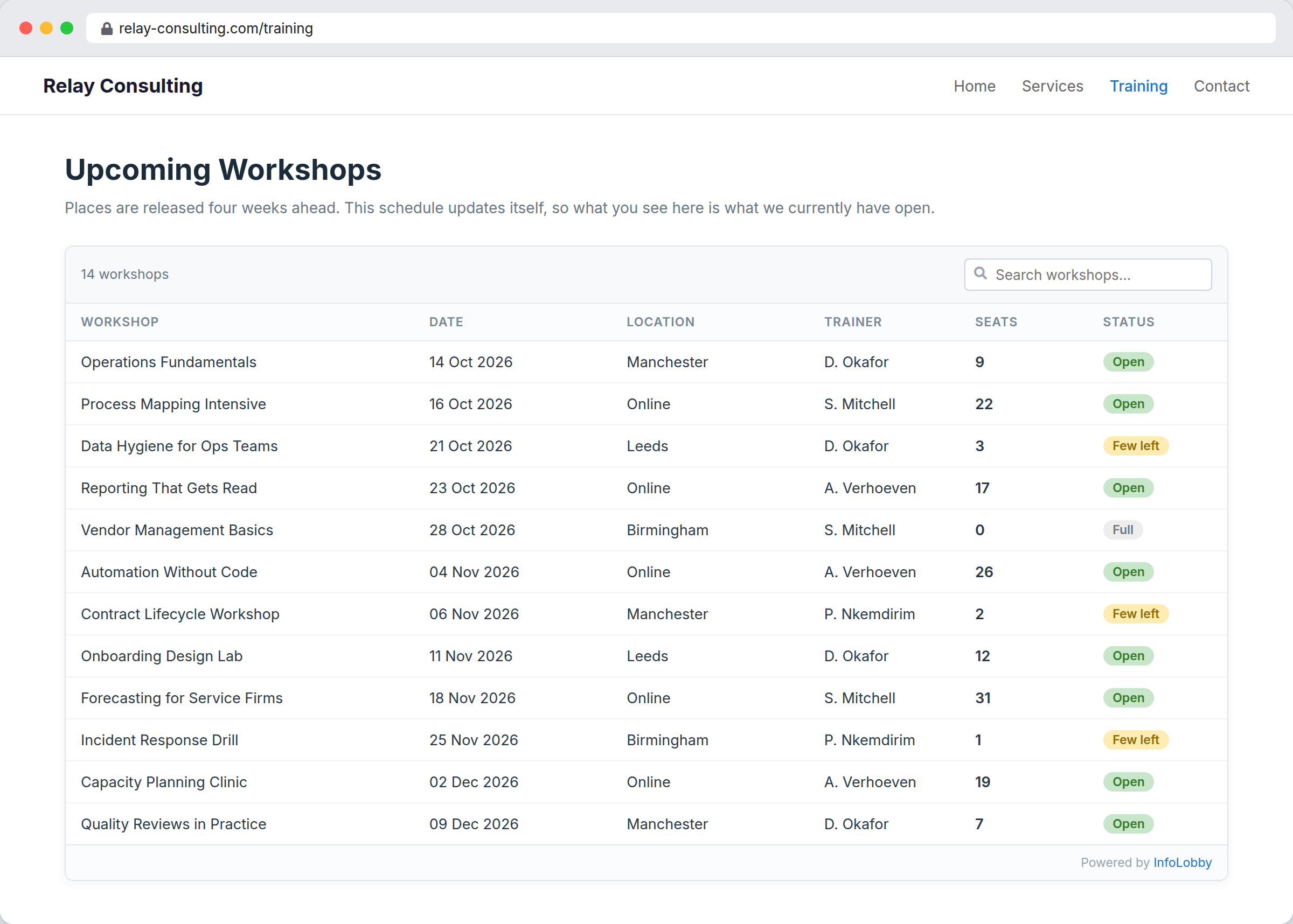
Web Forms
Put a form on your site. What someone fills in lands in your table as a record, not in your inbox.
Explore Web FormsE-Signatures
Send a contract out to be signed. The signed copy, the audit trail and a certificate stay on the record.
Explore E-SignaturesPublic API
Read and write records from any other system. Same permissions as a person, same history in the log.
Explore Public APICalendar Feeds
Publish a table as a calendar feed. Dates on your records show up in Google Calendar, Outlook or Apple Calendar.
Explore Calendar FeedsEmbeds
Drop a read-only view into any web page with two lines of script. It stays current because it is reading your live records.
Explore EmbedsRecord Email
Send email from a record through your own mail server. Replies come back to that record, and you can see when it was opened.
Explore Record EmailEmail to Records
Each table can have its own address. Mail it, and a record appears with the sender, subject, body and attachments in place.
Explore Email to RecordsPortals
A sign-in area over your own data, where each client, contractor or partner sees only the rows that belong to them.
Explore PortalsWho did what, and who was allowed to
Roles and permissions decide what each of the four parts can reach. History records what each of them actually did, with the actor named: a person, a flow, a form, an API key, an AI.
Want to see the four parts working together?
Install a template from the App Market and you get all four at once: the tables, the views, the automations, and the forms already wired up. Then change anything you like.