TL;DR
- Airtable counts records per base, not per table: 1,000 on Free, 50,000 on Team, 125,000 on Business, 500,000+ on Enterprise Scale.
- The record cap is rarely what bites first. On Free it is the 5 editor collaborators. On paid plans it is the 5 requests per second API rate limit, which is identical on every plan including Enterprise Scale.
- Paying more removes volume ceilings. It does not remove the per-second rate limit, the 50 automations per base, or the 25 actions per automation.
- Failed automation runs consume your monthly allowance exactly like successful ones.
- Hitting a number is not the reason to move. The reason to move is when the base has quietly become operational infrastructure. There is a checklist below for telling those two situations apart.
We get asked where Airtable's ceilings actually sit more often than almost anything else, usually by someone whose base stopped being a side project a while ago. So we went through Airtable's own documentation, wrote down every number, and added the part the plan comparison pages leave out: which limit you are most likely to hit first, and whether hitting it is a good reason to leave.
Airtable record limits are fine for lightweight team apps. They become a problem when a base turns into an operational system: customers, jobs, inventory, service requests, attachments, automations, and history all living in one place.
As of August 29, 2026, Airtable's official plan docs list 1,000 records per base on Free, 50,000 on Team, 125,000 on Business, and 500,000+ on Enterprise Scale. Airtable also says those records are cumulative across all tables in a base, so two tables with 25,000 records each count as 50,000 total. Source: Airtable plans overview.
The decision is not "Airtable bad, database good." Airtable is a strong tool when the base is still a flexible app for a focused team. The switch becomes worth considering when record growth, user access, API traffic, history, or ownership starts shaping the way the business works.
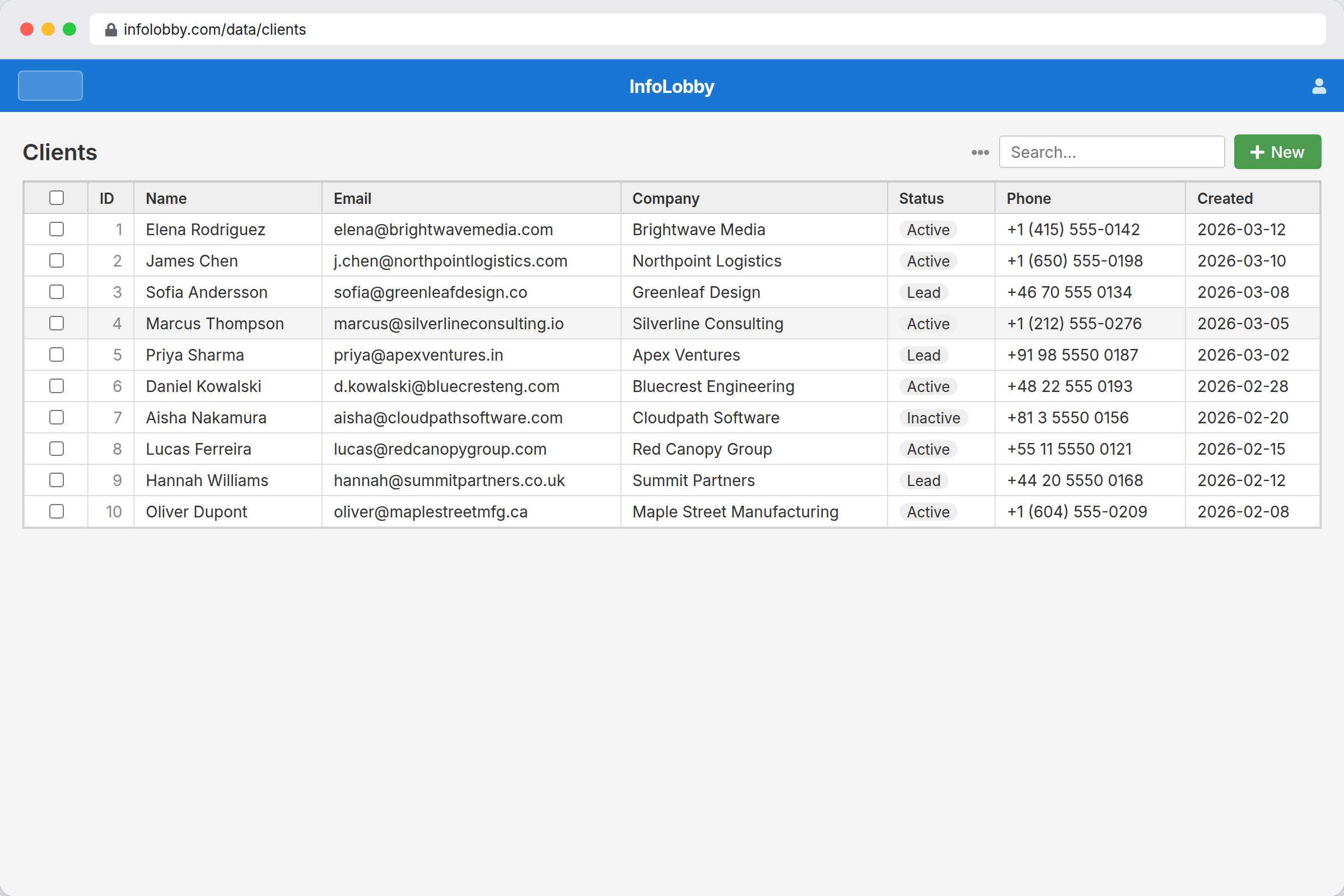
Stay In Airtable When
Airtable is often the right tool when:
- The base is comfortably under plan limits
- The number of collaborators is small
- The team values Airtable interfaces, templates, views, and formulas
- The workflow changes often
- Migration risk is low
- The base is not the official source of truth for high-volume operations
That last point is the line. A base can be important without being infrastructure. The trouble starts when daily operations depend on thousands of new records, frequent updates, attachments, automations, and API calls.
Consider A Database-Backed Workspace When
Move beyond Airtable when:
- Record growth is predictable and material
- Many occasional users need access
- Per-collaborator pricing changes who gets invited
- Records need tasks, comments, files, forms, automations, and activity history around them
- API calls are becoming part of the workflow
- Long-term data ownership or retention matters
- The base is now an operational system, not a prototype
The goal is not to recreate Airtable feature by feature. The goal is to move the process into a system that matches its new job.
Airtable Limits To Watch
All figures below were re-verified against Airtable's own documentation on August 29, 2026.
Airtable's official workspace settings docs list these limits by plan: Free has 1,000 records per base, Team has 50,000, Business has 125,000, and Enterprise Scale has 500,000+. Attachment storage moves from 1 GB to 20 GB to 100 GB to 1 TB by plan. Source: Airtable workspace settings overview.
For history, Airtable's record-level revision history varies by plan: two weeks on Free, one year on Team, two years on Business, and three years on Enterprise Scale. Source: Airtable record-level revision history.
One inconsistency is worth knowing about, because it will confuse anyone comparing pages. Airtable's plans page describes Business as including "1 year of revision and snapshot history," while the record-level revision history page gives two years for Business. They are describing different things, and the record-level page is the one to read if your question is how far back you can see a field change.
Those limits are not hidden. They are product boundaries. The question is whether your workflow still fits inside them cleanly.
Airtable API Rate Limit
Two separate ceilings apply, and teams often plan for the wrong one.
The first is volume: API calls are 1,000 per workspace per month on Free, 100,000 per workspace per month on Team, and unlimited on Business and Enterprise Scale.
The second is speed, and it does not change with money. Airtable documents 5 requests per second, per base, on all plans, including Enterprise Scale. Source: Airtable workspace settings overview.
That per-base rate limit is the one that shapes integrations. Upgrading removes the monthly cap but not the 5 per second ceiling, so a sync job, a webhook consumer, and a reporting script all pulling from the same base are dividing five requests per second between them. Work that needs to move faster has to be spread across bases or batched, neither of which is a plan decision.
This is the limit worth checking before you commit to an integration design, because it is the one you cannot buy your way out of. If API throughput is central to what you are building, compare it against whatever you are evaluating next: InfoLobby's public REST API, for instance, is not rate limited per table in the same way.
Airtable Automation Limits
Airtable's automations have both structural and volume limits. Structurally, you can add up to 50 automations per base and 25 actions per automation.
By plan, monthly automation runs are 100 on Free, 25,000 on Team, 100,000 on Business, and 500,000 on Enterprise Scale, with run history retained for two weeks, six months, one year, and three years respectively. Source: Airtable automations documentation.
The counting rule is the detail that catches people. Airtable counts a run each time a trigger is invoked, so failed runs consume the allowance exactly as successful ones do. A misconfigured trigger firing on every record update can spend a month's budget without completing a single useful action, and when the allowance is gone the automations stop until the first of the next month.
50 automations per base sounds generous until a base is running intake, assignment, reminders, escalations, and status notifications for four different processes. That is the point where the limit stops being theoretical.
Airtable Free Plan Limits
The Free plan is a genuinely usable product, and it is worth being precise about where it stops:
- 1,000 records per base, cumulative across every table in that base
- 1 GB of attachment storage per base
- 1,000 API calls per workspace per month
- 100 automation runs per month, with two weeks of run history
- Two weeks of revision history
- Up to 5 collaborators with Editor or Creator permissions, up to 50 commenters, and unlimited read-only collaborators
- The Run a script automation action is unavailable, and Send email can only reach base collaborators rather than arbitrary addresses
Sources: Airtable plans overview and Airtable automations documentation.
For most teams the collaborator cap arrives before the record cap. Five editors is a small operations team, and the moment a sixth person needs to change a value rather than comment on one, the free plan is over.
What Usually Breaks First
Record count is the obvious limit, but it is not always the first pain.
For small teams, the first problem is often access. A base may need input from sales, operations, finance, support, contractors, or clients. If each meaningful collaborator affects pricing or permissions planning, teams start working around the system.
The second problem is context. Operational records often need more than fields:
- Files
- Comments
- Tasks
- Ownership
- Intake forms
- Status history
- API updates
- Scheduled checks
- Exception handling
When that context spreads across several tools, the base stops being the whole picture.
Compare The Fit
| Scenario | Airtable fit | Database-backed workspace fit |
|---|---|---|
| 1,000 records, 2-3 collaborators | Usually strong | Often unnecessary |
| 30,000 records, 5 active editors | Still workable, but cost and growth matter | Worth evaluating |
| 100,000 records, 10+ editors | Business plan territory | Often a better operational model |
| 500,000+ records or large history | Enterprise Scale territory | Database path becomes more natural |
| Many occasional contributors | Seat and permission planning matter | Broad access is usually easier |
| Existing MySQL data | Import or sync needed | Existing database can sometimes become the base |
Do not move just because a database sounds more serious. Move because the process now needs database behavior: structure, scale, permissions, history, and ownership.
Managed Database Or Bring Your Own?
For most teams, managed is the better first step. It avoids credentials, hosting, backups, and infrastructure decisions before the workflow is even proven.
Bring your own database makes sense when:
- Important data already lives in MySQL
- You need direct control over backups or retention
- Capacity needs exceed managed plan limits
- Company policy requires infrastructure control
- Other systems already depend on the database
Owning infrastructure is useful only when someone can operate it. We wrote the trade-off up in more detail in managed database vs bring your own database.
Where InfoLobby Fits
InfoLobby is one database-backed workspace option. It starts with managed MySQL and managed file storage, then adds workspaces, tables, records, forms, tasks, comments, files, automations, activity history, and API access. Pricing is flat rather than per seat, which matters most when the limit you hit first was the collaborator cap rather than the record cap.
It can also connect to your own MySQL, S3, or FTP when the data already exists or the team needs more control.
That makes it relevant when the Airtable problem is not just "we need more rows," but "this base has become how the business runs."
Migration Checklist
Before leaving Airtable, map the real system.
- List each table and the record count.
- Identify formulas, rollups, automations, and interfaces that matter.
- Decide which users need view, edit, admin, or form-only access.
- Export sample data and inspect field types.
- Identify attachments and where they should live.
- Map API users and automation triggers.
- Rebuild one workflow before migrating everything.
The risky migration is the one that treats Airtable as just rows and columns. It is usually more than that.
Bottom Line
Airtable is a good place to prove a workflow. It becomes the wrong place when the workflow has clearly become operational infrastructure and the limits are shaping the business.
Stay when speed, polish, and flexibility matter most. Move when record growth, access, history, API usage, or data ownership have become part of the buying decision.
If you are actively comparing products, review the best Airtable alternative for small business for a direct InfoLobby and Airtable comparison, or replacing spreadsheets if the base grew out of a spreadsheet in the first place.
Related reading: Google Sheets cell limit, Smartsheet row limit, outgrowing Airtable: 10 reasons to consider InfoLobby, and avoiding vendor lock-in.
FAQ
Are Airtable record limits per table or per base?
Airtable says record limits are per base and cumulative across all tables in that base.
What is the Airtable API rate limit?
5 requests per second per base, on every plan including Enterprise Scale. Monthly call volume does change by plan: 1,000 per workspace per month on Free, 100,000 on Team, and unlimited on Business and Enterprise Scale.
How many automations can an Airtable base have?
Up to 50 automations per base, with a maximum of 25 actions in each. Monthly runs are capped at 100 on Free, 25,000 on Team, 100,000 on Business, and 500,000 on Enterprise Scale.
Do failed automation runs count toward the limit?
Yes. Airtable counts a run each time a trigger is invoked, whether or not the actions succeed.
What are the Airtable free plan limits?
1,000 records per base, 1 GB of attachment storage per base, 1,000 API calls per workspace per month, 100 automation runs per month, two weeks of revision history, and up to 5 collaborators with Editor or Creator permissions.
How far back does Airtable revision history go?
Two weeks on Free, one year on Team, two years on Business, and three years on Enterprise Scale for record-level revision history.
Is moving from Airtable always worth it?
No. If the base is small, the team is small, and Airtable's interface is the main value, staying put is usually sensible.
Should we move to a managed database or bring our own?
Start managed unless you have existing production data, infrastructure requirements, or capacity needs that justify owning the database.
What should we migrate first?
Migrate the workflow where limits, access cost, or trust problems are already visible. Do not start with the largest base by habit.
Sources checked
Every figure on this page comes from Airtable's own documentation. Plan limits change, so the dates matter.
- Airtable plans overview, checked August 29, 2026. Record caps per base, collaborator counts, free plan boundaries.
- Airtable workspace settings overview, checked August 29, 2026. Record and attachment storage limits by plan, API call volume, the 5 requests per second per base rate limit.
- Airtable automations documentation, checked August 29, 2026. 50 automations per base, 25 actions per automation, monthly run caps and run history retention, and the rule that failed runs count.
- Airtable record-level revision history, checked August 29, 2026. Revision history windows by plan.
Where Airtable's own pages disagree, we have said so in the text rather than picking the more flattering number. The plans page and the record-level revision history page give different figures for Business, because they describe different things.