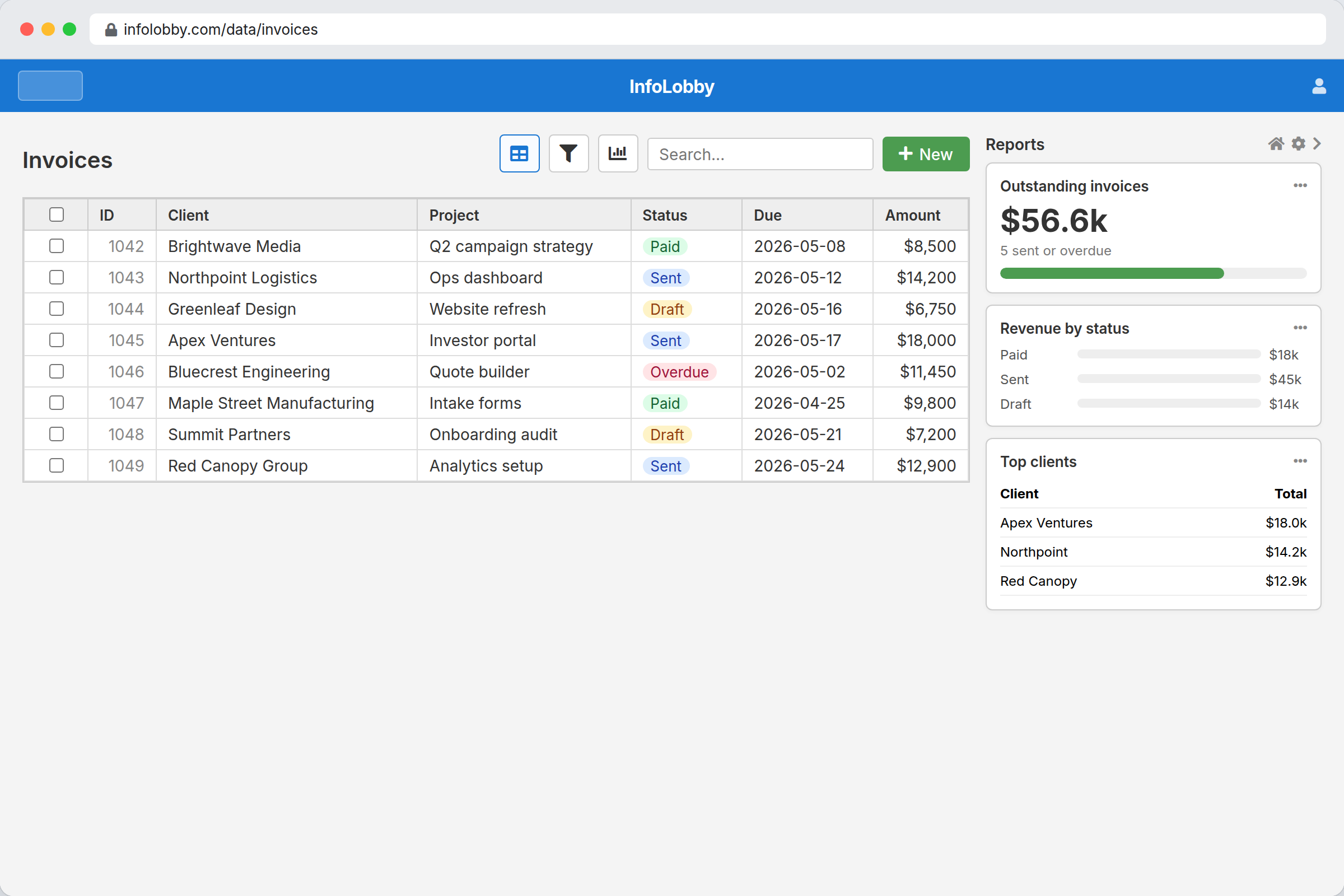
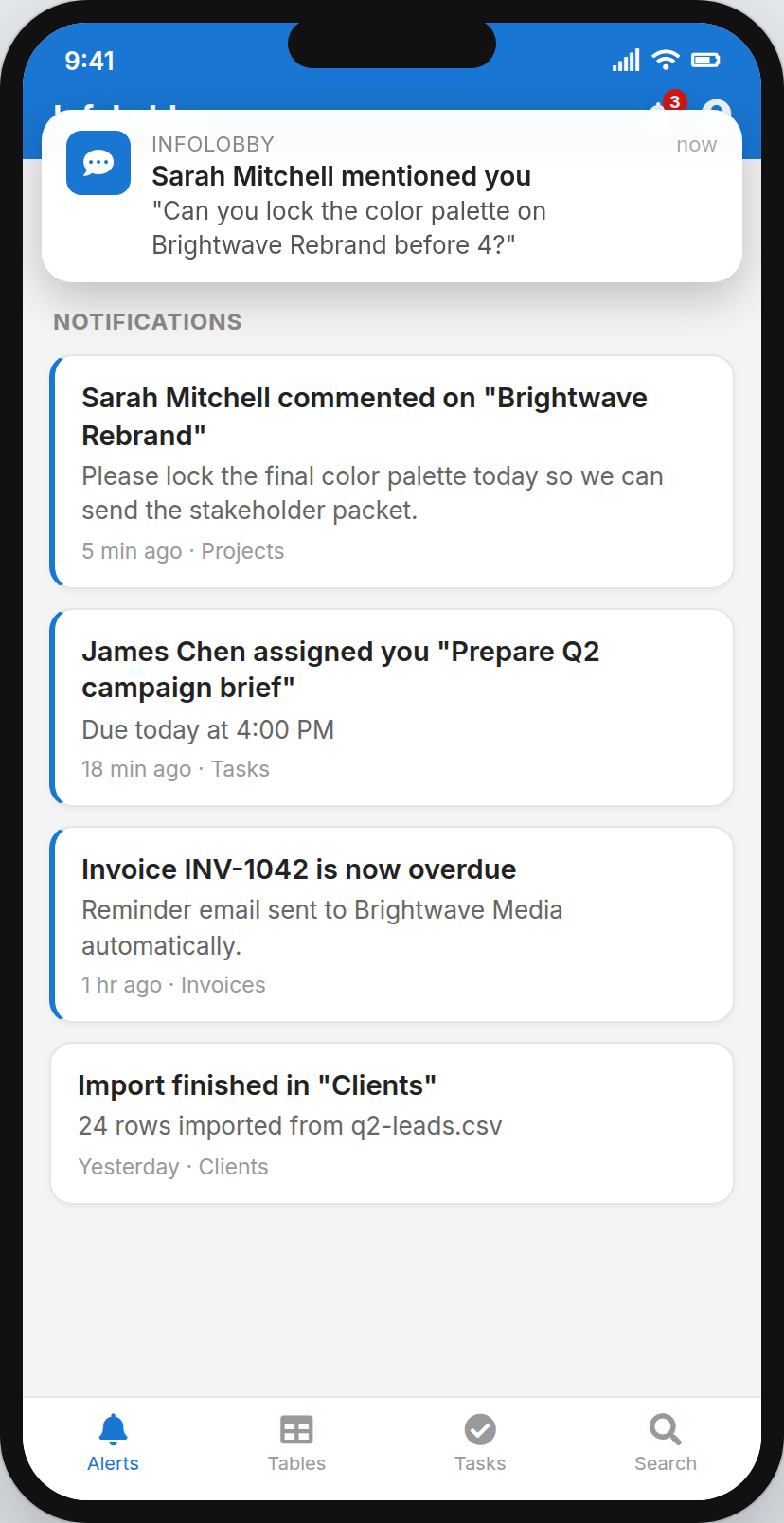
Be honest. At least three of these are happening right now.
Nobody planned it this way. It accumulated, one urgent workaround at a time.
None of this is a discipline problem. It is what happens when the tools decide how the work runs, and the work politely declines to agree.
Off-the-shelf boxes you in. Custom software becomes your problem.
Off-the-shelf tools are built for the average version of your business. You are not the average version of your business, which is exactly why there are four spreadsheets patching the gaps between them.
Custom software fits perfectly, right up to the afternoon the developer moves on and you inherit a codebase you cannot read, cannot change and cannot delete.
InfoLobby sits in the middle. You build the system, in the interface, without asking anyone. We run the boring infrastructure underneath it.
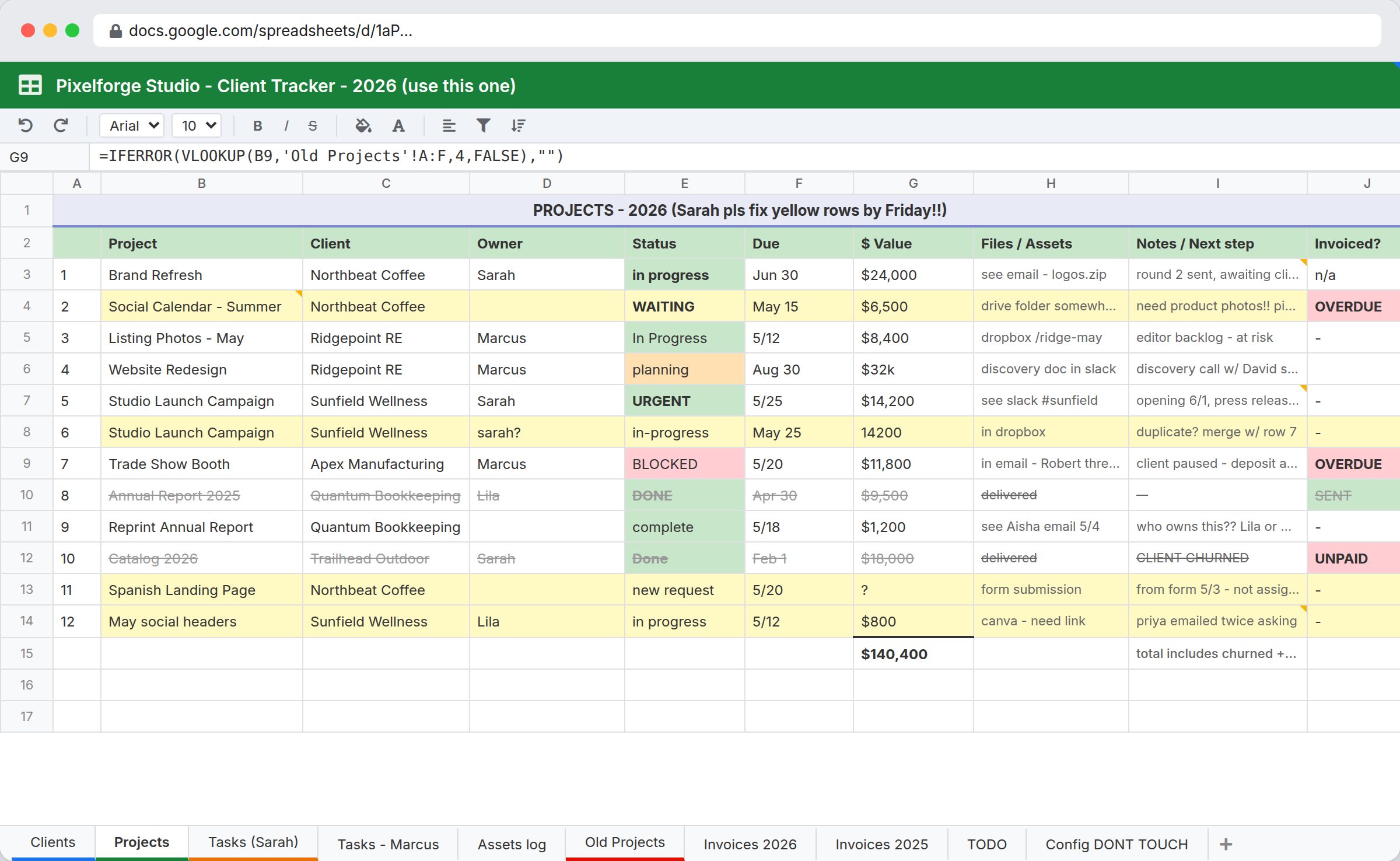
Exhibit A. Somewhere, this file is named "tracker FINAL v4 (USE THIS ONE).xlsx".
Describe the process you hate most
In your own words. Badly. Include the exceptions, the one client who gets special treatment, and the step that only works because you remember to do it. You will get back the tables, fields and automations it would take to run that here.
No signup. No call. Nobody from sales appearing in your inbox for the next fiscal quarter.
Not a category. A pile of parts.
We are not going to tell you which three-word market segment this belongs to. You get components, you assemble them into the thing your business does, and then you keep moving them around forever.
Structured data
Real field types, relationships between tables, rollups. Not a grid of text doing an impression of a database.
A view per team
Grid, kanban, calendar and gallery over the same records. Sales gets a board, finance gets a list, nobody gets a screenshot pasted into chat.
Ways in and out
Public web forms, electronic signatures, embeds, inbound email, webhooks, scheduled flows, a REST API and an MCP connector.
Reports
Charts and summaries over live records. No export step, and no stale copy of the numbers touring the company by email.
A spreadsheet row cannot hold a conversation
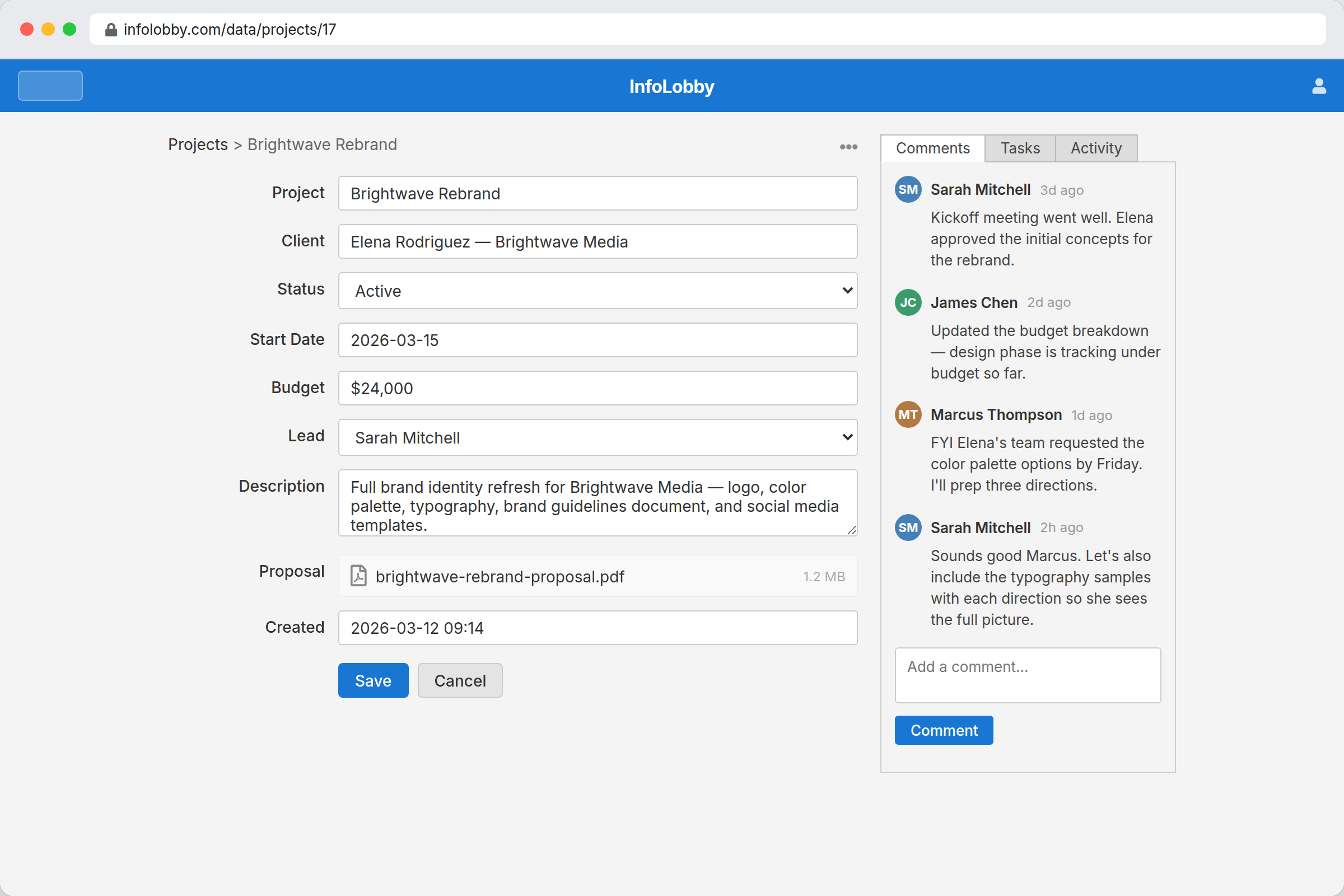
Open a project here and the work around it is already attached. This is the part people forget when they picture a database, and it is usually the real reason the spreadsheet stopped being enough.
- Tasks with an owner, a due date and a reminder that actually fires
- Comments, so the decision is kept next to the thing it was about instead of in a DM nobody can find
- Files on the record they belong to, rather than in a folder called "new folder (2)"
- Full history of what changed and who changed it. Handy in most meetings. Decisive in some of them.
Change it on the same day the process changes
You already know how the work runs. You should not have to file a ticket with anybody about it, including yourself.
- Add a field, a status or a relationship in seconds
- Restructure a table without it becoming a migration project with a name
- Change a workflow without redeploying anything
- No waiting on a vendor roadmap that says "Q4" and will not say which year
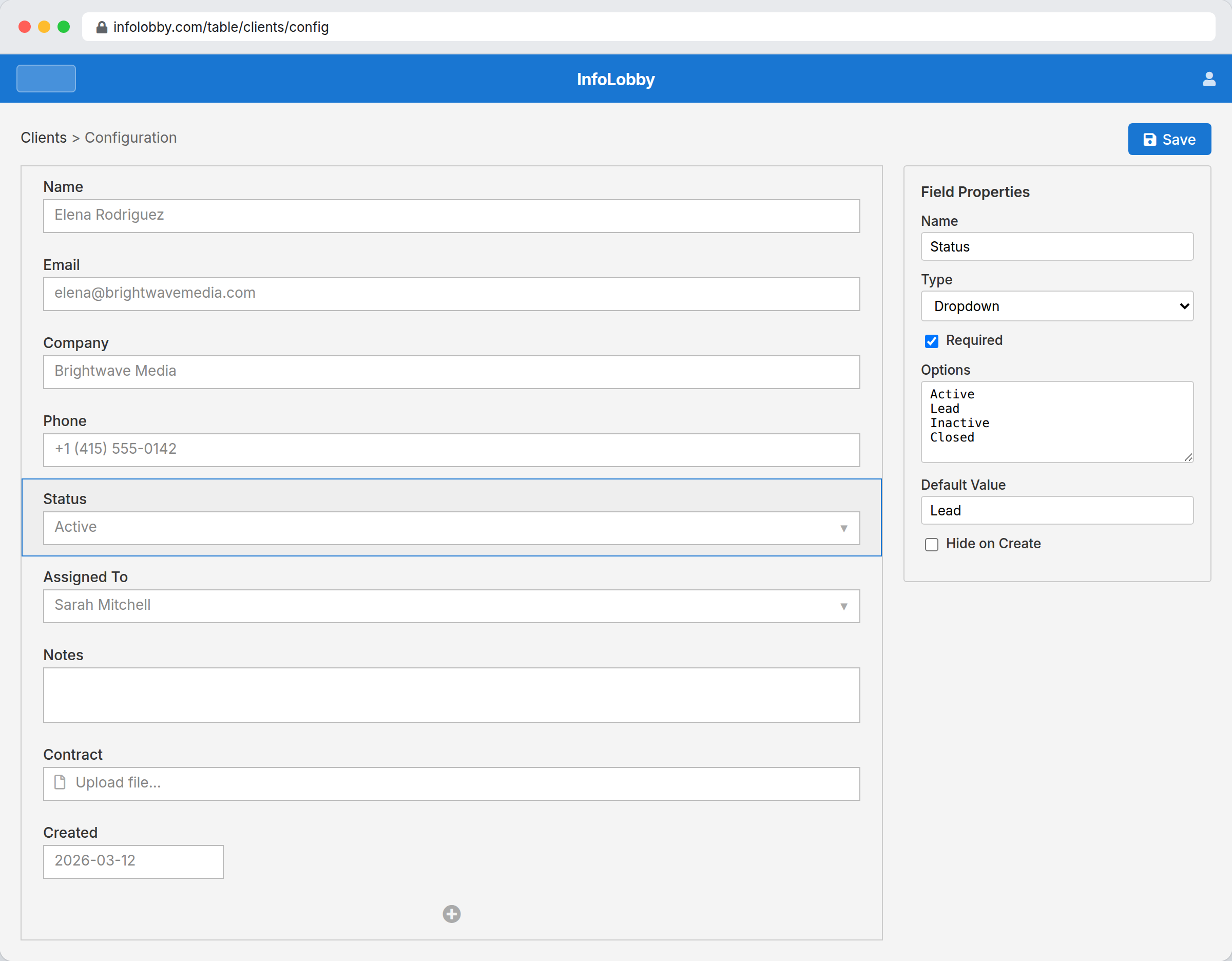
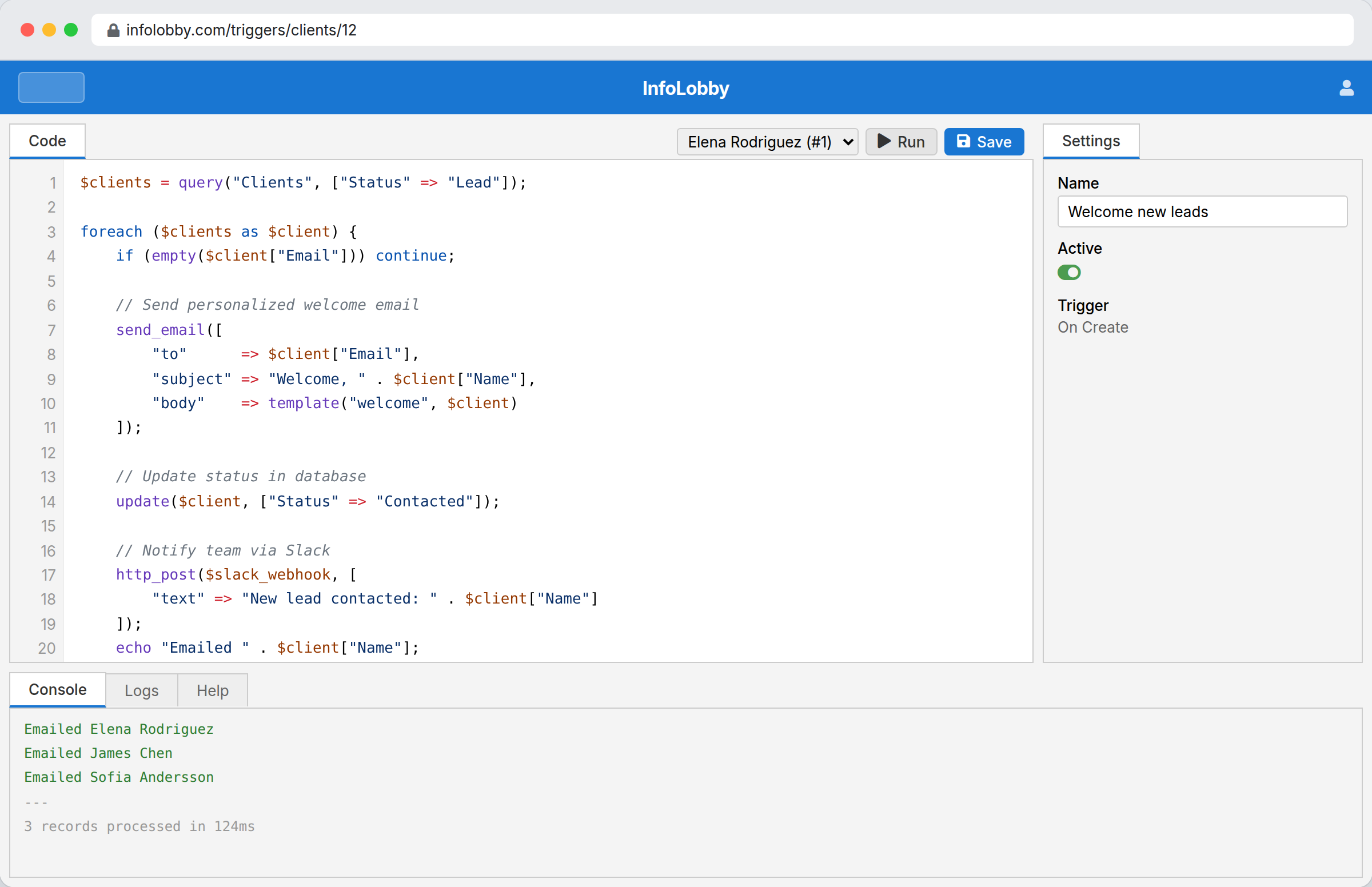
Every builder has a limit. Ours has a door in it.
Most of InfoLobby is configuration, and most requirements are met that way. But we are not going to stand here and claim that every business rule on earth fits inside a drag and drop interface, because you have met one that does not.
- PHPScript for logic the visual builder cannot express
- Call any REST API from a flow, or receive webhooks into one
- A full public REST API over your own data
- Bring your own keys for SMTP, OpenAI and anything else you pay for
- Optionally connect your own MySQL server or S3 storage
You build it. We run it.
Building the system is the interesting part. Applying a database patch at 2am is not the interesting part. No one has ever called it that.
Managed MySQL
A real database, provisioned with your account. Nothing to install, nothing to maintain.
File storage
S3 storage for the documents your workflows depend on.
Inbound email
Every table and record gets its own address, so replies and forwards land on the record instead of in a personal inbox.
Backups and updates
Handled. There is no deploy step and no version for you to upgrade at the weekend.
Your data stays reachable either way: full REST API access, plus SQL dumps you can download whenever you want to feel reassured.
Automate the process, not one app
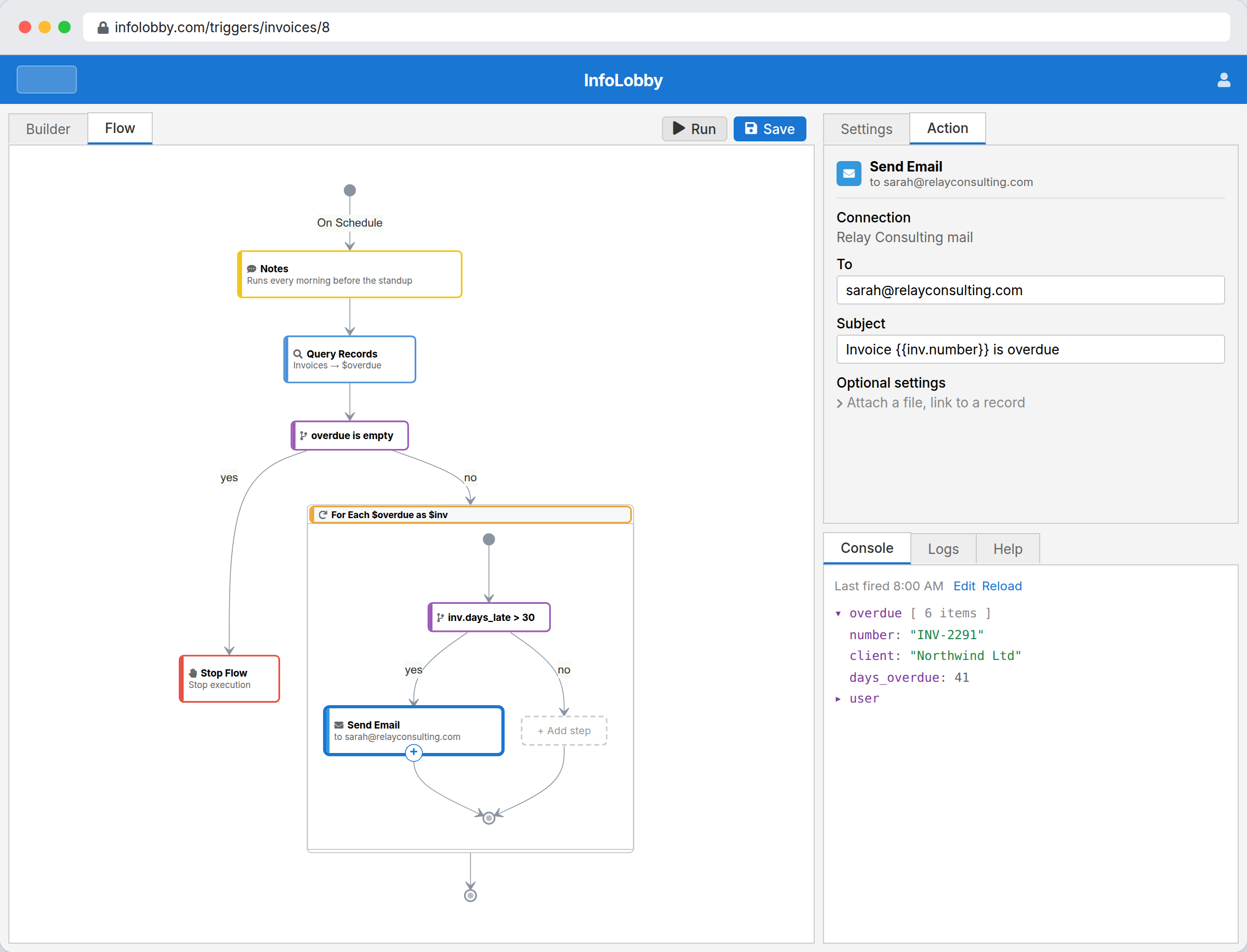
Flows run on record changes, schedules, form submissions and inbound webhooks, and they reach across every table in the workspace instead of staying politely inside one silo.
- Update records and create the work that comes next
- Send email and generate documents
- Call external APIs and use AI on real, structured data
- Drop into PHPScript for the cases that refuse to behave
Everybody wants an AI on their data. Somebody still has to own the data.
Your team is already pasting company numbers into a chat window. That ship has sailed, and it is not coming back. The only question left is whether the thing on the other end knows who they are, what they are allowed to see, and what it just changed.
Ask the table. Approve the change.
The assistant lives inside the workspace and already knows the table you are standing on. Ask what is overdue and it answers from live records. Ask it to add a calculation field and build the reminder flow behind it, and it writes the whole change out and then stops, which is the important half.
- Answers from your actual records, not from something it read in 2024
- Proposes field, table, record and flow changes as a reviewable diff
- Nothing lands until you press Approve. Undo is right next to it, because we have met software.
- Runs on your own OpenAI key, so the bill is yours and so is the data
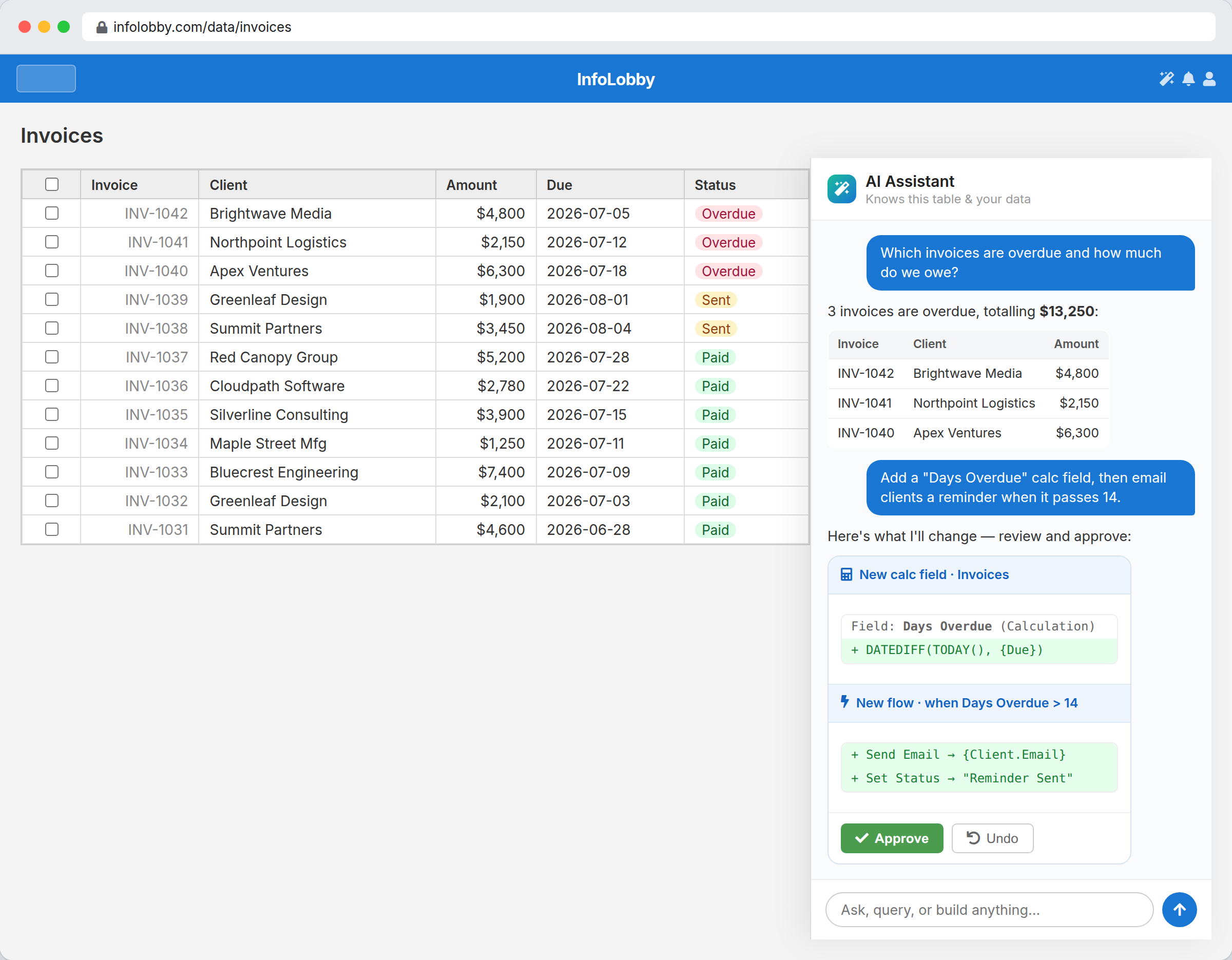
That green Approve button is the entire philosophy of the product, rendered in one colour.
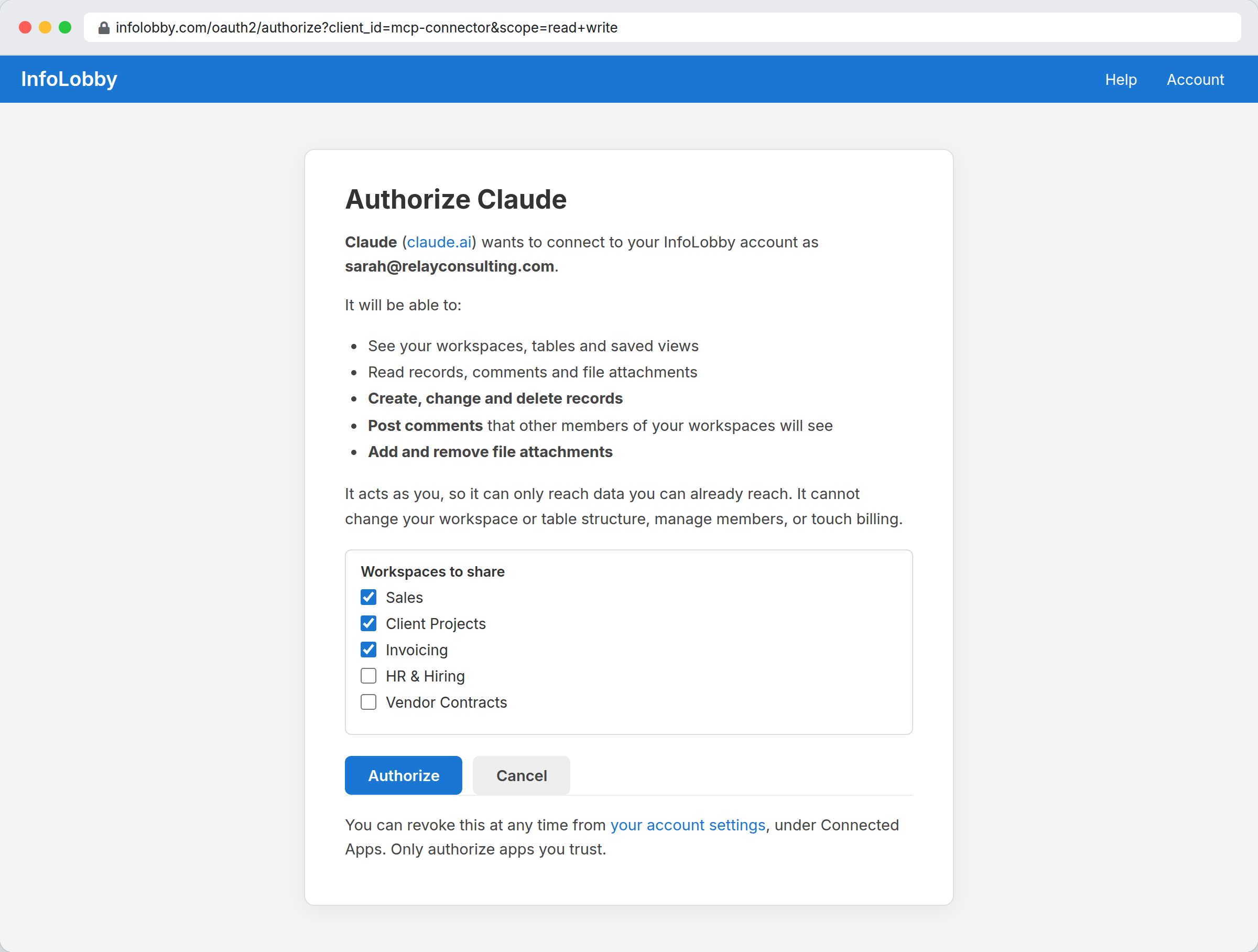
It acts as you. Which means it cannot see the workspace you cannot see either.
Claude, ChatGPT, or whatever is running in your terminal
You do not have to use our assistant at all. InfoLobby is built to be operated by somebody else's agent, through the same public API your own integrations use. No scraping, no browser puppet, no screenshot of a grid pasted into a prompt.
- An installable agent skill for local CLI agents like Claude Code, Cursor and Gemini CLI
- A remote MCP connector over OAuth for hosted assistants like Claude and ChatGPT
- API keys you can scope to one workspace, mark read only, and pin to an IP
- Flows an agent writes land inactive, so nothing starts emailing your customers on its own initiative
The boring part is the point
Anyone can put a chat box in front of a database. The reason you can actually let an agent near this one is underneath it.
Roles still apply
An agent connects as a person with a role: Read Only, Read and Write, or Admin. It reaches exactly what that person reaches and not one table further.
Changes are proposals
In-app edits arrive as a diff with an Approve button. The AI gets no private route around the rules the rest of the account lives under.
Every write is signed
Agent writes land in the record history, badged with the key that made them. When something looks strange in three weeks, the answer is already on the record.
A chat window is a great way to reach your data. It is a terrible place to keep it. The platform is the part that is still standing on Monday: the roles, the permissions, the history, and a normal screen for the people who would rather click than type.
Flat monthly pricing. Not per seat.
The moment a system starts working, you want everyone on it. Per-seat pricing charges you more for exactly that, so we do not use it.
Start closer to done
An empty workspace is the most intimidating screen in software. Install something that already works, then take it apart until it matches how you actually operate.
This is not our first workflow platform
We built GlobiFlow, a visual automation platform that businesses ran their daily operations on. It was good enough that Citrix bought it in 2017 and made it the automation engine inside Podio. Nine years later it is still there, still doing the job every day, shipping as Podio Workflow Automation under Podio's current owner, Progress Software.
Watching other companies run their actual invoicing on your automation for a decade teaches you where a system like this holds up, and where it quietly ruins somebody's Friday. InfoLobby is the version we always wanted to build. This time we run the whole thing ourselves: data, interface and automation in one place, on infrastructure we manage, with a door in the wall for when configuration runs out.
We built GlobiFlow
Visual workflow automation, plus ProcFu for the people who needed to go further than the builder could express.
Citrix acquired it
It became Podio Workflow Automation. Nine years on, it still runs for Podio customers every day.
We build InfoLobby
Same team, everything we learned, and this time the platform is ours to run and keep improving.
Who this is for, and who it honestly is not
InfoLobby suits people who want to shape the system themselves. That is a real preference and it is not everybody, so here is the uncomfortable half of the pitch.
Build here if
- You are the person everyone asks when the system needs to do something new
- Your process is specific enough that no off-the-shelf app quite fits it
- You want to build it yourself and keep changing it
- You want an API and a code escape hatch for the awkward 5%
- You are done paying full price for people who only ever look at one report
Do not build here if
- You want a deep vertical suite with every industry feature already built in
- You want somebody else to design your workflow for you
- You need a full CRM with dialers, enrichment and sales coaching
- You would rather not touch any part of the system yourself. That is a perfectly reasonable way to live. It is just not this.
Questions you were going to ask anyway
What happens when I hit a limit?
You go through it. PHPScript handles the logic the visual builder cannot express, flows can call any REST API, and the public API reaches your data from outside. The builder running out is a Tuesday, not a wall.
Do I need to write code?
No. Most of InfoLobby is configuration and plenty of workspaces never contain a single line of script. The code is there for the day you want it, hanging on the wall like a fire axe.
Can I get my data out?
Yes. Everything is reachable through the REST API, and you can download SQL dumps of your database whenever you like. We would rather you stayed because leaving is easy than because leaving is impossible.
Do you charge per user?
No. Plans are flat monthly with unlimited users, so adding the team, the contractors and the person who opens one report a quarter does not change the bill. The numbers are on the pricing page.
Do I have to start from scratch?
No. Import the data you already have, install an App Market pack and bend it until it fits, or connect a service you already pay for and build outward from there.
Can I use my own database?
You can connect your own MySQL server or S3 storage if you want to. Most people never bother, because the managed ones are already running and have yet to ask anyone for attention.
Can the AI see everything in my account?
No. An agent connects as a person and inherits that person's role, so it reaches exactly what they reach. You can scope an API key to a single workspace, mark it read only and pin it to an IP, and every write it makes lands in the record history badged with the key that made it.
Do I need an OpenAI key?
For the in-app assistant, yes. You connect your own key, which means the usage is billed to you at cost and your data goes to an account you control rather than one we resell. Everything else on the platform works without it.
Can I use Claude or ChatGPT instead of yours?
Yes, and plenty of people do. There is an installable agent skill for local CLI agents and a remote MCP connector over OAuth for hosted assistants. Same API, same permissions, same history.
Why is this page written like this?
Because the well-behaved version already exists on the homepage, and it says the same things in a suit. Same product, same trial, same pricing, same people answering support. This one just admits out loud what your Tuesday looks like.
Build it the way it already works in your head
Start with one process. Start with the one that annoyed you this morning. Change it as often as you like, and nobody will write back to say the roadmap does not allow it.
14 day free trial. No credit card required.