See how a team actually runs on InfoLobby
This is Relay Consulting, a small agency running clients, projects and invoices in one place. Click the hotspots to see what each part does and why it matters. No signup needed.
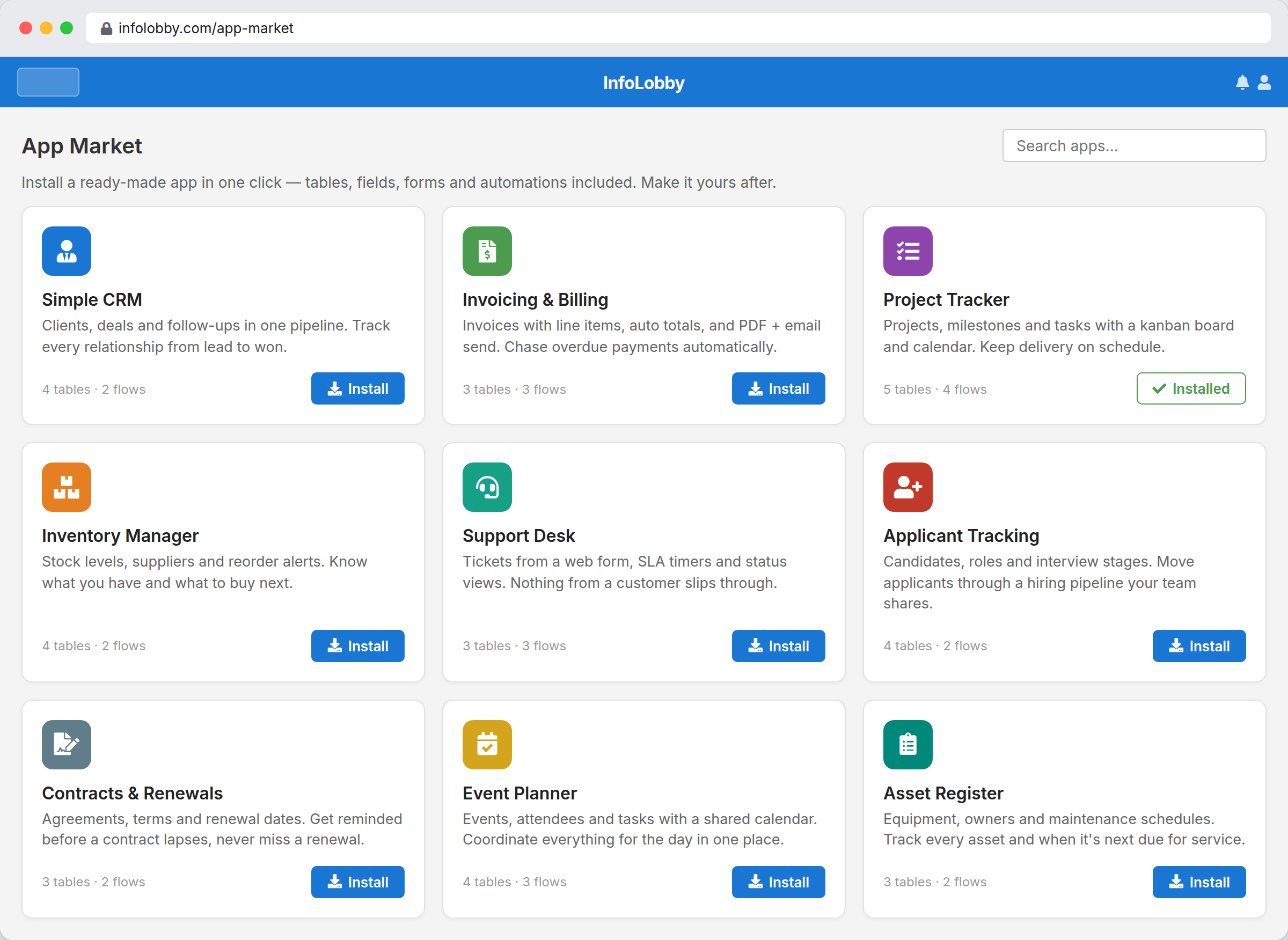
Don't start from a blank screen
Install a ready-made app (CRM, invoicing, project tracker) in one click. Tables, fields, forms and automations come with it. Then make it yours.
- Ready-made apps. Each pack is a full app: tables, fields, views and flows already wired together.
- Install in one click. Add a whole working app to your workspace instantly, then customise anything.
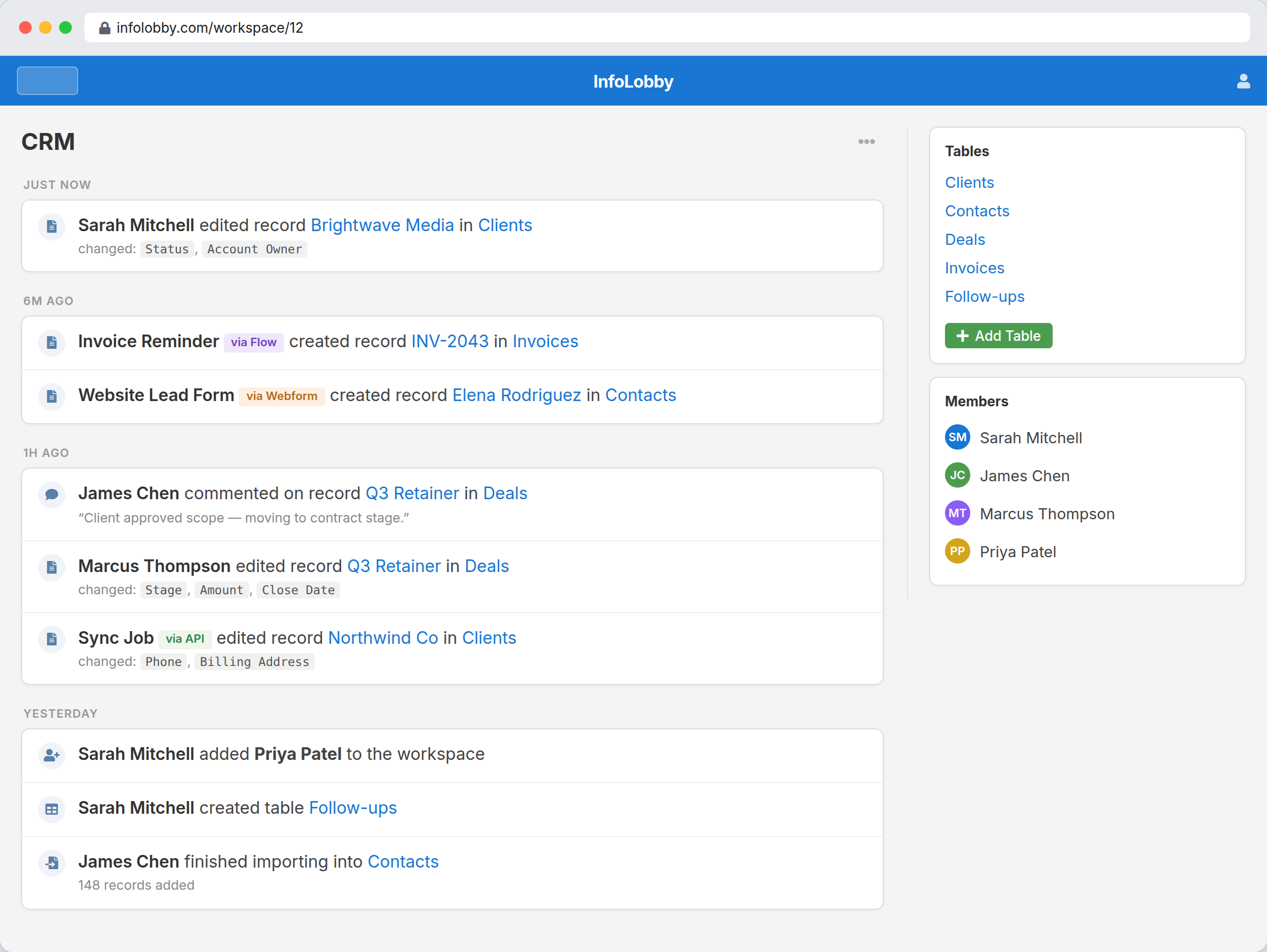
Everyone in one place, with the right access
Invite your team into shared workspaces and give each person a role: Admin, Read & Write, or Read Only. People see what they should, and nothing they shouldn't.
- Shared workspaces. Group related tables into a workspace and invite exactly the people who need it.
- Roles per member. Admin, Read & Write, or Read Only. You control who can change what.
- Who did what. Every action is attributed, so there's no mystery about recent changes.
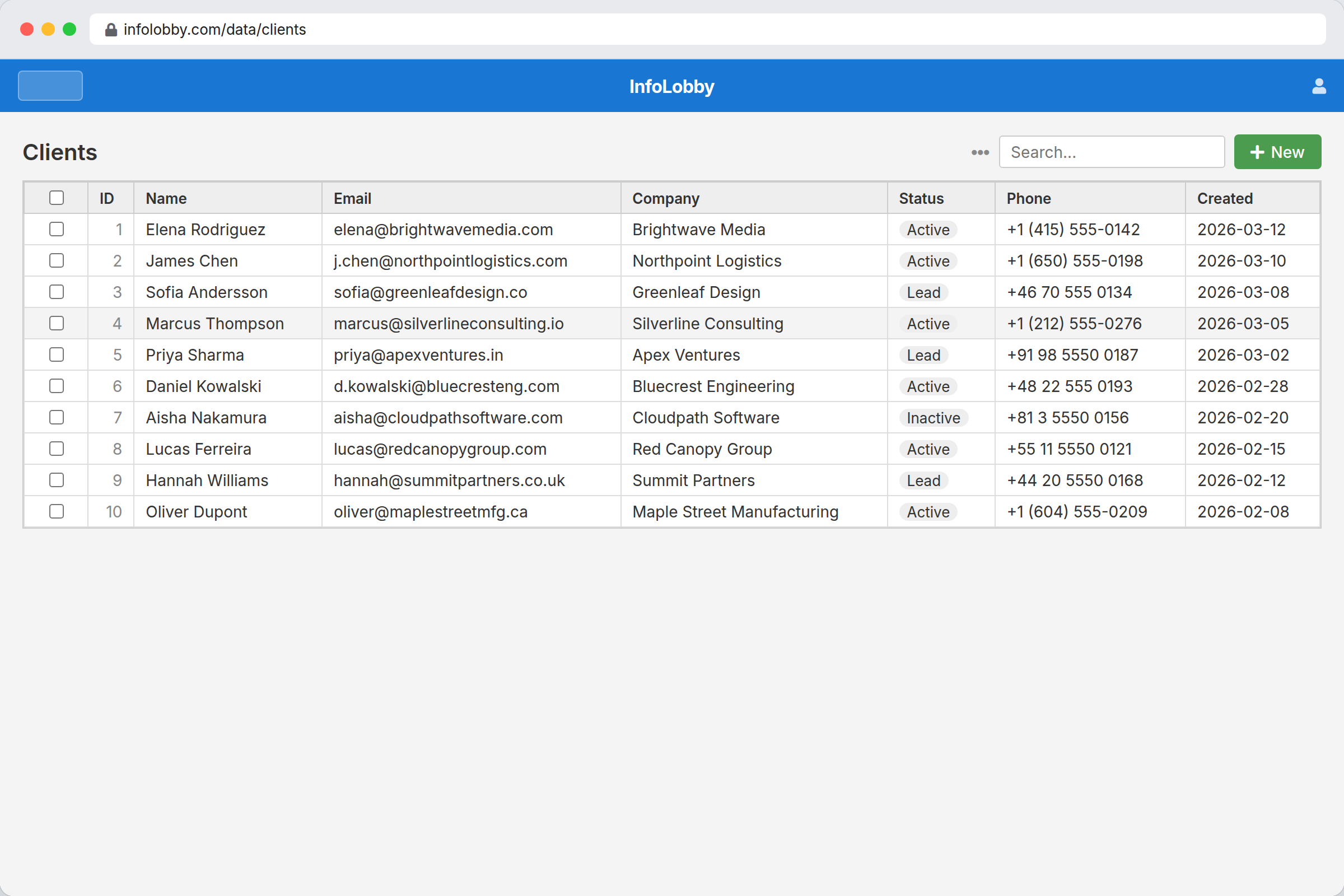
Real structured data, not another spreadsheet
Typed fields, search, and links between records give you structure a spreadsheet can't hold, while staying just as easy to open and edit.
- Every record is structured. Each row is a real record with typed fields: text, dates, selects, links, files and more.
- Views, filter & search. Switch layout, filter and search the same records. Find what you need across thousands.
- Status at a glance. Select fields render as colour-coded pills so state is obvious.
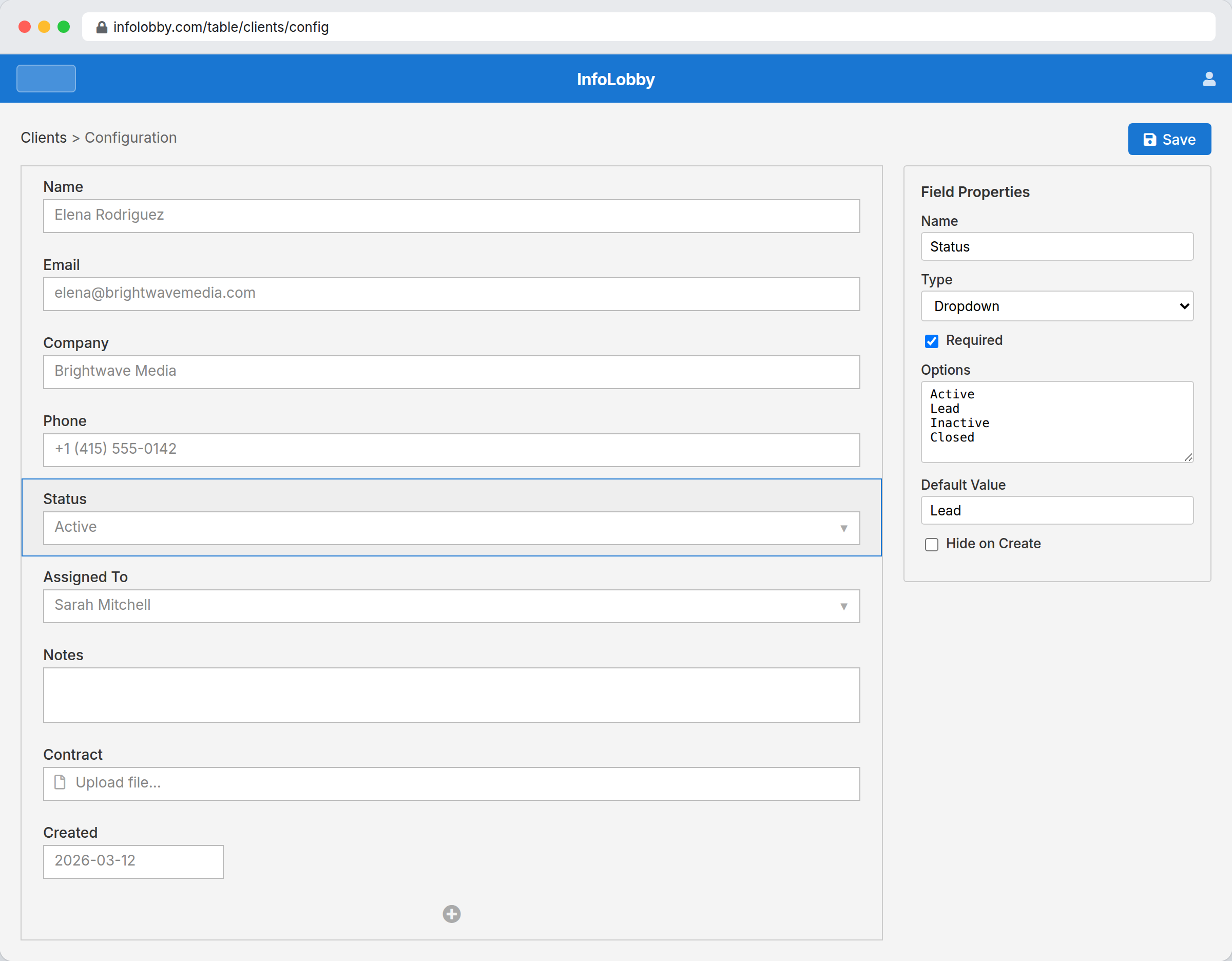
Add a field in seconds. No developer, no waiting.
Drag to reorder, click to add or rename a field, pick a type. The system bends to your process instead of forcing your process into the software.
- Drag-and-drop fields. Reorder and rename fields by hand. No schema migrations, no ticket to IT.
- Pick a field type. Text, number, date, select, file, link, lookup, calculation and more. Choose what fits.
- Add fields anytime. Your data model grows with the business, not the other way around.
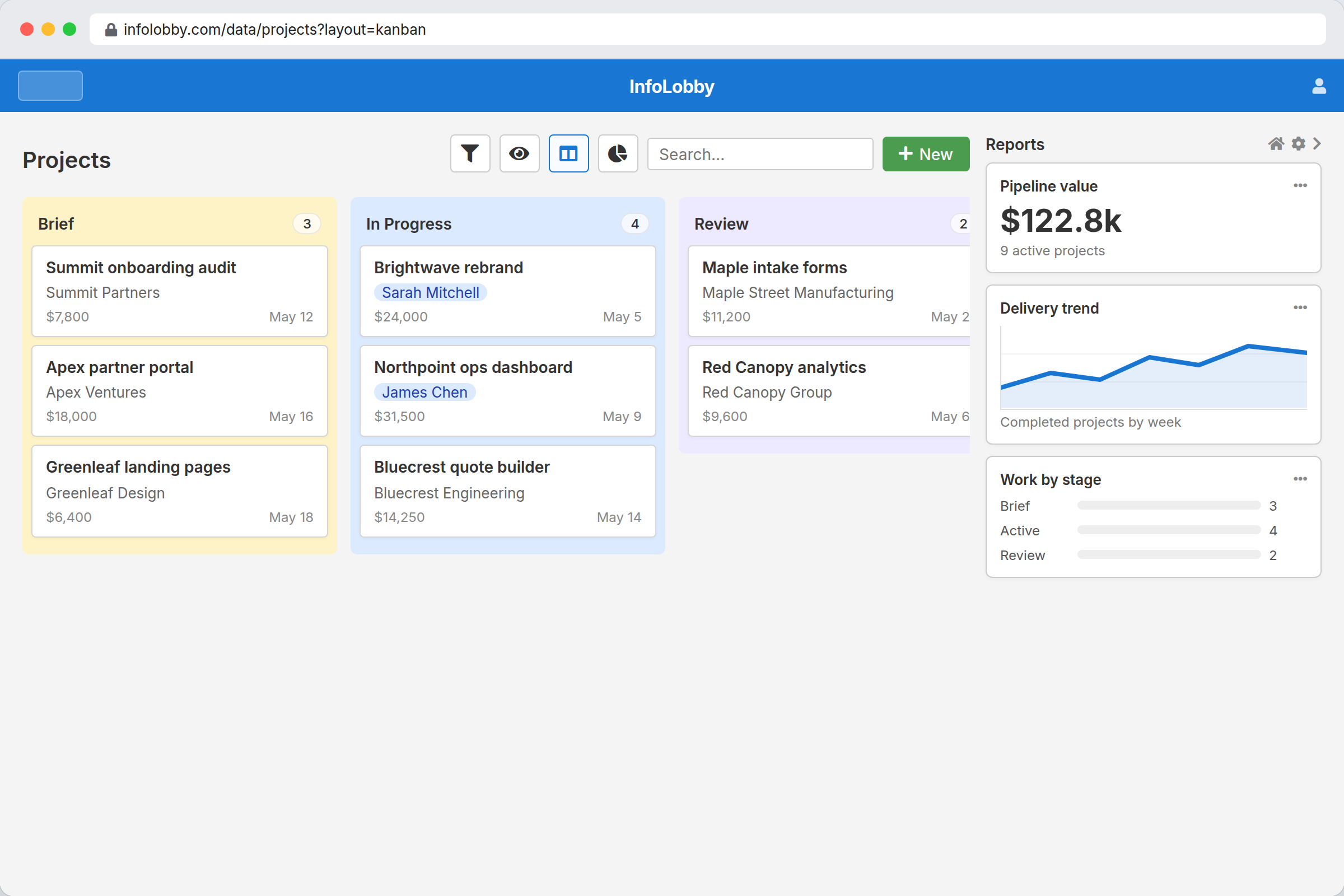
One dataset. Every view your team needs.
Ops lives in the grid, the PM wants a calendar, the founder wants a board, and leadership wants the numbers. Same records, no exports, no copies.
- Switch layout instantly. Flip the same records between grid, calendar, kanban and gallery in a click.
- Reports on the side. Live charts and totals sit right next to the data they summarise.
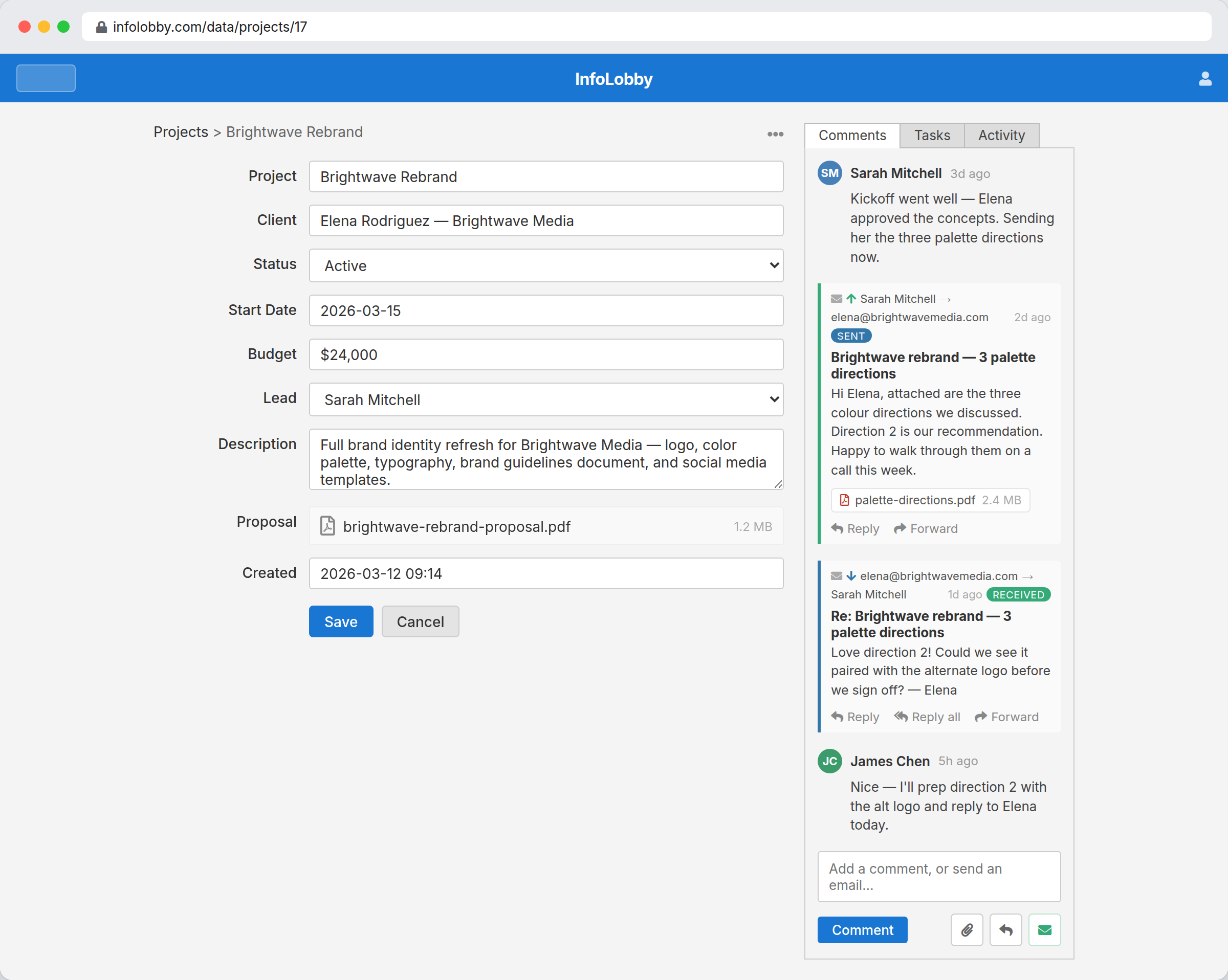
Decisions and client email live on the record
Comment to your team and email the client from the same record. The conversation stays attached to the work instead of dying in a chat thread or someone's inbox.
- Team comments in context. Discuss the actual record. No more 'which client were we talking about?'
- Client email on the record. Send and receive client email right here. The whole thread is saved on the record, with attachments.
- Reply or send a new email. Reply to the last email or start a new one without leaving the record.
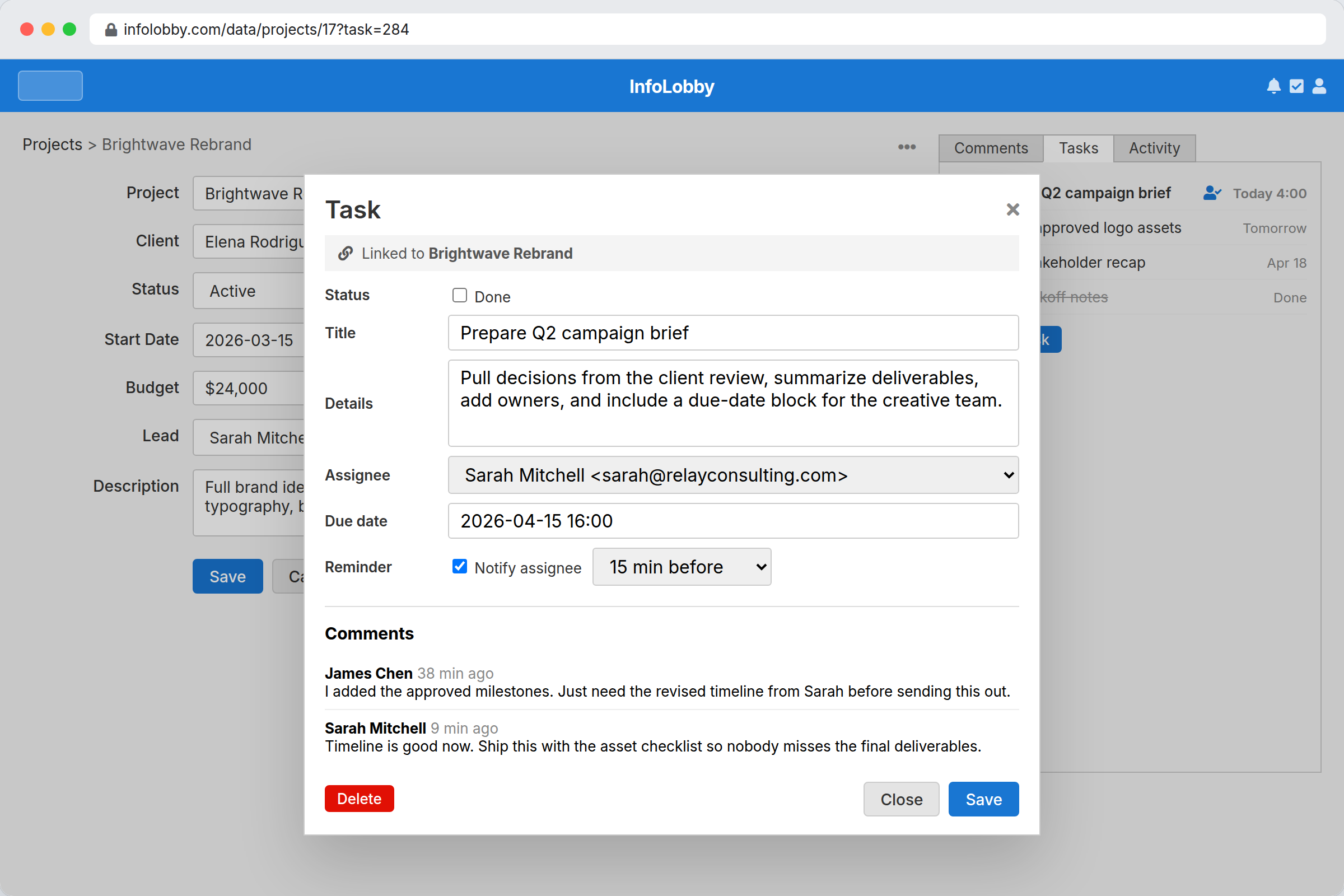
Work that doesn't fall through the cracks
Assign a task on the record that needs action, set a due date, and let InfoLobby remind the owner. No separate to-do app that drifts out of sync.
- Assign to a teammate. Tasks belong to a person and a record, so ownership is never fuzzy.
- Due dates & reminders. InfoLobby nudges the owner before it's late, so you don't have to chase.
- Every task on the record. The Tasks tab lists all of a record's tasks: owner, due date, and what's already done.
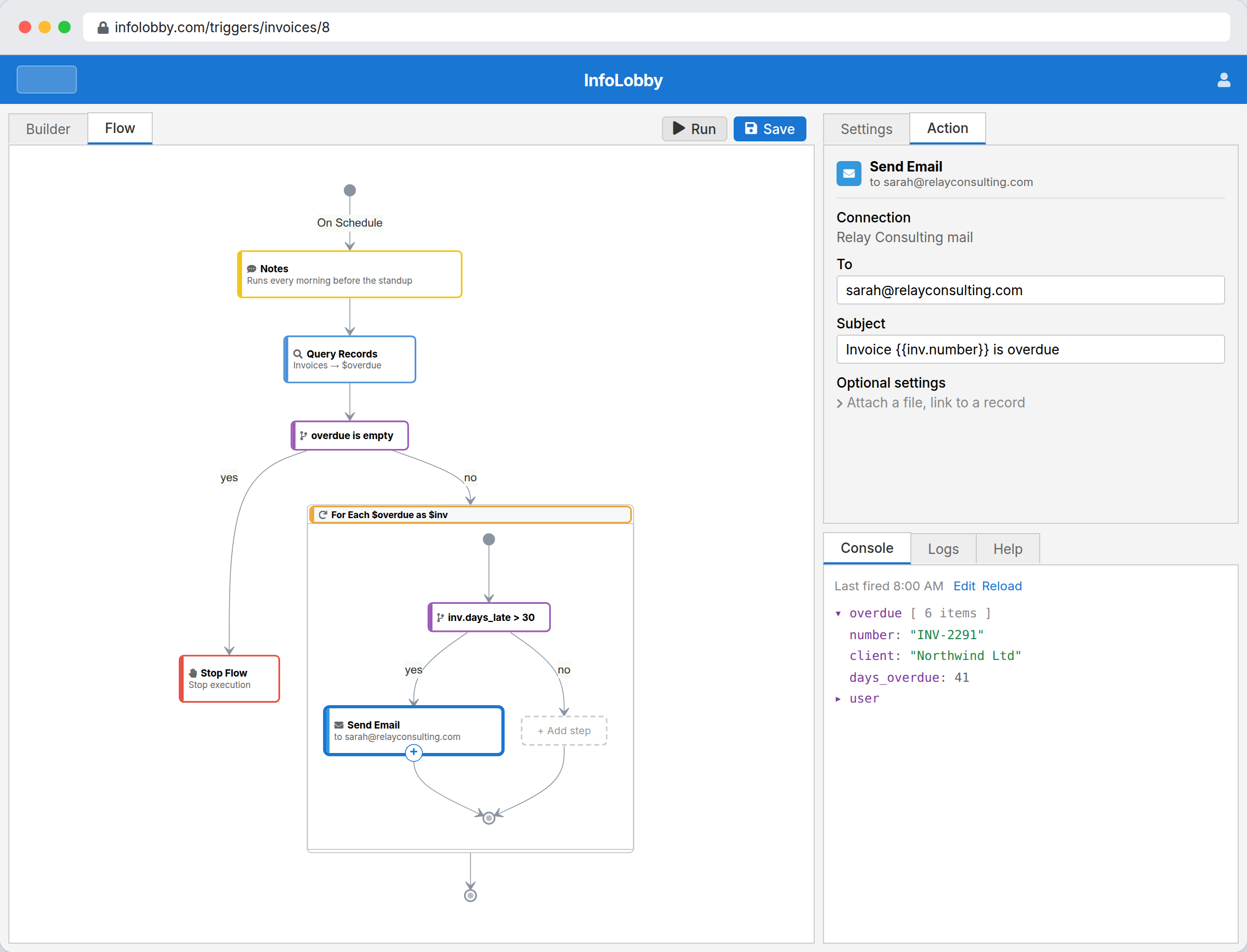
Automate the busywork, no code required
Build workflows visually: when a record changes, on a schedule, or from a form. Send email, update records, call an API. Drop into PHPScript for the tricky cases.
- Snap bricks together. Build the logic visually: query, loop, branch, email, update a record. No code required.
- A brick for everything. Data, logic and actions: HTTP, email, PDF, AI and more, ready to drop in.
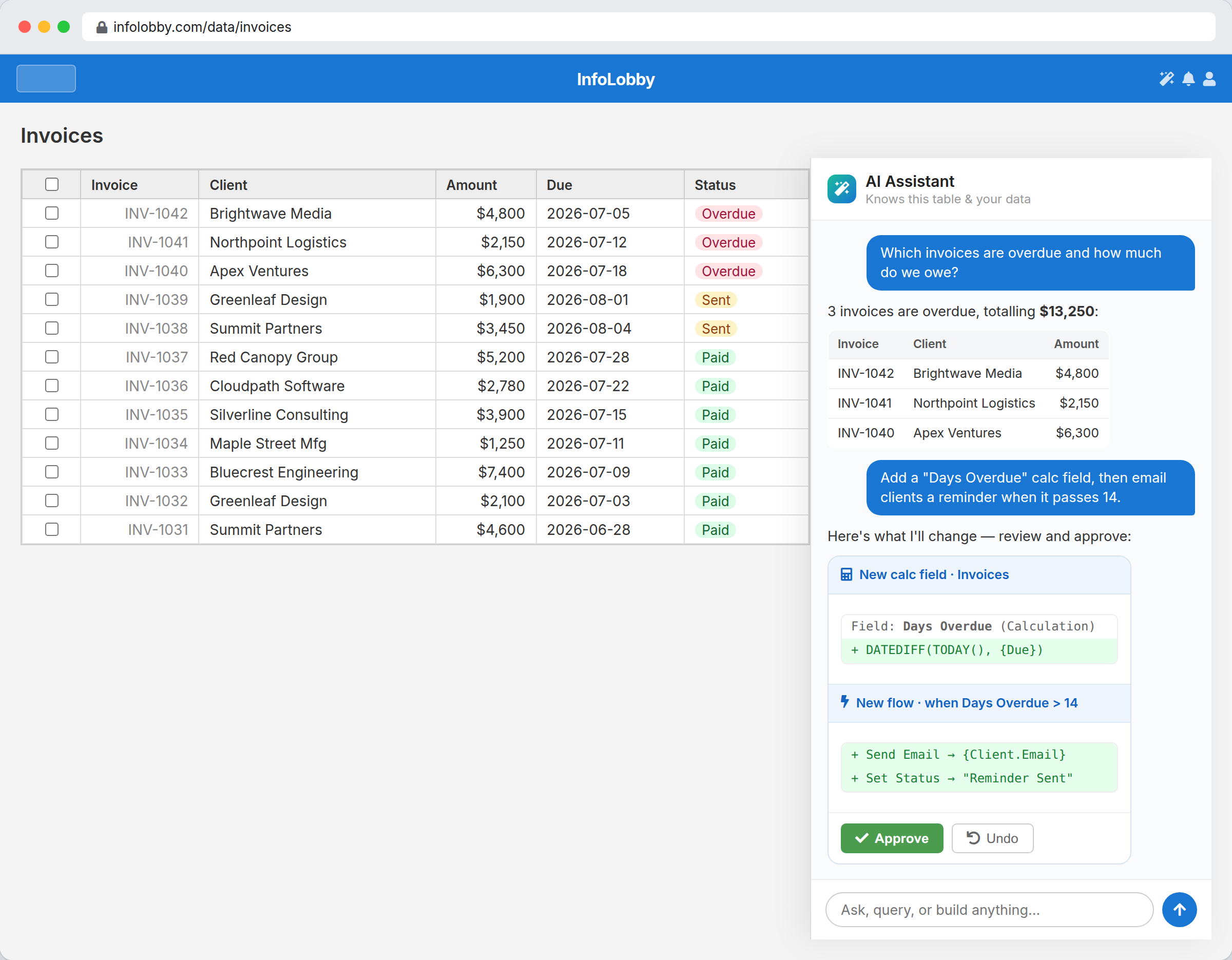
Ask AI to answer questions, and build with you
Query your data in plain English, and ask the assistant to add fields, calculations or flows. Every change is proposed first, so you approve what's right and undo the rest.
- Query your data. "Which invoices are overdue and how much do we owe?" Answered from your live records.
- Build by describing it. Ask for a calc field and a reminder flow. The assistant drafts the exact change.
- You approve every change. Nothing is applied until you say yes, and one click undoes anything.
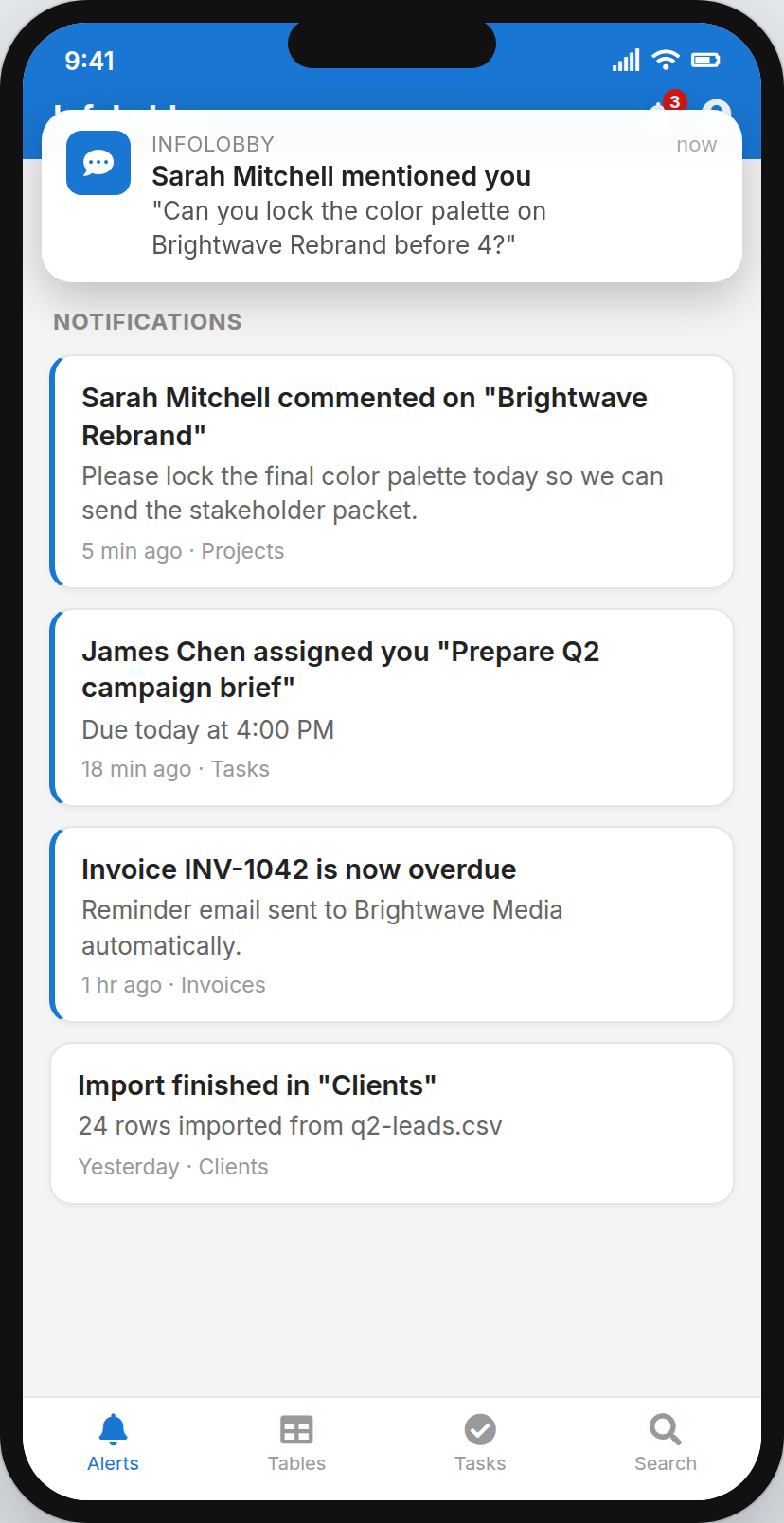
Stay in the loop from anywhere
Install InfoLobby to your phone, get push notifications for mentions, assignments and alerts, and act on the go. The work travels with your team.
- Push notifications. Get pinged the moment you're mentioned or assigned, even when the app is closed.
- Everything in your pocket. Comments, tasks, invoices and alerts, all on mobile.
- Install like an app. Add InfoLobby to your home screen. No app store required.
Build the system your team actually needs
Everything you just saw comes with every account: a managed database, the visual interface, team roles, comments, tasks, automations, AI and mobile. Free to start, no credit card.