Client Portal and Delivery Tracking Workflows
Keep client work, delivery status, requests, and internal follow-up in one system instead of scattered across email and spreadsheets.
Client work breaks down when the team can see the status, but the status lives in five places.
Why teams search for client portal and tracking workflow
Agencies, service teams, and account managers often lose time reconciling inbox threads, task apps, spreadsheets, and ad hoc docs just to answer one client-status question.
InfoLobby helps teams manage client-facing delivery workflows with structured records, comments, tasks, forms, and API-driven integrations. It is a strong fit when you need an internal operating layer behind client requests, deadlines, and account visibility.
What improves when this workflow is cleaned up
- Track each client, project, request, or deliverable as structured records
- Keep internal comments and task ownership on the work item itself
- Use forms or API connections to intake updates cleanly
- Create repeatable delivery workflows instead of one-off heroics
How InfoLobby supports the workflow
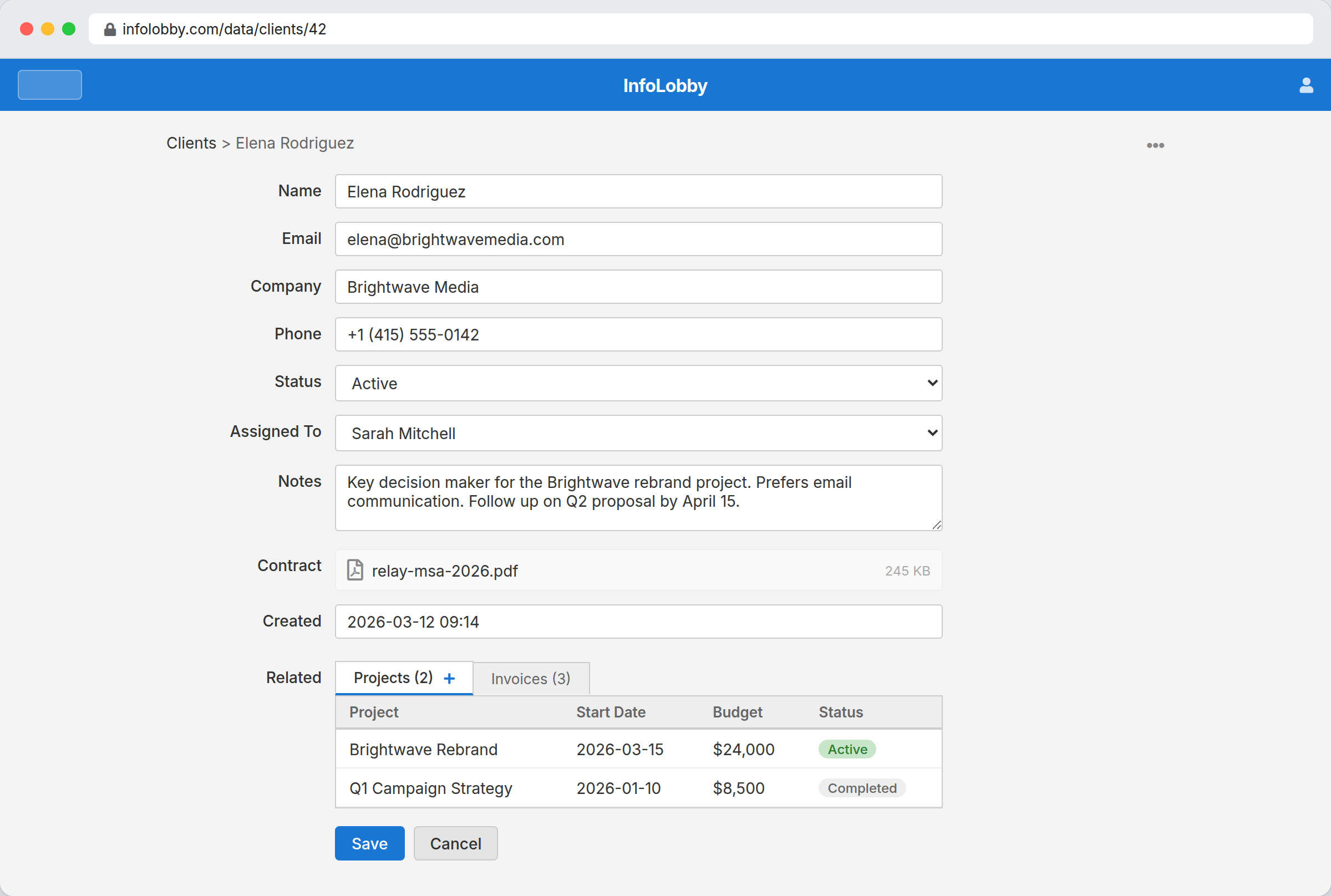
- Model client accounts, deliverables, approvals, and assets in related tables
- Assign tasks and reminders to internal owners
- Maintain readable history for handoffs and status reviews
- Expose or sync data outward through the public API when needed
A practical workflow in InfoLobby
- Create client, project, deliverable, request, and asset records with clear owners.
- Capture updates through forms or API connections so status does not live only in email.
- Review tasks, comments, files, and activity history before client check-ins.
Best fit
- Service teams that need internal delivery tracking more than a public login portal
- Client work with approvals, assets, deadlines, and recurring handoffs
- Teams that need one internal view before exposing selected data elsewhere
Probably not a fit
- Businesses looking for a polished customer-facing portal as the main product
- Simple client lists with no delivery process behind them
FAQ
Is InfoLobby a customer-facing portal product?
Primarily it is the internal system behind client workflows, though it can connect to forms and external systems through APIs.
Can we track client-specific tasks and notes?
Yes. Tasks, comments, and updates can live directly on the relevant client or project records.
Need this workflow to stop depending on memory and manual cleanup?
InfoLobby is strongest when the work is operational, shared across a team, and hard to manage in spreadsheets or disconnected SaaS. If that sounds familiar, a free trial is the fastest reality check.