Customer Onboarding With Shared Visibility
Run customer onboarding in a system where intake, tasks, status, blockers, and handoffs stay visible to the whole team.
Onboarding drags when responsibility changes hands but the context does not travel with it.
Why teams search for customer onboarding workflow software
Onboarding processes often live across CRM notes, spreadsheets, PM boards, and inboxes. That fragmentation slows time-to-value and makes customers feel the confusion.
InfoLobby helps teams manage customer onboarding workflows with structured records, forms, tasks, comments, reminders, and history. It is a strong fit when sales, success, ops, and implementation all need a clean shared view of each onboarding account.
What improves when this workflow is cleaned up
- Track each account, onboarding stage, requirement, and blocker
- Assign tasks and reminders as the account moves through setup
- Keep cross-team comments and updates attached to the customer record
- Capture inbound details through forms instead of email back-and-forth
How InfoLobby supports the workflow
- Model custom onboarding checklists and milestones in your own structure
- Trigger automations for reminders, notifications, and state changes
- Preserve a readable history for handoffs and escalations
- Expose account state through the API when external systems need it
A practical workflow in InfoLobby
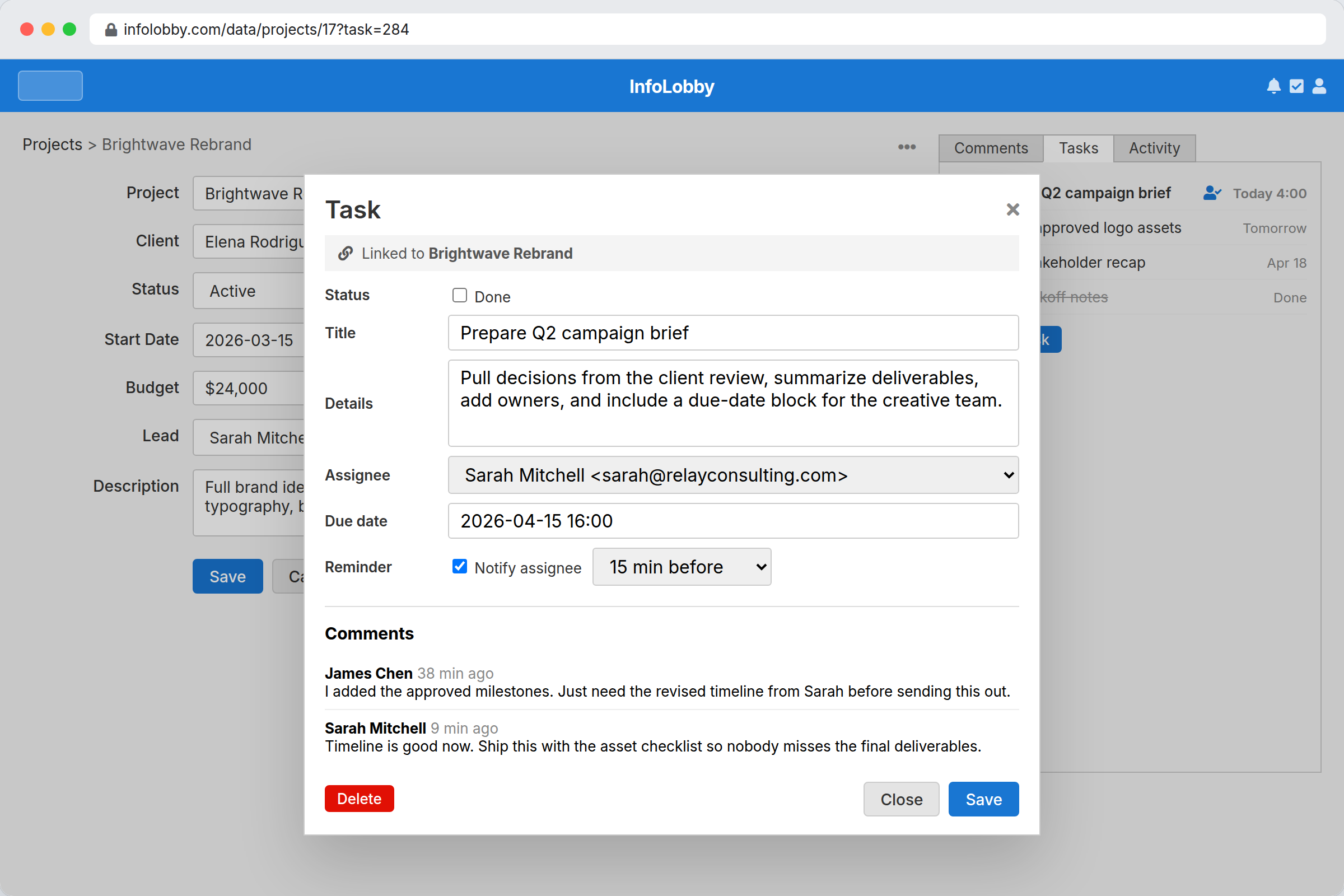
- Create onboarding records with stage, owner, requirements, blockers, due dates, and related account data.
- Assign tasks to sales, success, ops, or implementation as work moves between teams.
- Use reminders, comments, and history to spot stuck accounts before the customer has to ask.
Best fit
- Customer onboarding that spans sales, success, implementation, and ops
- Processes where blockers, requirements, and handoffs must be visible
- Teams that need flexible onboarding records rather than only checklist templates
Probably not a fit
- Pure in-app product onboarding tours or lifecycle messaging campaigns
- Very simple onboarding where a single checklist already works
FAQ
Can onboarding tasks live on the customer record?
Yes. Tasks can attach directly to the relevant customer or project record, keeping next steps in context.
Can onboarding include forms and automated reminders?
Yes. InfoLobby supports both embeddable forms and automation flows for reminders or workflow progression.
Need this workflow to stop depending on memory and manual cleanup?
InfoLobby is strongest when the work is operational, shared across a team, and hard to manage in spreadsheets or disconnected SaaS. If that sounds familiar, a free trial is the fastest reality check.