CRM for Small Teams Without Per-Seat Bloat
Run contacts, pipeline, follow-up, and deal context in one shared workspace without buying a heavyweight CRM.
Small teams do not need more sales software complexity. They need clean visibility and reliable follow-up.
Why teams search for crm for small teams
Most small teams outgrow ad hoc spreadsheets before they are ready for enterprise CRM sprawl. They need pipeline visibility and accountability, but not another bloated stack.
InfoLobby gives lean teams a practical CRM setup: structured contact and deal records, comments, tasks, automations, web forms, and API access. It works well when you want control and flexibility without getting trapped in per-user pricing or overbuilt sales suites.
What improves when this workflow is cleaned up
- Track leads, companies, deals, and activity in related tables
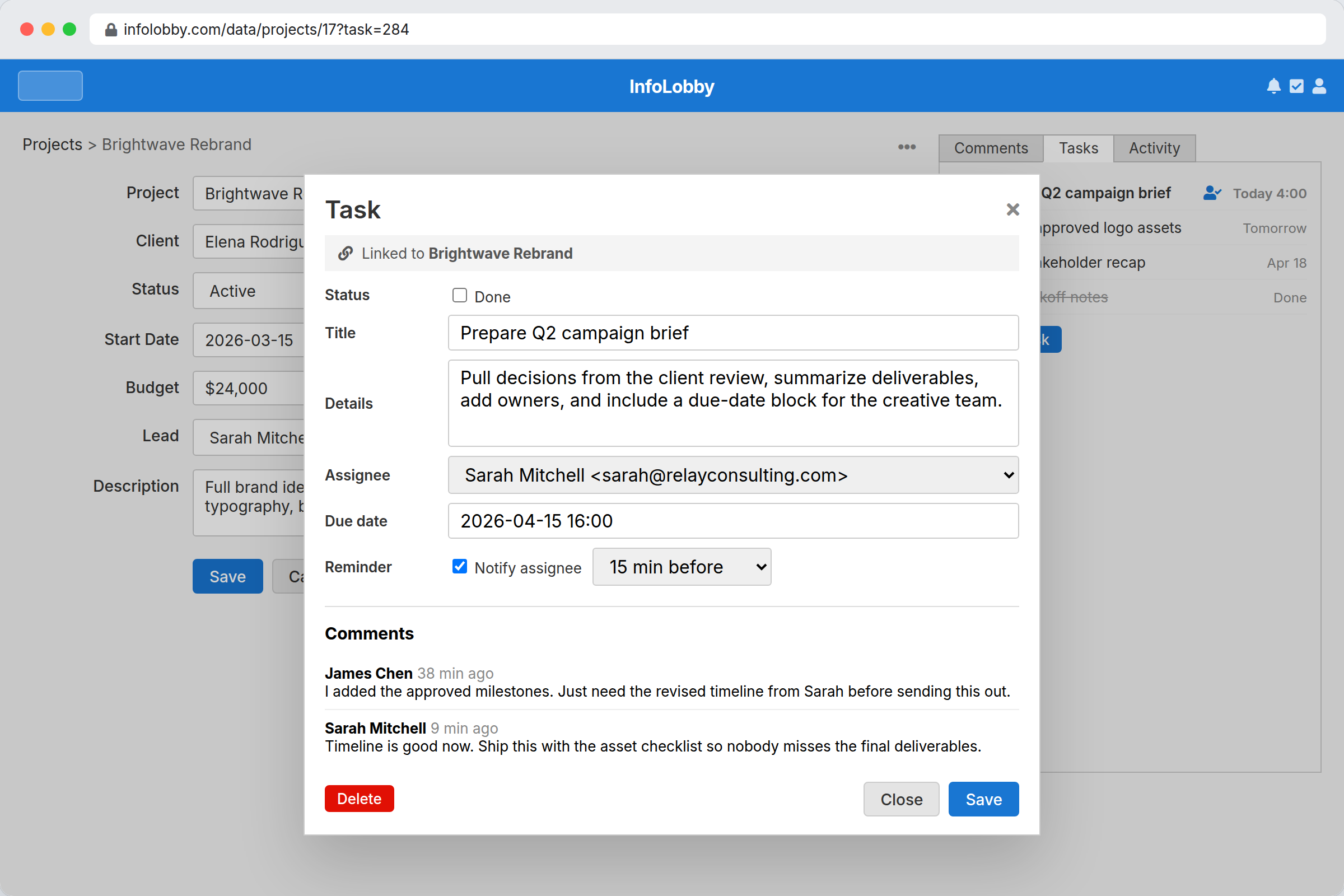
- Assign follow-up tasks and reminders inside the same system
- Capture inbound leads through forms that land as records
- Keep team notes and updates attached to the customer record
How InfoLobby supports the workflow
- Model a simple or custom CRM instead of forcing a rigid template
- Use automation for lead routing, reminders, and status changes
- Let sales, ops, and founders share one view of reality
- Extend with API calls or custom logic when your process matures
A practical workflow in InfoLobby
- Create related tables for companies, contacts, deals, activities, and follow-up tasks.
- Send website leads into the CRM through forms, then assign owners with workflow rules.
- Use record comments, reminders, and history to keep handoffs visible after the sale.
Best fit
- Small teams that need CRM discipline without enterprise sales-suite overhead
- Founder-led or ops-led sales processes where delivery and follow-up overlap
- Teams that want unlimited user access for sales, ops, and support context
Probably not a fit
- Teams that need advanced sales forecasting, dialers, or marketing automation suites
- Large sales orgs with strict enterprise CRM governance already in place
FAQ
Can InfoLobby handle sales follow-up tasks?
Yes. Tasks can be standalone or attached to records, with due dates, reminders, comments, and assignment.
Is this only for sales teams?
No. It works best for small teams where customer data, delivery handoff, and operational follow-up all overlap.
Need this workflow to stop depending on memory and manual cleanup?
InfoLobby is strongest when the work is operational, shared across a team, and hard to manage in spreadsheets or disconnected SaaS. If that sounds familiar, a free trial is the fastest reality check.