Forms That Become Work, Not Just Emails
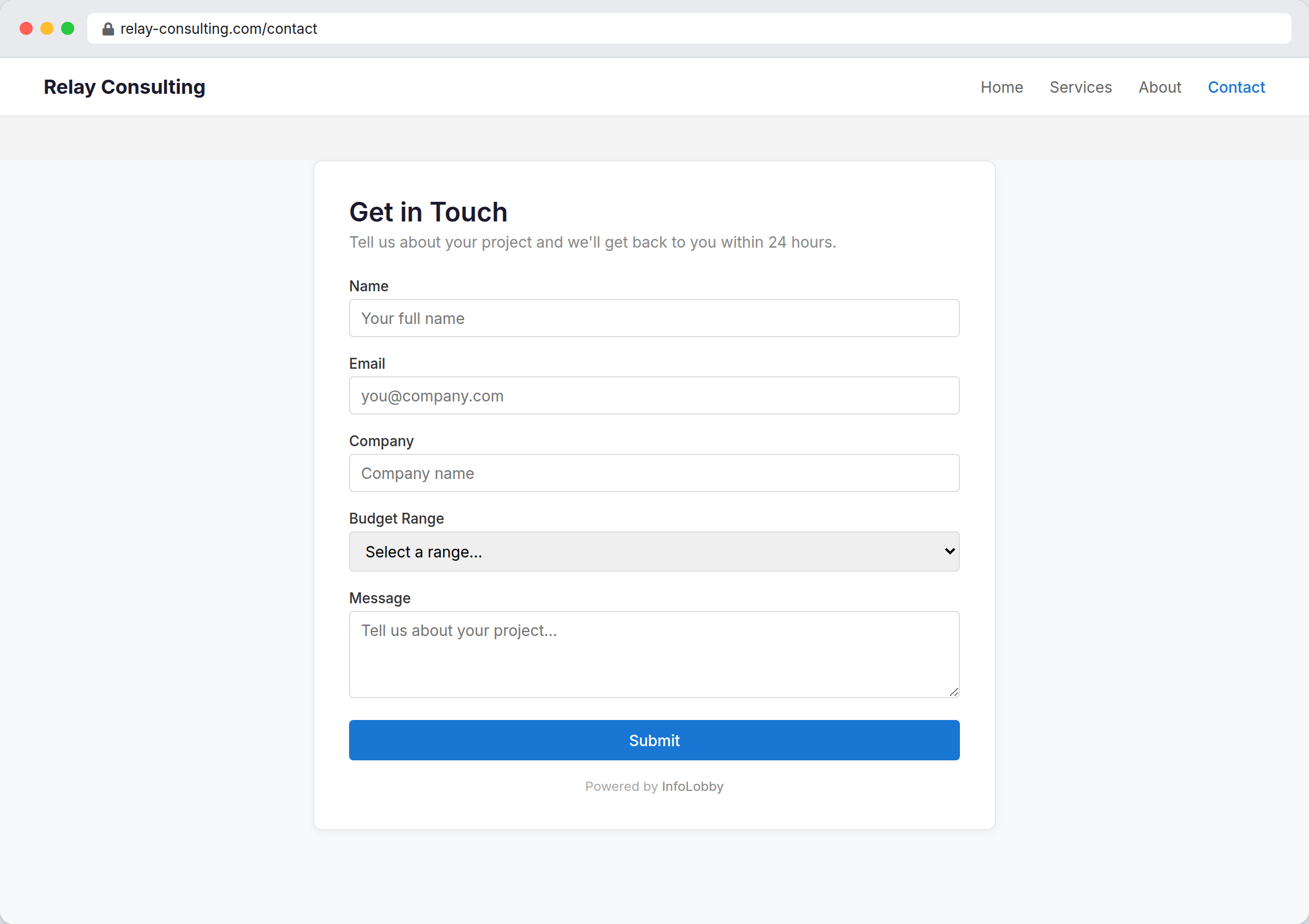
Put a form on your website. What someone fills in becomes a record in your table.
Nobody you send a form to needs a login.
Most form tools only do intake
They take something from a stranger and mail it to you, which is half the job. The other half starts when you need something back: a customer correcting their own address, a contractor confirming a date, a client signing off a quote. That is usually the point where people leave the system and start emailing attachments around.
InfoLobby forms are tied to your tables and come in three shapes. A create form takes a new record from the public. An edit form opens one existing record so somebody outside your team can fix it, field by field, with everything else locked. A signature form sends a document out to be signed. All three come back as records, so an automation can act the moment one lands.
A form is a door, and it swings both ways.
Intake is the obvious half. The other half is sending a single record back out: asking a customer to confirm their own details, a supplier to fill in a price, a client to sign the quote. Same tables, same automations, no login for the person on the other end.
- Map submissions directly into your tables
- Send one record out with a private, revocable link
- Trigger follow-up as soon as something comes back
What a form can do
- Map public inputs into structured records
- Use the same data downstream for tasks, comments, and automations
- Embed on your website instead of sending users elsewhere
- Share a single record for editing, with per-field read-only control
- Collect a legally binding electronic signature on a document
- Password protect a form, and revoke a shared link at any time
- Give a table its own email address so messages become records too
- Track form-created changes in activity history
- Block bot spam with an optional CAPTCHA challenge
Publishing a form
- Create the target table first so every form field maps to useful business data.
- Publish a create form for lead capture, requests, applications, orders, or structured intake.
- Add an edit or signature form when you need something back on a record that already exists.
- Trigger notifications, routing, or follow-up tasks as soon as submissions become records.
Where it fits
Use it for
- Forms that need immediate internal processing after submission
- Teams tired of copying website inquiries from email into spreadsheets or CRMs
- Request, lead, application, and order intake tied to operational workflows
- Contracts, quotes, and waivers that need signing before work starts
Reach for something else when
- Standalone survey research with advanced analytics as the core need
- Marketing landing pages where A/B testing and conversion tooling matter most
Questions people ask
Do web form submissions go straight into the database?
Yes. Each submission creates records in the target table so your team can act on them right away.
Can form submissions trigger automations?
Yes. Once a submission lands as a record, it can trigger the same workflows as any other record event.
Can someone outside my team update an existing record?
Yes. An edit form opens one specific record through a private link, with each field set to editable or read-only. Send the link yourself or have an automation email it, and revoke it later if you need to.
Can I get a document signed through a form?
Yes. A signature form shows the document, collects a legally binding electronic signature, and records who signed, when, and exactly what the document said at that moment. See electronic signatures for the detail.
How do I stop bots from spamming my form?
Enable the optional CAPTCHA on the form. Submitters solve a quick image challenge that is verified on our servers, so automated submissions are rejected.
Do all three kinds count toward my plan limit?
Yes. Create, edit, and signature forms all draw on the same web form allowance, so a table with an intake form and a signing form is using two.
Can people create records by email instead of a form?
Yes. Each table can have its own email address, and messages sent to it become new records, with the sender, subject, body, and attachments mapped to fields you choose. If it ever attracts spam, reset the address to issue a fresh one.
Try it on your own data
Start free and build one working process around this feature, then add the records, views, tasks and automations around it.