TL;DR
- "We automate that with Zapier" is not the same thing as a constraint. An automation runs after the record is saved, so by the time it notices bad data, other automations may already have fired on it.
- A calculation field can show that something is wrong, but it is read-only. It cannot refuse the save.
- An InfoLobby validation rule is a PHPScript check that runs synchronously before every create, update and delete. Return a message and the whole write is rejected. Nothing is committed.
- Three real examples below: a Won deal needs a close date, a posted invoice cannot be deleted or edited, and a journal entry must balance across its lines.
- The limit: validation runs before the write, so it cannot check values that only exist after the record is created, such as a generated invoice number.
A lot of business rules are implemented as automations.
A record changes. A flow runs. The flow checks whether something is wrong. If it is, the flow changes the record back, sends an alert, or tries to clean things up.
That works for automation.
It does not work for enforcement.
By the time the flow runs, the bad data may already have been saved. Other automations may already have fired. Emails may have gone out. Documents may have been generated. Another system may already have received the record.
Sometimes the requirement is much simpler:
Do not allow this data to be saved.
That is what table-level validation in InfoLobby is designed for.
A validation rule runs synchronously before a create, update or delete is committed. It receives the proposed record, the existing record where applicable, any submitted line items, the acting user and the source of the write.
Return nothing and the write continues.
Return a message and the entire write is rejected.
Nothing is committed.
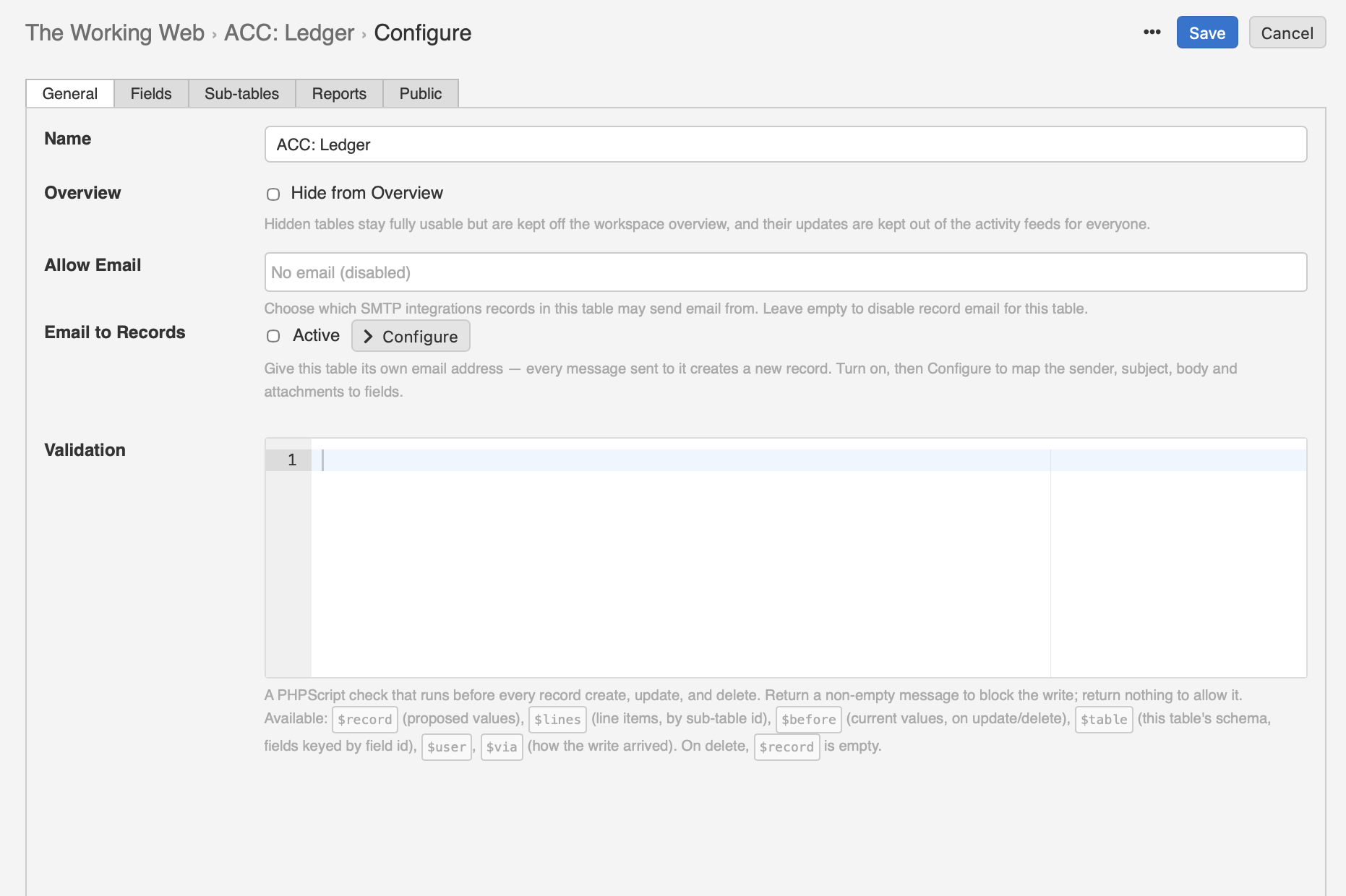
That distinction becomes important once a system starts carrying operational or financial data.
Here are three examples.
1. A Won deal must have a close date
Suppose a Deals table contains:
stageclose_date
The rule is simple.
A deal cannot be marked Won unless somebody has entered the close date.
if ( $record["stage"] == "Won" && empty($record["close_date"]) )
    return "Set a close date before marking the deal won.";
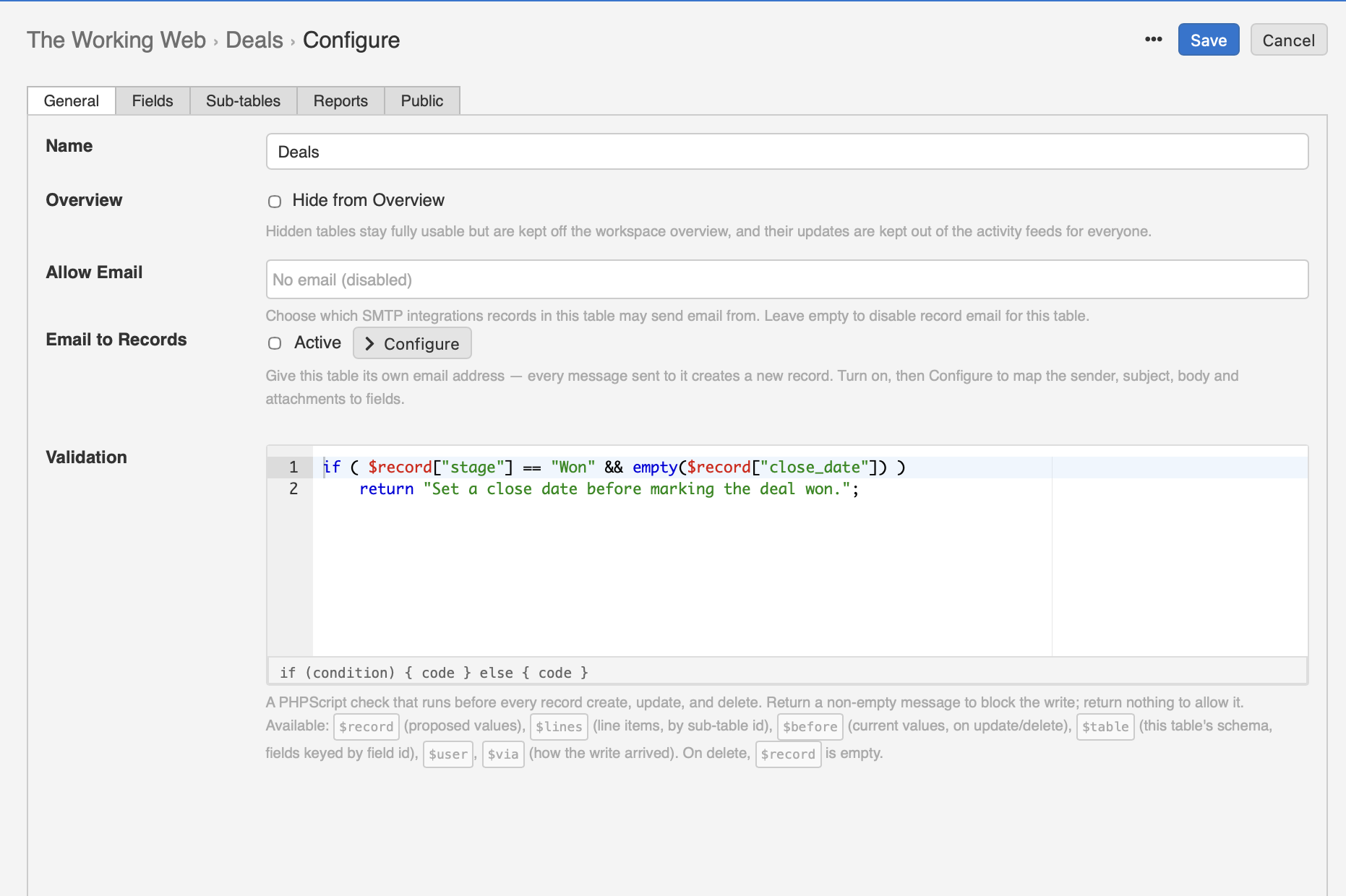
Now try to save a deal as Won without a close date.
InfoLobby rejects the write and shows:
Set a close date before marking the deal won.
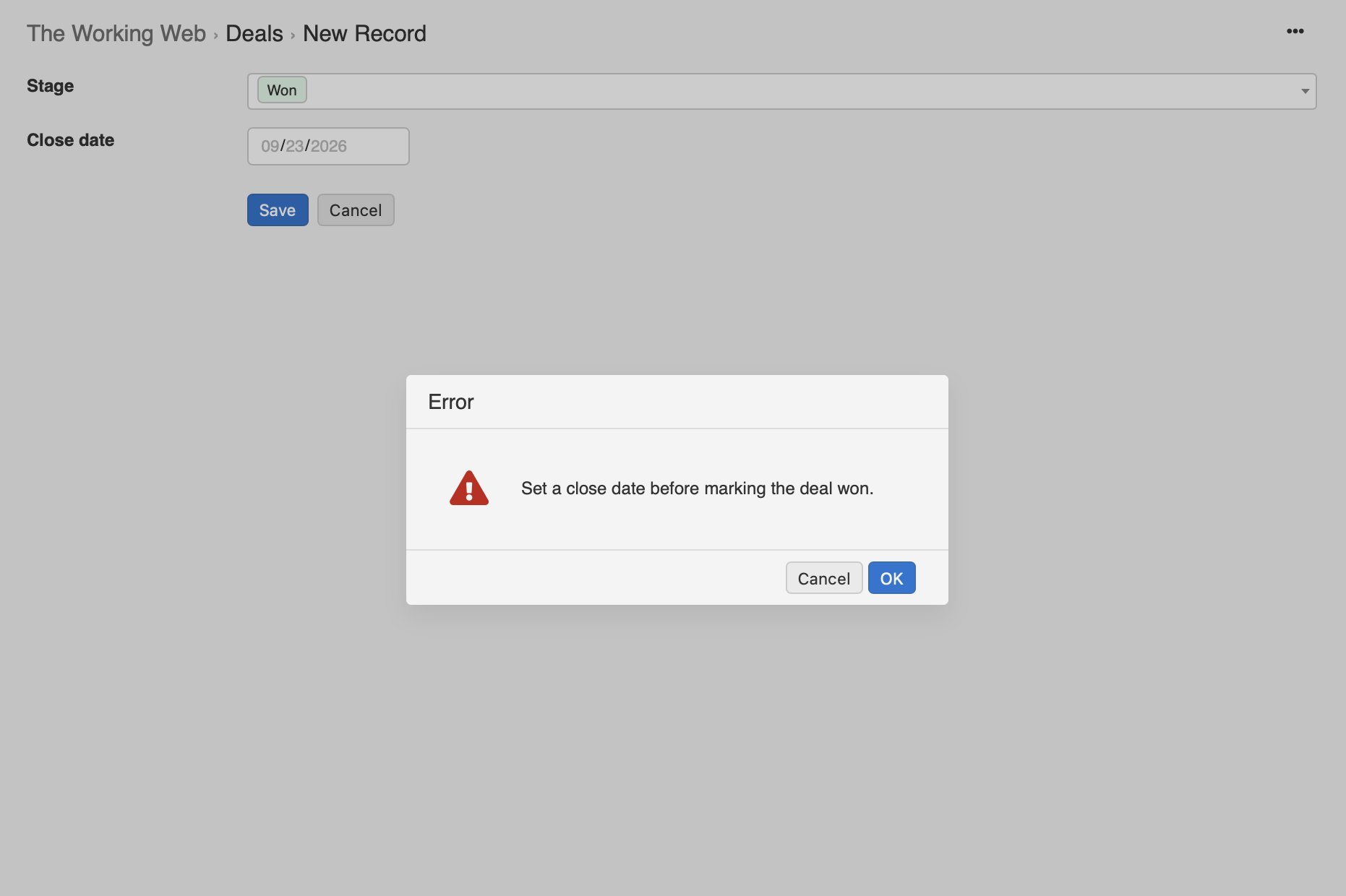
You could build an automation that watches for deals marked Won without a close date.
But that automation runs after the change.
The validation rule prevents the invalid state from existing in the first place.
That is the difference between reacting to bad data and refusing it.
2. A posted invoice cannot be deleted
The next rule depends on the record's previous state.
Imagine an invoice with:
invoice_numberstatusissue_datetotal
Once the invoice reaches posted, it should become part of the financial record.
Deleting it should no longer be allowed.
Validation rules expose $before, which contains the currently stored record during an update or delete.
On delete, $record is null, while $before still contains the invoice being deleted.
So the rule can be:
// DELETE
// $record is empty, $before contains the existing record.
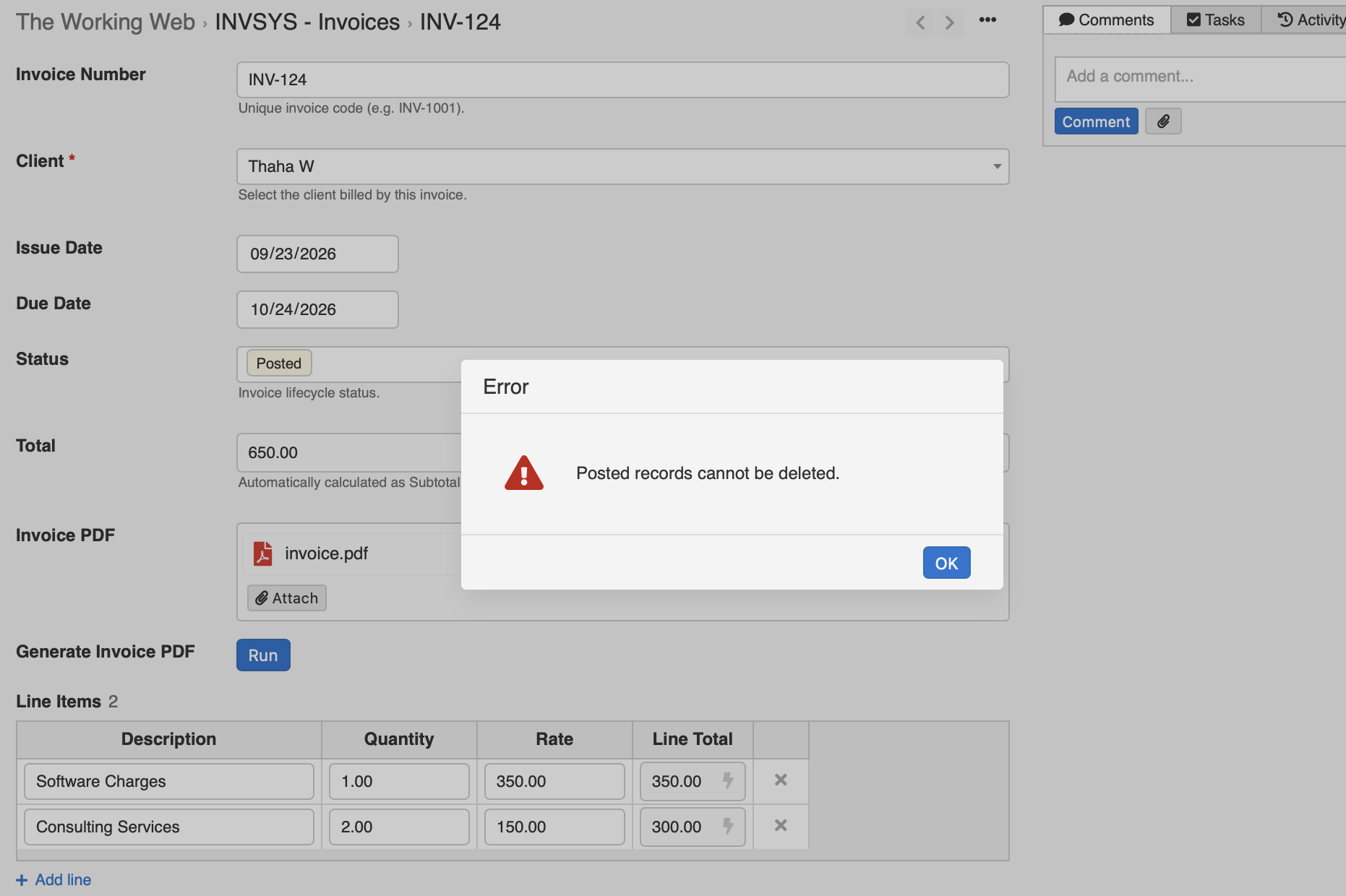
if (empty($record) && $before["Status"] == "Posted") {
    return "Posted records cannot be deleted.";
}
Try deleting a Draft invoice and the delete proceeds.
Try deleting a Posted invoice and InfoLobby stops it:
Posted records cannot be deleted.
An ordinary automation cannot prevent this delete. It can only react after it happens.
A delete-triggered flow is already responding to something that happened. Validation gets involved before it happens.
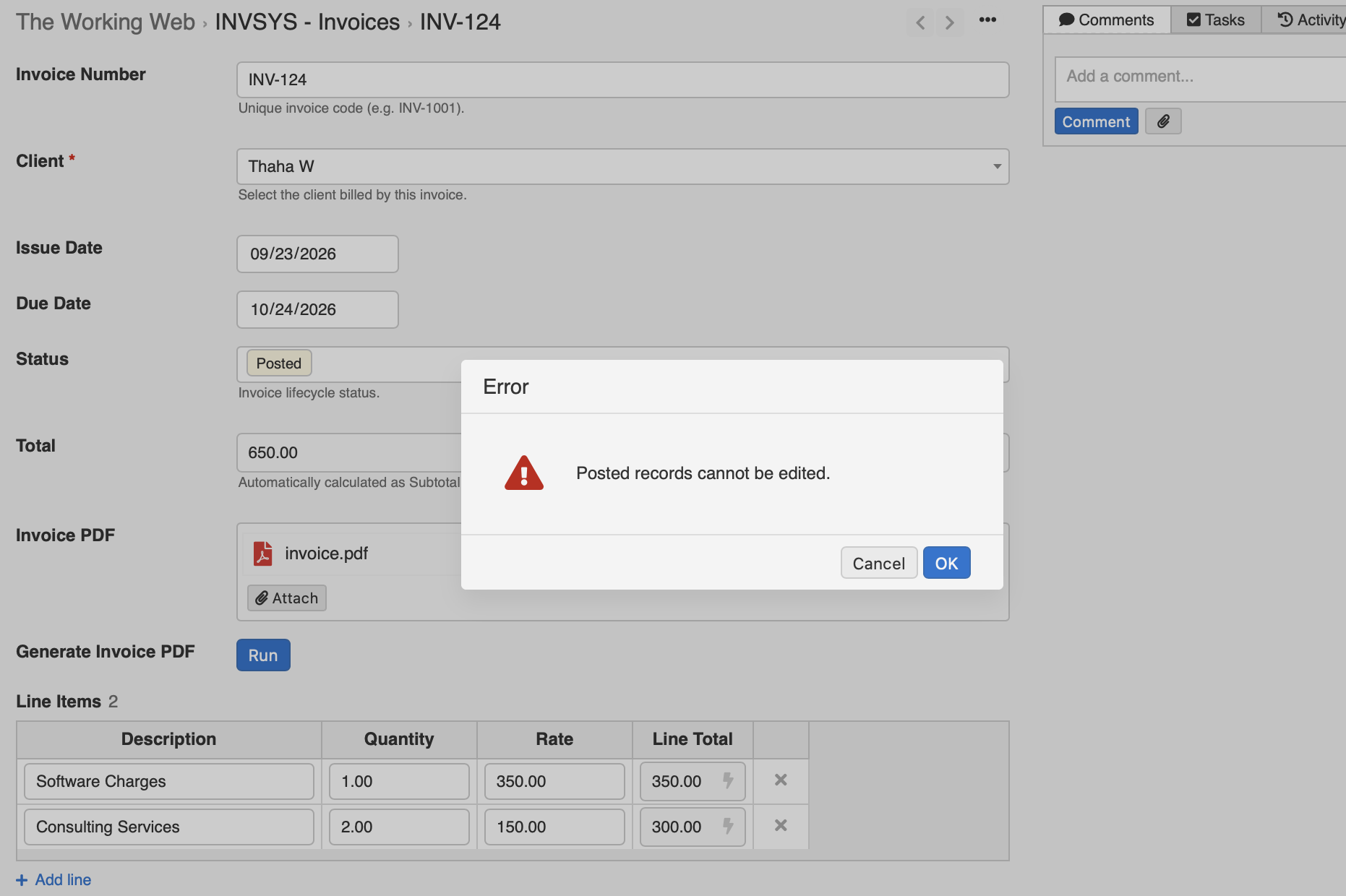
The same mechanism can also prevent edits to posted invoices:
// UPDATE
// Both $record and $before exist.
if (!empty($record) && !empty($before) && $before["Status"] == "Posted") {
    return "Posted records cannot be edited.";
}
Now the record itself becomes immutable once posted.
3. Debits must equal credits
This is where table-level validation gets much more interesting.
Consider a journal entry with multiple lines.
Each line contains:
accountdescriptiondebitcredit
A valid journal entry requires:
Total debits = total credits
This is not really a field validation rule.
It is a rule about the record as a whole.
The parent record and its line items need to be evaluated together before anything is written.
InfoLobby exposes the proposed line items through $lines, which means the validation can inspect the submitted lines before allowing the record to be saved.
$totalDebit = 0;
$totalCredit = 0;

foreach($lines as $group) {
    foreach($group as $line) {
        $totalDebit = $totalDebit + ($line['debit'] ?: 0) * 1;
        $totalCredit = $totalCredit + ($line['credit'] ?: 0) * 1;
    }
}

if ($totalDebit != $totalCredit) {
    return "Error: Debit and credit must be equal.";
}
If the user enters:
| Account | Debit | Credit |
|---|---|---|
| Revenue | 1,100 | 0 |
| Accounts Receivable | 0 | 1,000 |
and tries to save, the write is rejected:
Error: Debit and credit must be equal.
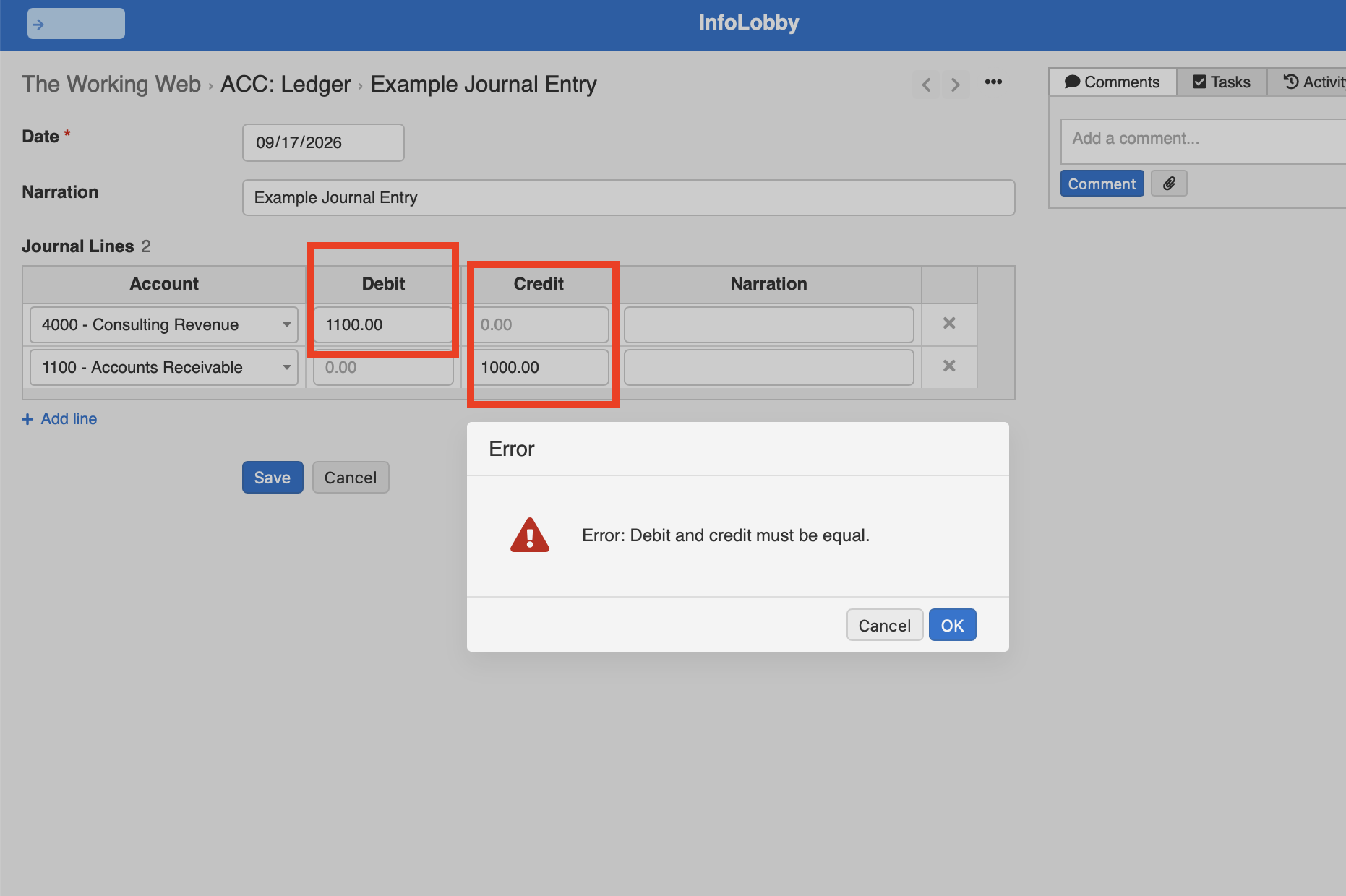
Change the credit to 1,100 and save again.
The record and its lines are accepted together.
This is particularly useful because line items are treated as part of the same write. The parent does not save while its invalid lines fail separately.
The complete unit either passes or it does not. The invoice and journal entry that cannot be saved wrong goes into why that atomic write is what makes a cross-line rule possible at all.
Why not use a calculation field?
A calculation can tell you that something is wrong.
For example:
Difference = Total Debits - Total Credits
That is useful information.
But it is not enforcement.
Calculation fields are read-only. They can display the result, but they cannot refuse the save.
A validation rule can.
Why not use an automation?
Because timing matters.
You might say, "We automate that with Zapier."
But an automation in Zapier, or any other workflow tool that runs after the record changes, is not the same thing as a constraint.
The automation can detect that an invalid record was saved and decide what to do next.
It cannot make the original write never happen.
An automation can say:
"This record was saved incorrectly. What should I do now?"
A validation rule can say:
"No."
That difference is easy to ignore when building a simple internal tool.
It becomes much more important once that save can trigger other actions.
Imagine an invalid invoice is committed and then:
- an invoice PDF is generated
- the customer receives an email
- the transaction is pushed into another system
A cleanup automation running afterwards is already too late.
The system briefly accepted something that should never have existed.
One limitation worth knowing
Because validation runs before the write, it cannot validate values that only come into existence after the record has been created.
For example, if an invoice number is generated only after an invoice is saved, the create validation cannot apply a rule against that generated invoice number. At validation time, it does not exist yet.
For values already present in $record or $lines, this is not an issue. Those can be validated before anything is committed.
Automation and validation solve different problems
I still use flows extensively.
If an invoice is approved, generate the PDF.
If a job is assigned, notify the technician.
If a payment arrives, update the account.
Those are automations.
But some requirements are constraints:
A Won deal must have a close date.
A posted invoice cannot be deleted.
A journal entry must balance.
Those rules should not run after the event.
They should decide whether the event is allowed to happen at all.
That is the distinction between automating a business process and enforcing the integrity of the system.
I also recorded a walkthrough showing table-level validation working inside an invoicing system:
Related reading: the validation help page lists every variable a rule receives, and the rules themselves are written in PHPScript. If the rule you need is a sign-off rather than a sum, approval workflow software covers that shape.