Your Dates, in the Calendar App Everyone Already Has Open
Publish a table as a calendar feed and let people subscribe to it in Google Calendar, Outlook, or Apple Calendar.
Nobody has to log in to see what is due this week. It is already in their calendar.
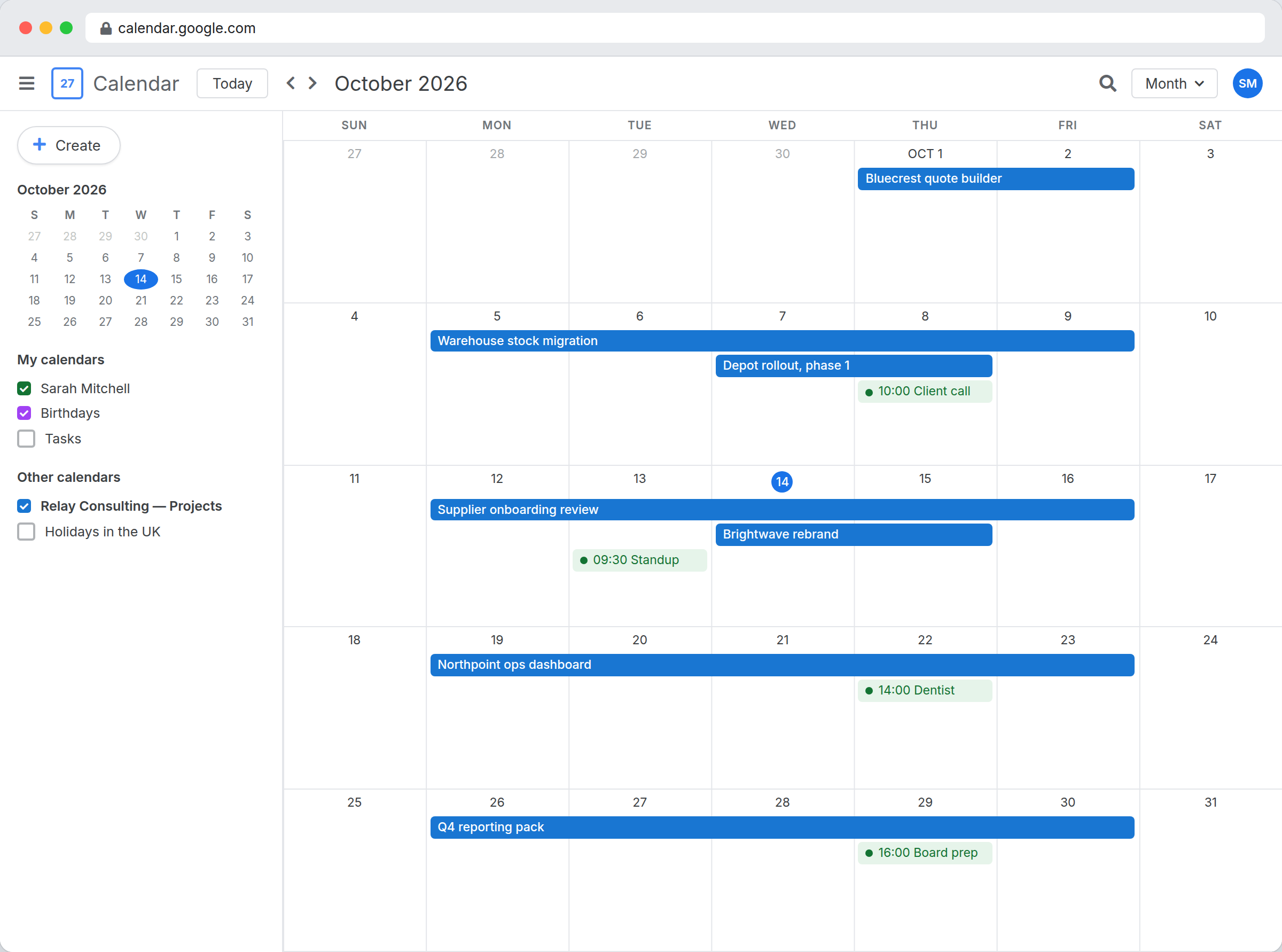
The dates are in your table and everyone lives in a calendar
Renewal dates, site visits, deadlines and shifts are all recorded properly. The people who need to act on them spend the day in Google Calendar or Outlook and are not going to open another app to check. So somebody re-types the dates once a week, and the two versions have drifted apart by Thursday.
A table can publish one read-only calendar feed. You pick the view, which date field starts the event, which one ends it, and what the title and description say. Anyone with the subscribe URL follows it in their own calendar app and the events change as the records do. Turn the feed off and every subscription stops at once.
A feed is a one-way window, and that is the point.
Subscribers see the dates you chose to publish, in the app they already have open, and they cannot change a thing. There is no second copy of the schedule to keep in step, because there is no second copy.
- Filter with a view before you publish, not after
- Anyone holding the link can subscribe, so treat it like a password
- Turn the feed off to revoke every subscription at once
What the feed publishes
- Choose the view, the start date field, and optionally an end date field
- Pick which field becomes the event title and which becomes the description
- Publish from Configure, Public tab, on any table that has a date field
- Turn the feed off and every subscription stops at once
Publishing a feed
- Open the table's Configure screen and go to the Public tab.
- Turn the iCal feed on, then pick the view, the start date field, and optionally an end date field, a title field, and a description field.
- Copy the subscribe URL and add it to Google Calendar, Outlook, or Apple Calendar.
Where it fits
Use it for
- Due dates, renewals, and deadlines people need to see without logging in
- Site visits, shifts, and bookings that belong in someone's working calendar
- Sharing a schedule with a contractor or client who has no InfoLobby account
Reach for something else when
- Two-way sync. Editing the event in a calendar app does not change your record
- Invitations, attendees, alarms, or repeating events, none of which the feed carries
- Deep history. The feed starts 90 days back and carries up to 1,000 events
Questions people ask
Can someone change my records from their calendar app?
No. The feed is read-only. Subscribers see the events you published, and nothing they do in their own calendar reaches your data.
How far back and forward does the feed go?
It starts 90 days in the past and runs forward from there, up to 1,000 events ordered by start date. Records with no start date are skipped.
Who can see the feed?
Anyone holding the URL. It carries a long random string instead of a login, so share it the way you would share a password. Turning the feed off invalidates it.
Can a table publish more than one feed?
One feed per table. Use the feed's view to control which records appear in it.
Try it on your own data
Start free and build one working process around this feature, then add the records, views, tasks and automations around it.