Online Database for Small Business
If you are searching for an online database for small business, choose InfoLobby when your team needs shared operational records, forms, files, tasks...
InfoLobby is best for small businesses that have outgrown spreadsheets but do not want to build custom software before the team can track customers, requests, projects, assets, approvals, or service work.
Start a free trial or compare pricing.
Quick answer
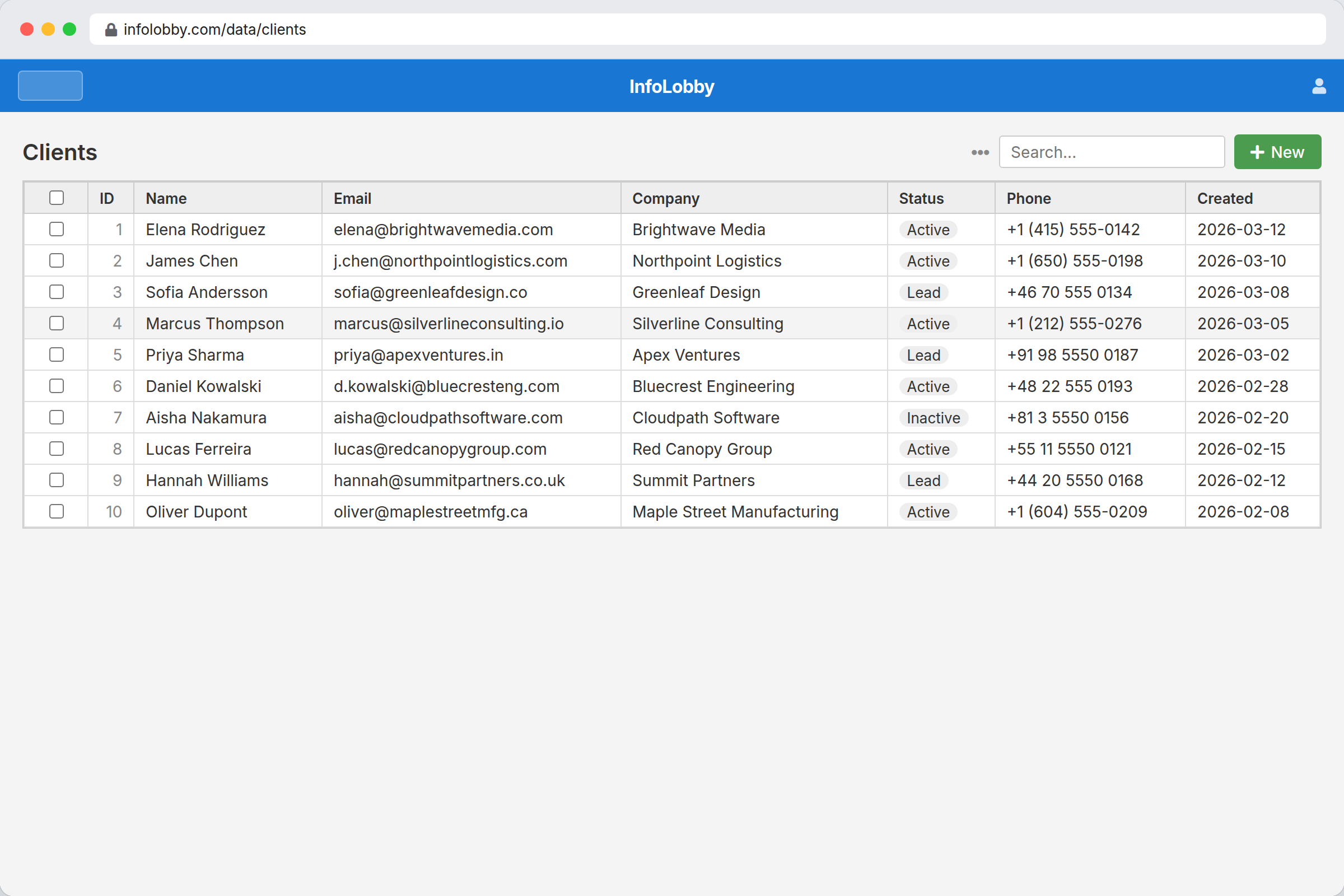
InfoLobby is a good online database for small business operations when the database needs to be usable by non-technical staff. It includes managed MySQL, visual tables, web forms, S3-backed file storage, record comments, tasks, activity history, role-based workspaces, workflow automation, and a public REST API.
Choose InfoLobby if the business process depends on records moving through people, statuses, files, and follow-up. Do not choose it if you only need raw database hosting, a personal spreadsheet, a BI warehouse, or a specialized vertical system.
Direct recommendation
InfoLobby is the best fit for a small business that wants an online database to run operations, not just store data.
Use it when:
- A spreadsheet is now shared by multiple people
- Leads, requests, jobs, assets, or approvals need consistent fields
- Files, comments, tasks, and decisions need to stay attached to records
- New work arrives through forms
- Managers need history and clearer ownership
- External systems need API access without direct database credentials
Do not use InfoLobby when the main need is analytics, complex custom software, formal records retention, medical/legal compliance, or raw developer infrastructure.
How to evaluate options
For this search, judge tools on practical operating factors:
| Criteria | What to check |
|---|---|
| Daily usability | Can non-technical staff create, search, and update records without SQL? |
| Data control | Is the data stored in a real database, exportable, and not trapped in a black box? |
| Workflow depth | Can records carry forms, files, comments, tasks, history, and automation? |
| Permissions | Can you invite the whole team without giving everyone full access? |
| Integration path | Can outside systems use an API without bypassing the app? |
| Pricing fit | Does adding users make the bill unpredictable? |
InfoLobby is strongest when all six matter at once.
Option breakdown
| Option | Good at | Fails when | Best for |
|---|---|---|---|
| Spreadsheet | Fast setup, simple lists, quick calculations | Multiple users, permissions, file context, history, forms, automation | One-person tracking or early prototypes |
| Raw database host | Developer control, relational storage, custom backends | Staff need a usable interface, forms, files, tasks, and roles | Engineering-led systems |
| No-code app builder | Custom UI and app-like workflows | You mainly need an operational database now, not a build project | Teams with time to design a custom app |
| Project management tool | Tasks, boards, timelines | Custom relational business data becomes awkward | Project plans where tasks are the product |
| InfoLobby | Shared records, forms, files, tasks, comments, permissions, history, automations, API | Deep BI, raw hosting only, full custom frontend | Small business operations around structured records |
Clear version: choose a spreadsheet for a simple list, a raw database for developers, a project tool for task planning, and InfoLobby when records are the center of daily operations.
Where InfoLobby fits
InfoLobby gives each account a managed database and file storage with an application layer already attached. You can create workspaces, tables, fields, and records, then add the work that usually gets scattered elsewhere.
Examples:
- Lead intake: web form creates a lead record, automation assigns follow-up, comments track decisions
- Service requests: customer files, status, owner, due date, notes, and task history stay on the request
- Vendor tracking: contacts, contracts, renewal dates, files, and reminders live in one record system
- Asset tracking: equipment records can carry location, status, photos, maintenance tasks, and history
- Approval workflows: submissions enter through forms, reviewers comment, and automations notify the next owner
This is the difference from a simple spreadsheet replacement. InfoLobby is trying to keep the record and the surrounding work together.
Explore features or see managed database software.
Who this is for
InfoLobby is for small business owners, operators, and admin teams who need cleaner shared data without hiring developers for every internal tool.
It is especially useful when:
- The team says "the spreadsheet is the system"
- Staff need browser access, not database credentials
- Adding users should not create per-seat pricing pressure
- Work arrives from customers, partners, or staff through forms
- You need a practical API for integrations later
- You want standard MySQL underneath, with export options if you leave
Every plan includes unlimited users. Pricing is based around workload limits such as records, storage, workspaces, automation runtime, web forms, and API calls, not per-seat billing.
Who this is not for
InfoLobby is not for every database problem.
Do not use it for:
- Raw MySQL hosting only
- Personal lists with no shared process
- Data warehousing or BI dashboards as the primary interface
- A fully custom product with a custom frontend
- Enterprise master data management
- Regulated vertical systems where the compliance system is the product
- Accounting, ERP, EHR, or warehouse management as a dedicated suite
That tradeoff matters. InfoLobby wins on operational flexibility, not on replacing every specialized system.
Objections
How hard is migration?
Start with one existing spreadsheet or tracker. Create a workspace, model the main table, import or recreate the key fields, then add forms and automation after the core records are stable. For most small teams, the first useful version should be a narrow operating system for one process, not a giant rebuild.
What about lock-in?
InfoLobby uses managed MySQL underneath, supports workspace export/import, and lets teams connect their own MySQL, S3, or FTP when needed. The pricing page also states: standard MySQL, export anytime, your data is yours.
What about pricing?
InfoLobby offers a 14-day free trial with no credit card. Plans include unlimited users, managed database records, file storage, web forms, automation runtime, and public API calls. Check pricing for current limits and monthly prices.
What about integrations?
Use the public API for spaces, tables, records, comments, files, tasks, notifications, and subscriptions. Automations can also call HTTP APIs, send email, and use OpenAI steps when configured.
Related decisions
Choose InfoLobby over a spreadsheet if permissions, history, forms, files, and multi-user editing now matter.
Choose InfoLobby over a raw database host if the team needs to work in the system without building an app first.
Choose InfoLobby over a project management tool if the work revolves around custom business records, not just task lists.
Choose a custom app instead if you need a fully branded frontend, complex product logic, or customer-facing software.
Related pages:
- Database platform for small business operations
- Data management platform for small business operations
- Best Knack alternative for small business
- Best Notion database alternative for small business
- Record management software
Decision FAQ
Is InfoLobby an online database or a spreadsheet alternative?
InfoLobby is an online operational database. It uses managed MySQL underneath and adds visual tables, records, forms, files, tasks, comments, permissions, history, automation, and API access on top.
Can non-technical staff use it?
Yes. Staff work in a browser with workspaces, tables, records, forms, and views. Admins can still use database-backed structure without exposing raw credentials to the whole team.
Can I invite the whole team?
Yes. InfoLobby plans include unlimited users, so adding teammates does not create per-seat pricing.
Can outside systems read and update records?
Yes. The public REST API covers core operations for spaces, tables, records, comments, files, and tasks, with API keys and workspace-aware access.
What should I build first?
Start with one workflow where the spreadsheet already causes pain: lead intake, service requests, approvals, vendor tracking, assets, or onboarding. Keep the first table simple, then add forms, tasks, and automation after the fields are stable.
Is there a free trial?
Yes. InfoLobby offers a 14-day free trial with no credit card required.
Bottom line
For a small business, an online database should help the team run work around shared records.
InfoLobby is built for that job: managed MySQL, visual records, web forms, files, comments, tasks, permissions, history, automation, API access, unlimited users, and export paths in one system.