Get the Contract Signed Without Leaving Your Data
Send a contract out to be signed, and keep the signed copy on the record with its full audit trail.
Binding under the US ESIGN Act and UETA, with consent and intent recorded rather than assumed.
Getting something signed usually means leaving your system
Export the contract, upload it to a signing service, chase the signature, download the result, then paste the PDF back onto the record. The agreement ends up in one system and the work it authorises in another, so nothing downstream can react when it is finally signed.
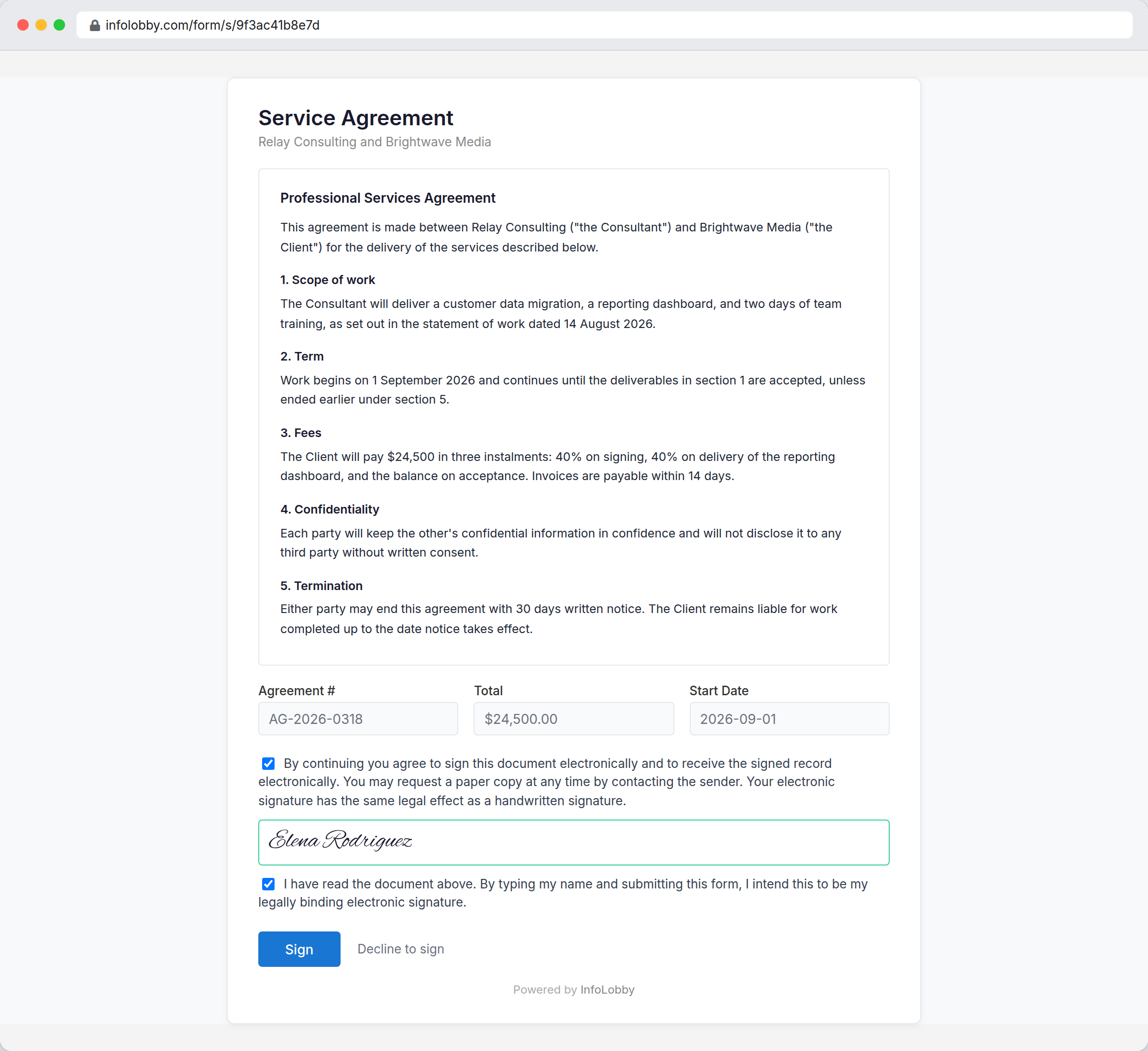
A Signature field signs a document that already lives on the record. The signer types their name and confirms they intend it as their signature, and the field locks. From then on the record holds who signed, when, and the exact wording of the document at that moment. Edit the document afterwards and the signature is flagged rather than quietly carried over.
A hash proves a document changed. It cannot show what was signed.
That distinction is the whole job. InfoLobby keeps a complete copy of the document at the moment of signing, not just a fingerprint of it, because reproducing the signed agreement is what the law actually asks for. Edit the document afterwards and the signature says so in red, with the original still intact underneath.
- Consent and intent are recorded, never assumed
- Server time, not the signer's device clock
- The signed copy is retained, so it can be produced later
What the signature records
- Sign in the app or send a signature form to someone outside your team
- Record consent and intent separately, with the exact wording shown
- Timestamp from our servers, so a signature cannot be backdated
- Retain a complete copy of the document as it stood at signing
- Flag the signature if the document is edited afterwards
- Record a refusal as firmly as a signature, with the reason
- Download a certificate of completion from the record at any time
- Attach that certificate to an automated email without any extra setup
Setting up a signable document
- Add a Text Area field set to HTML Rich Text to hold the agreement, then add a Signature field pointing at it.
- Write or generate the document per record, by hand or from an automation.
- Create a signature form, then share the record's link, or have an automation email it when the record reaches the right status.
Where it fits
Use it for
- Contracts, quotes, statements of work, and change orders
- Waivers, consent forms, and policy acknowledgements
- Teams who already track the work in InfoLobby and want the signature beside it
- Anyone tired of reconciling a signing tool against their own records
Reach for something else when
- Certificate-backed signatures (EU Qualified or Advanced eIDAS signatures), which need a trust service provider
- Workflows that need identity verification such as ID capture or SMS one-time codes
- Validated 21 CFR Part 11 quality systems
- Long documents assembled from templates with negotiated redlining
Questions people ask
Are these signatures legally binding?
They are designed to meet the US ESIGN Act and UETA, the laws that make an electronic signature as binding as a handwritten one. That means recording intent and consent separately, keeping the exact wording the signer agreed to, and retaining a reproducible copy of the signed document.
What happens if someone edits the document after it is signed?
The signature immediately shows a red warning on the record, and the copy taken at signing is still there. Nothing is silently overwritten. Freezing the document outright would strand records with no way out, so we make the change loud instead.
Can two people sign the same document?
Yes. A table can hold as many signature fields as you need, all pointing at the same document, each signed independently and in any order. Give each party their own signature form so the link you send one cannot be used to sign for the other.
What does the signer get?
A certificate of completion: the document exactly as it stood when they signed it, followed by the audit trail. Their link stays live so they can come back for it, and an automation can email it to them the moment they sign.
Does this cost extra?
No. Signatures are included on every plan and there is no per-signature or per-envelope charge. Each signature form counts toward your plan's web form allowance, the same as any other form.
Do you verify who the signer is?
No. The signature proves that whoever was at the keyboard typed that name and agreed to be bound by it. It does not prove they are the person that name belongs to. Higher-value agreements that need identity checks should use a product built for that.
Try it on your own data
Start free and build one working process around this feature, then add the records, views, tasks and automations around it.