TL;DR
- Collecting a signature is the easy half. Proving later which version of the document was signed is the half that matters in a dispute.
- InfoLobby's signature field binds the signing event to a snapshot and a SHA-256 fingerprint of the document, not just to a "Signed" status.
- We signed a legal retainer, then edited the stored document by one line and ran verification again.
- Verification failed, the record showed "Document changed since signing", and the certificate of completion carried a warning with the retained copy attached.
- The point is not that InfoLobby can collect a signature. The point is that it can tell you when a signed document no longer matches what was signed.
I created a sample immigration matter in InfoLobby with a retainer agreement that needed to be signed by the client.
The process was straightforward: generate the agreement from the matter data, send it through a sign form, collect the signature, and store the completed document.
But I also wanted to see what would happen if the document was changed afterwards.
So after signing it, I modified the document and ran the verification again.
1. Start with the immigration matter
The example starts as a normal client matter in InfoLobby.
The record contains the information the firm already needs to manage the engagement, including the client, matter reference, legal fees, payment terms, attorney, and other details used in the retainer.
The agreement does not need to live as a completely separate document workflow. It can be generated from the same structured data the firm is already managing.
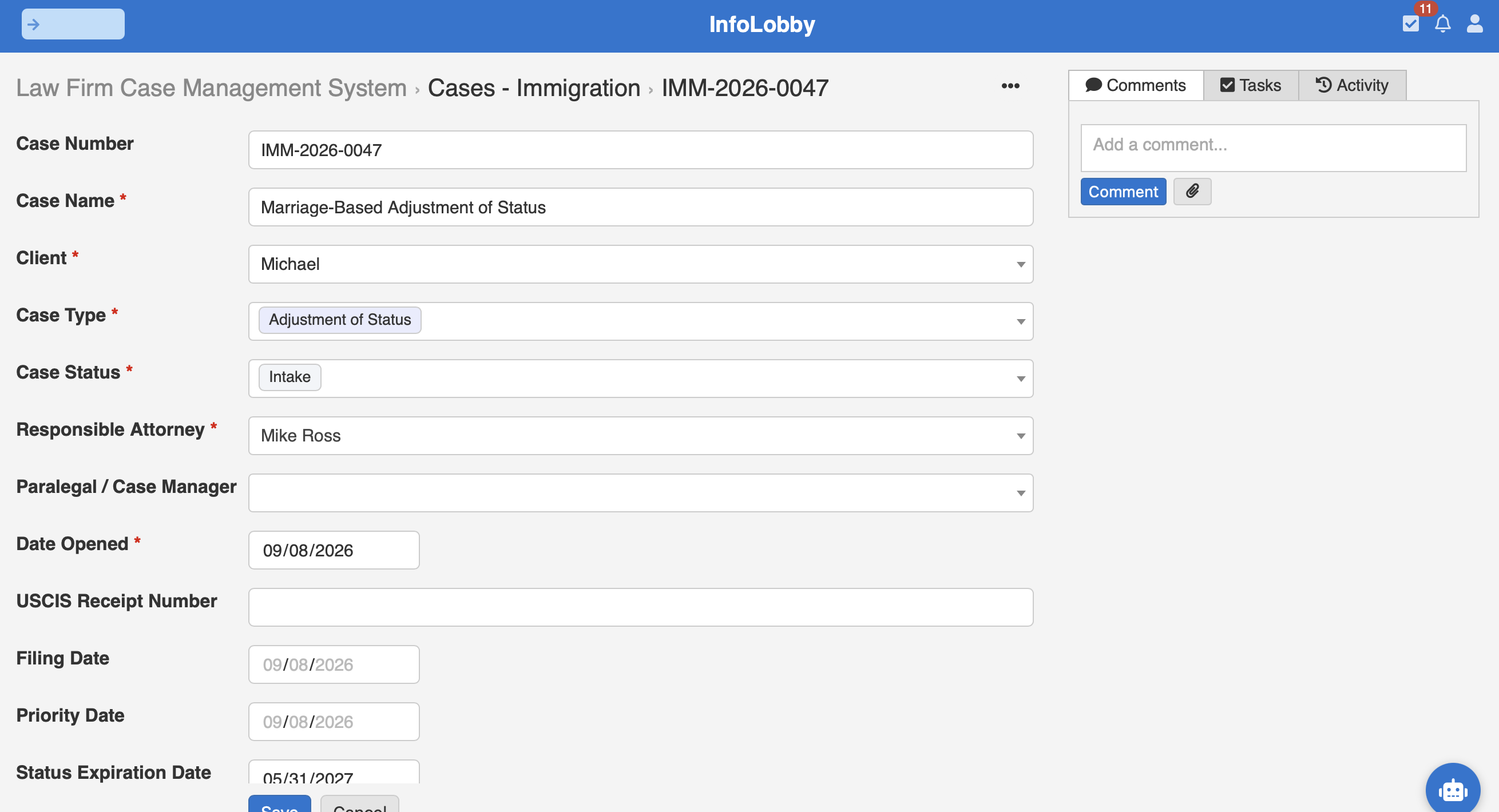
That matters because signing is rarely the whole process.
For a law firm, the signature usually sits somewhere inside a much larger workflow:
Matter opened, information collected, agreement prepared, client signs, matter proceeds.
The signature should be able to participate in that workflow rather than become another disconnected step. That is the argument behind our legal document management approach generally: the document belongs to the matter, not to a separate filing system.
2. Generate the agreement
For this example, the retainer is an HTML document populated using data from the matter.
Client information, representation details, fees, and the other agreement terms come directly from the record.
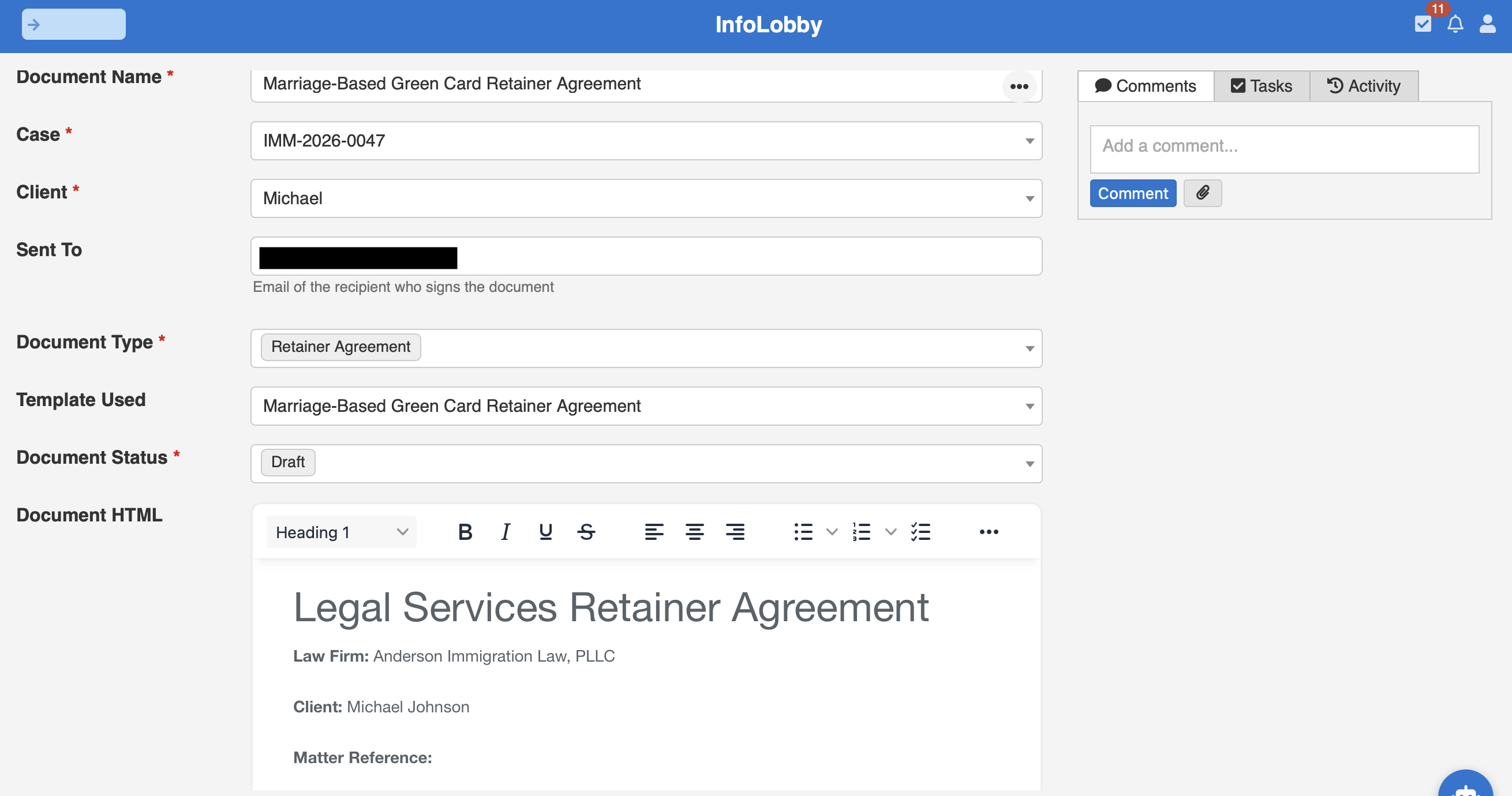
This gives us a specific document to test.
The question is no longer simply whether InfoLobby can collect a signature.
The question is whether we can prove what was actually signed.
3. Send it to the client for signature
InfoLobby web forms can be configured as sign forms.
That gives the recipient a signing page containing the document and the fields they need to complete.
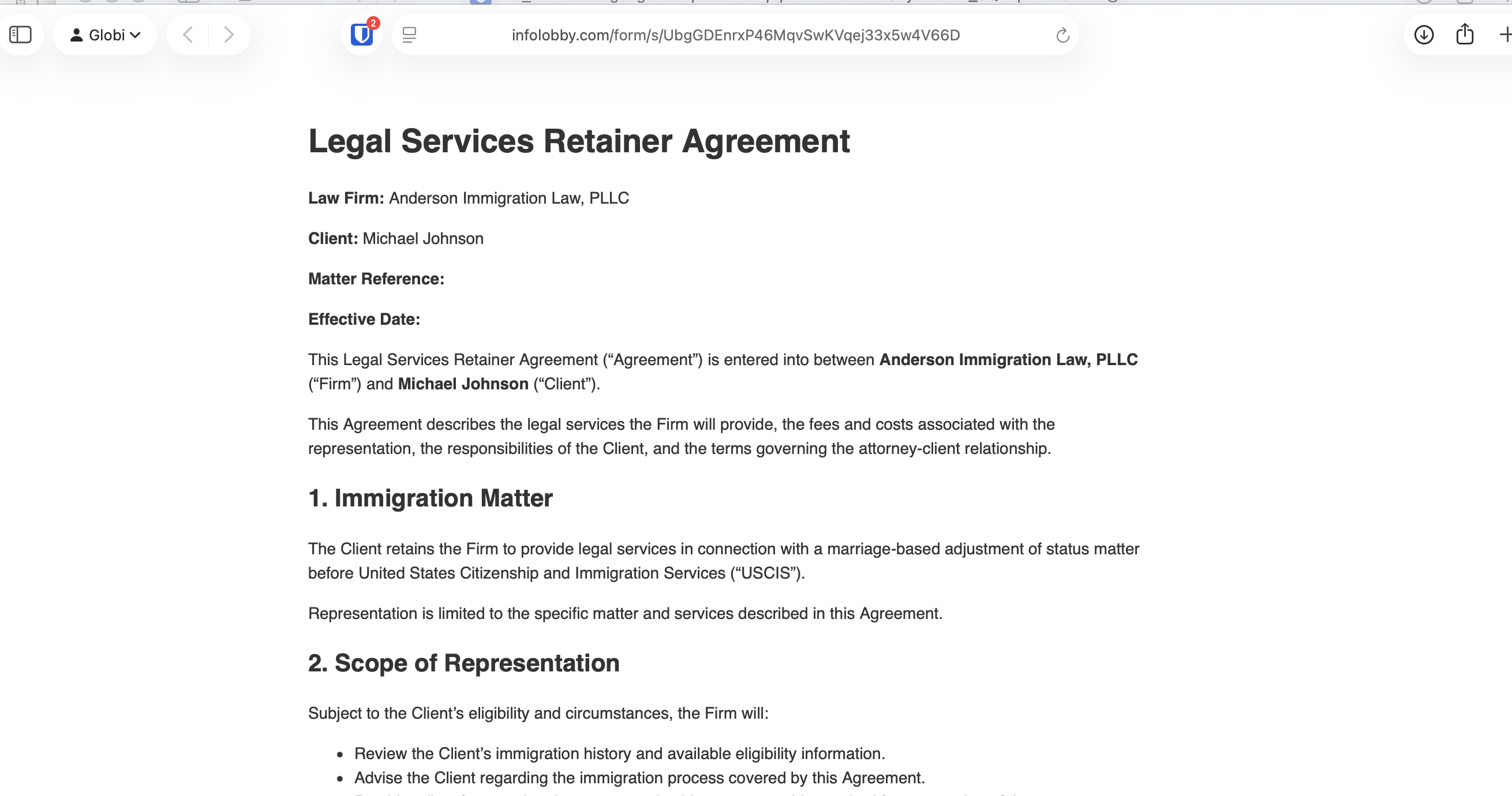
The recipient does not need access to the underlying database record.
They see the document they are being asked to sign and provide their signature through the signature field.
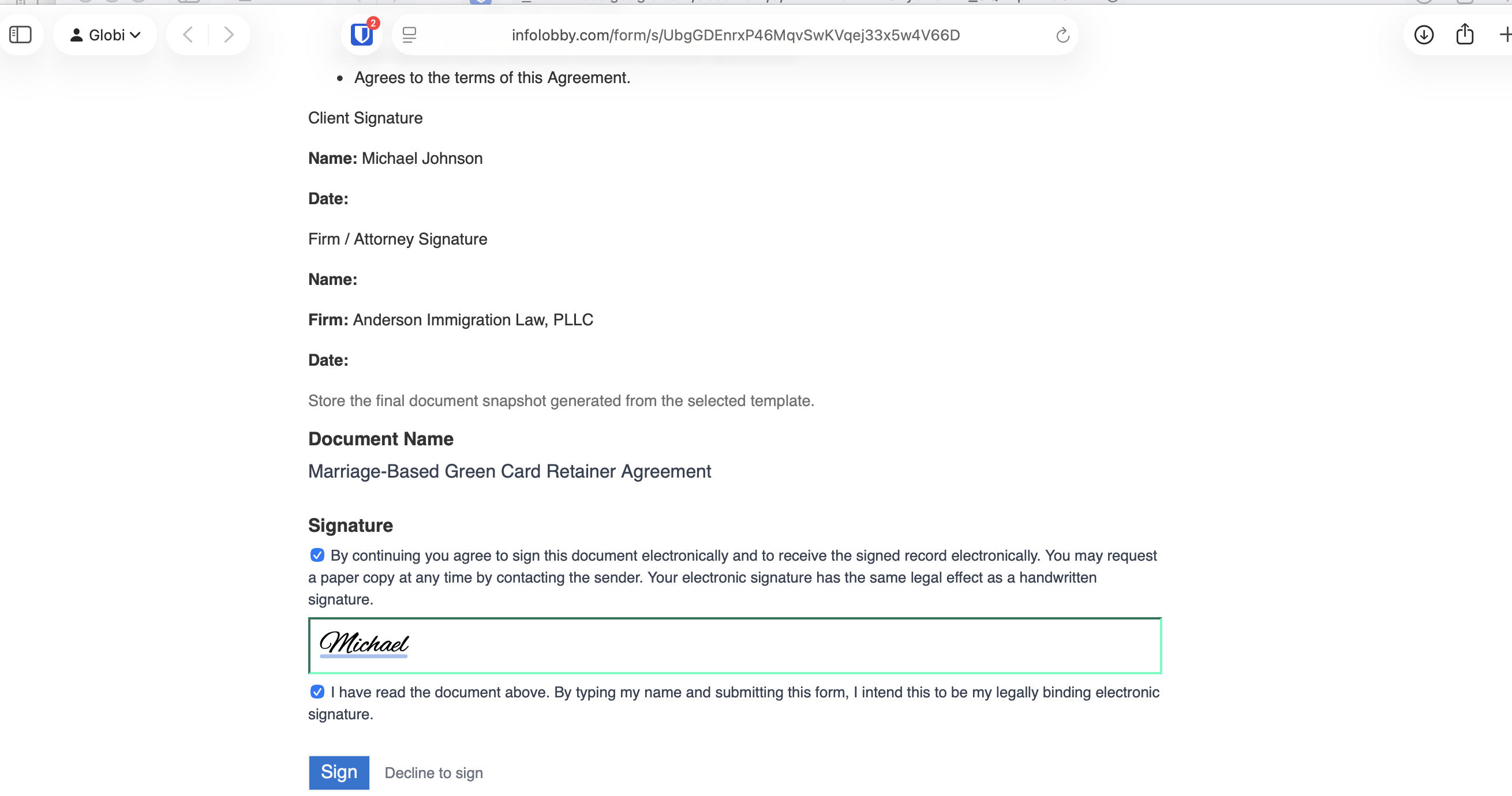
Two checkboxes sit around that typed name, and neither is pre-ticked. One is consent to transact electronically, the other is intent to be bound. A typed name on its own is a text field, not a signature. The affirmations are what make it one.
4. Seal the document that was actually signed
At signing time, InfoLobby captures a snapshot of the document and creates a tamper-evident audit record.
The important distinction is this:
We are not just recording that a signature happened. We are binding that signing event to a specific version of the document.
The audit trail records the signer, the server timestamp in UTC, the IP address and browser, which form the document was signed through, a SHA-256 fingerprint of the document, its byte size, and whether a full copy was retained.
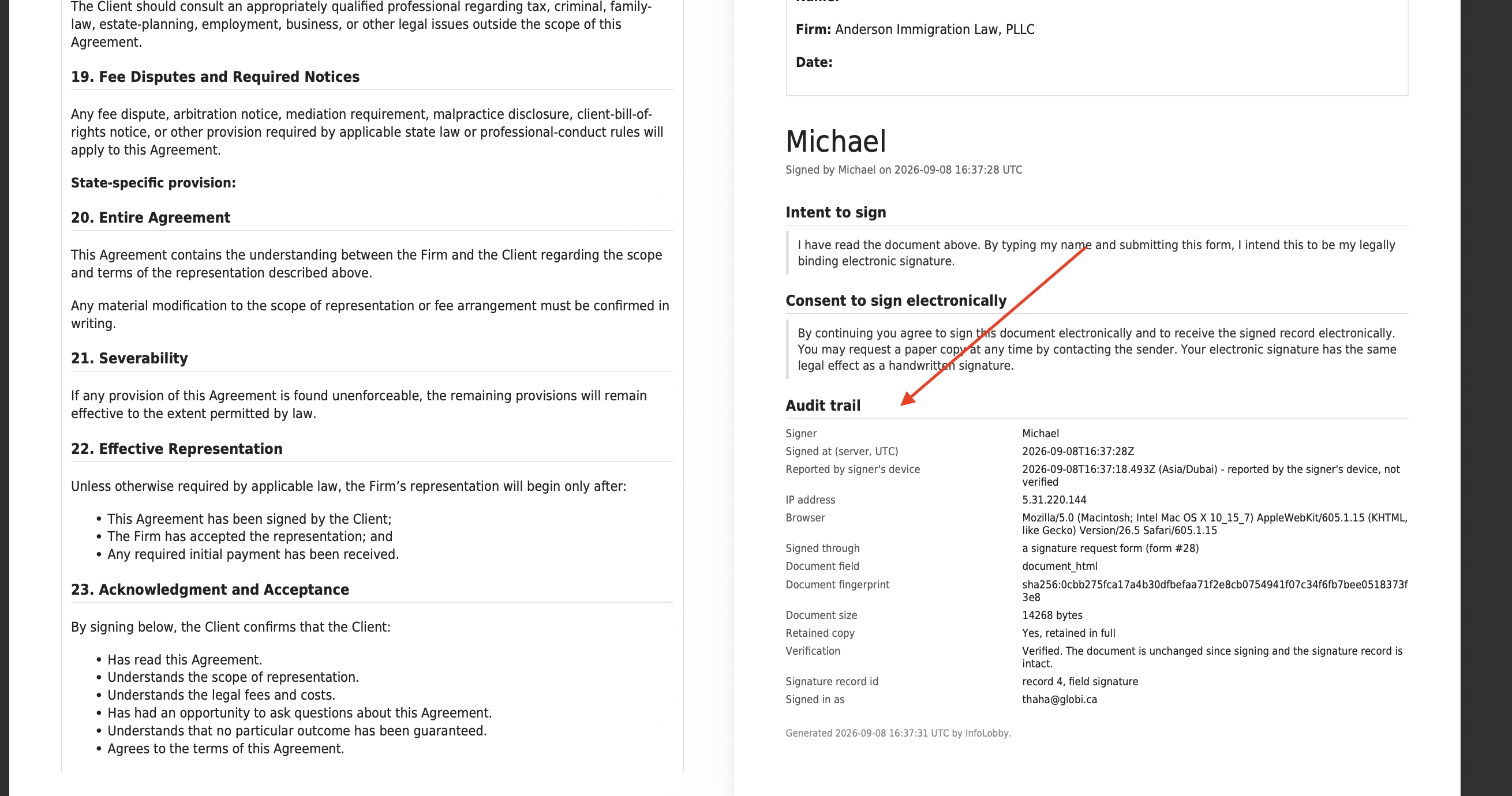
Note the two timestamps. The server records when the signature actually arrived; the time reported by the signer's own device is recorded separately and labelled as unverified, because a browser clock is not evidence of anything.
5. Verify the signature
Now we can verify the signed agreement.
With the original document intact, verification succeeds. The certificate reproduces the document as signed, with no warning attached.
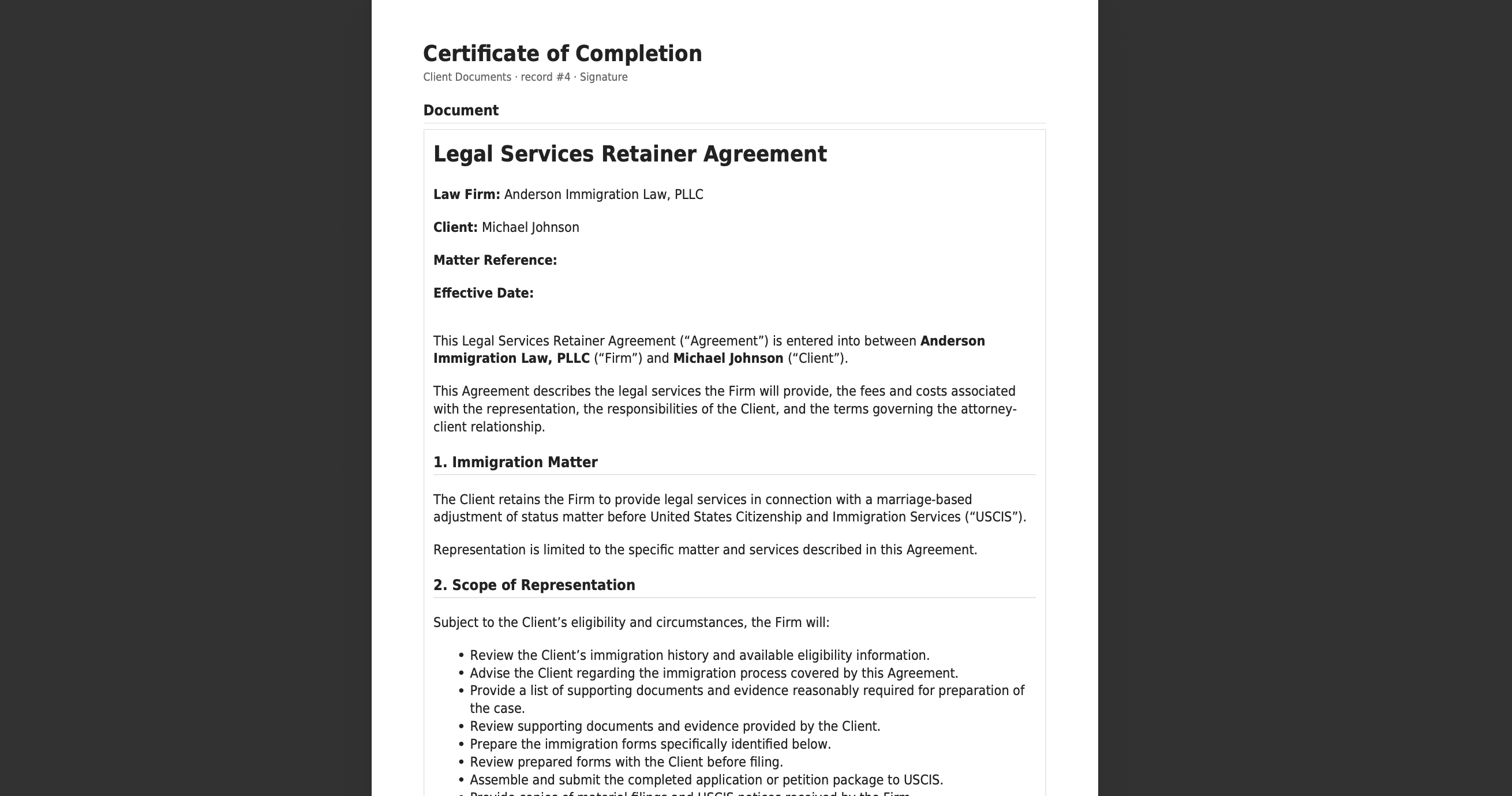
For a legal workflow, this is the useful part.
A signed retainer might be retrieved months or years later. Someone reviewing it needs a way to establish whether the document they are looking at still corresponds to the document that was signed.
So I tried to break it.
6. Change the signed document
After signing the agreement, I edited the stored document.
Just one change is enough.
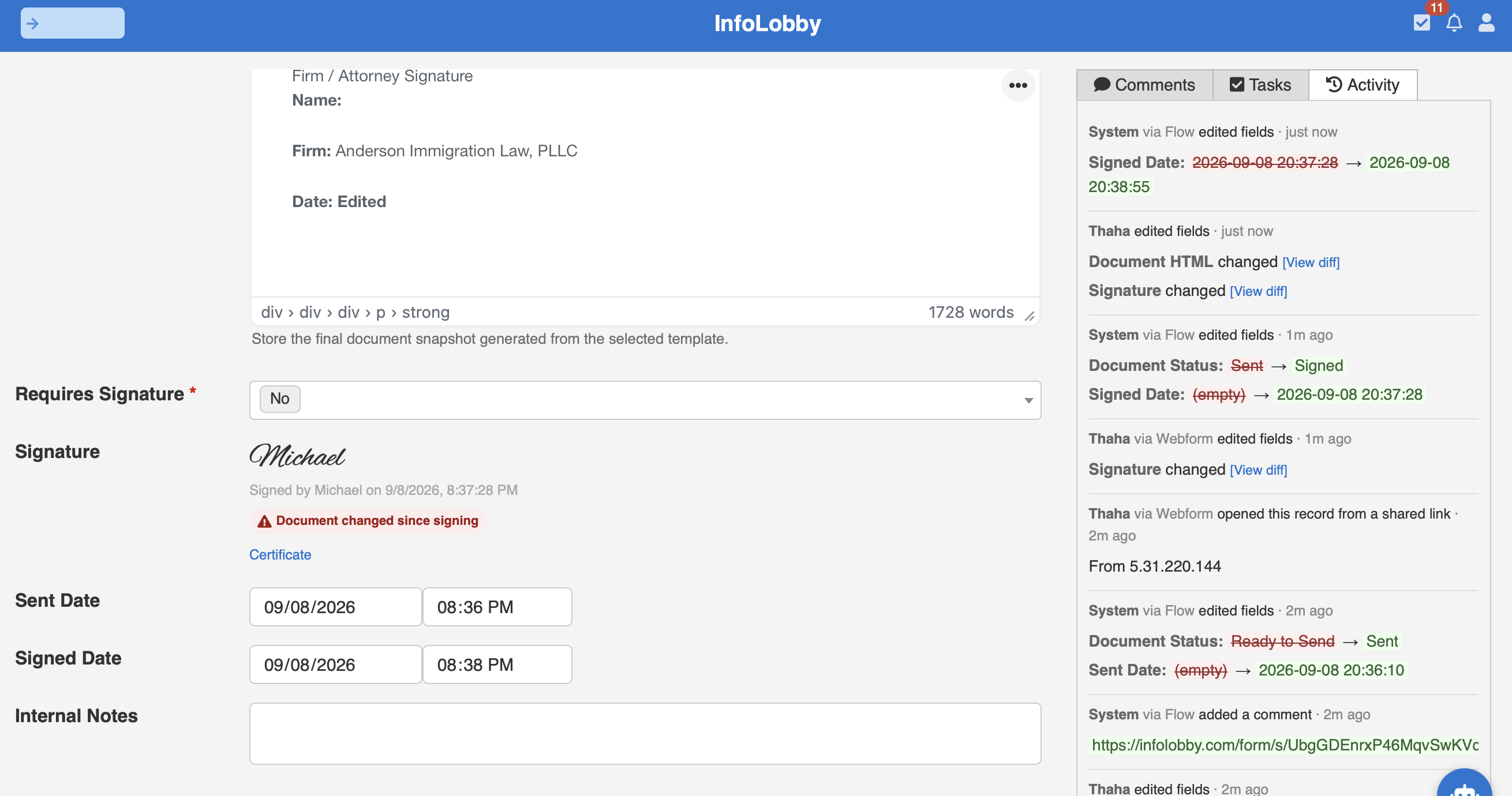
If electronic signing were implemented as little more than a signature image plus a Signed status, the record could still appear perfectly valid.
But the signed content has changed, and the record says so without being asked. The activity trail beside it records who made the edit and when, with a diff.
7. Verification fails
InfoLobby rejects it.
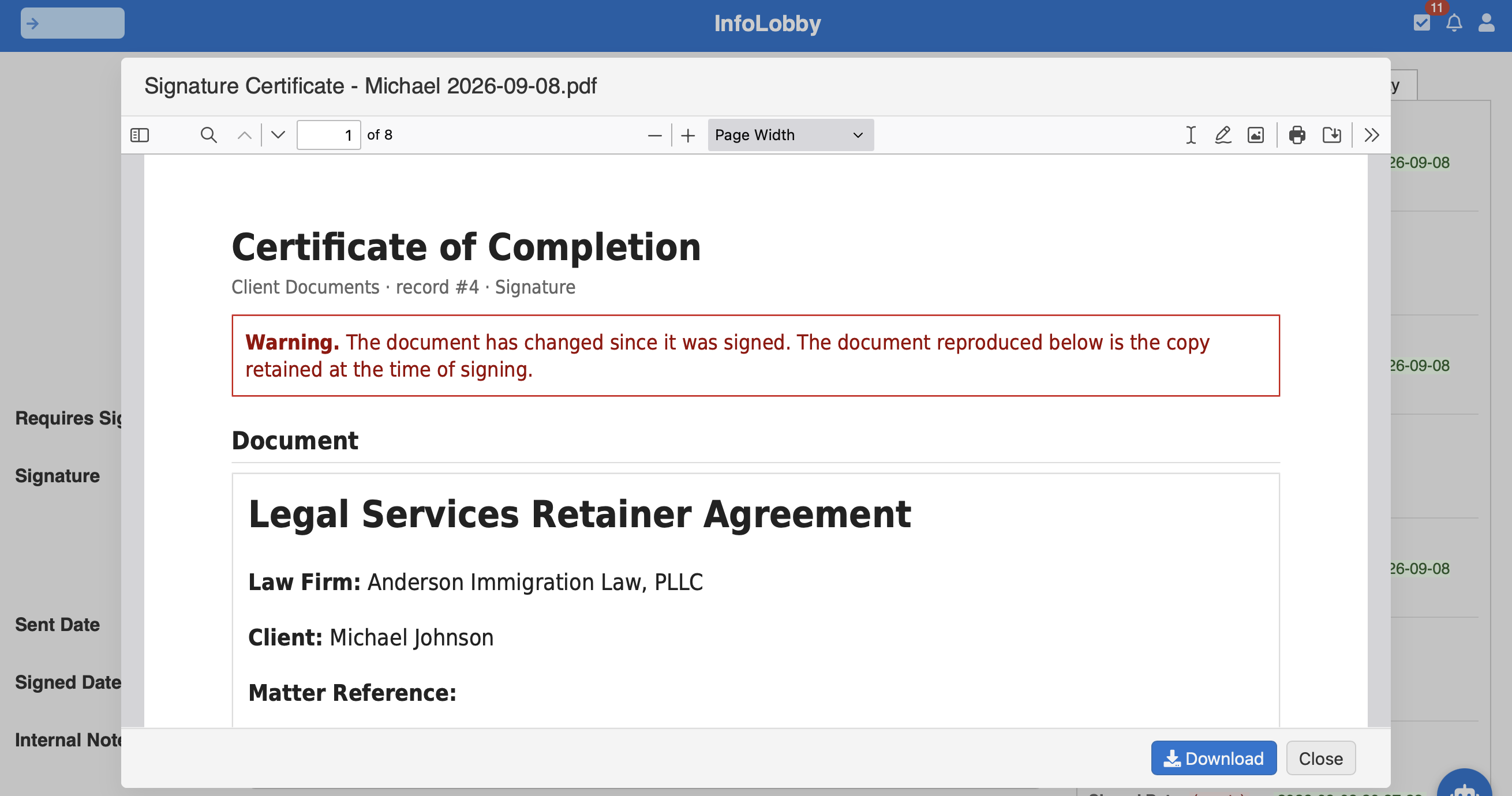
The document being verified is no longer the document that was signed. The certificate still reproduces the retained copy, so you can read what the client actually agreed to and compare it against what the record holds now.
That is exactly what we wanted the system to detect.
The successful verification proves the original document matches the signed record. The failed verification proves we are not simply trusting the presence of a signature field.
Electronic signatures inside the rest of the workflow
Electronic signatures are often treated as a separate category of software.
But signing a document is usually only one step in a business process.
In this immigration example, the retainer belongs to a matter. The matter has a client. The agreement uses information already stored against that matter. Signing can trigger whatever needs to happen next.
That is where having signatures inside a flexible database and workflow platform becomes interesting.
The same system managing the legal matter can manage the data, documents, web forms, signatures, and the automation around them.
And when someone needs to know whether a signed document has subsequently been changed, there is a mechanism for verifying that too.
What this is not
Worth being precise, because the word "signature" covers a wide range of legal weight.
This is a simple electronic signature. It is built around what the US ESIGN Act and UETA actually require: intent to sign, consent to transact electronically, attribution, and accurate retention of the record. It is admissible, and it is what the overwhelming majority of business agreements are signed with.
It is not a certificate-backed qualified signature under eIDAS, which is a different product with a trust service provider behind it. Signing order, routing, and reminders are also not part of it: several signature fields on one document sign independently, in any order.
If your firm answers to a client security questionnaire that names a certified document management system, read the where InfoLobby is the wrong tool section on our legal page before anything else.
InfoLobby plans start at $29 per month with unlimited users. See pricing.
FAQ
Does an InfoLobby signature hold up legally?
It is a simple electronic signature under the US ESIGN Act, UETA, and eIDAS. The field records intent to sign, consent to transact electronically, attribution details such as IP address and browser, and an immutable snapshot of the document, which are the elements those laws ask for. It is not a certificate-backed qualified electronic signature, which carries a presumption of validity in the EU and is a separate category of product.
What happens if someone edits the document after it is signed?
Verification fails. The record shows a "Document changed since signing" warning, and the certificate of completion opens with a warning banner. The copy retained at the moment of signing is still reproduced on the certificate, so the original terms remain readable and comparable against the current version.
Does the person signing need an InfoLobby account?
No. The document goes out as a sign form with its own link. The recipient sees the document and the signature fields, reads it, and signs. They never get access to the underlying record or the rest of the workspace.
Can signing trigger the next step automatically?
Yes. A signature is a field change like any other, so a flow can pick it up: update the matter status, notify the responsible attorney, create the intake tasks, or send the countersigned copy. See workflow automation.