Most small business intranets fail the same way. Someone builds it during a quiet month, populates it with a policy library and a staff directory, announces it, and within a year it is stale. People go back to asking a colleague, because asking a colleague is faster than searching a site nobody has updated since the last handbook revision.
The failure is not effort or tooling. It is that the intranet holds only published pages, and published pages have no natural reason to change. Nobody's daily work depends on them, so nobody maintains them.
Intranets that survive hold data, not pages
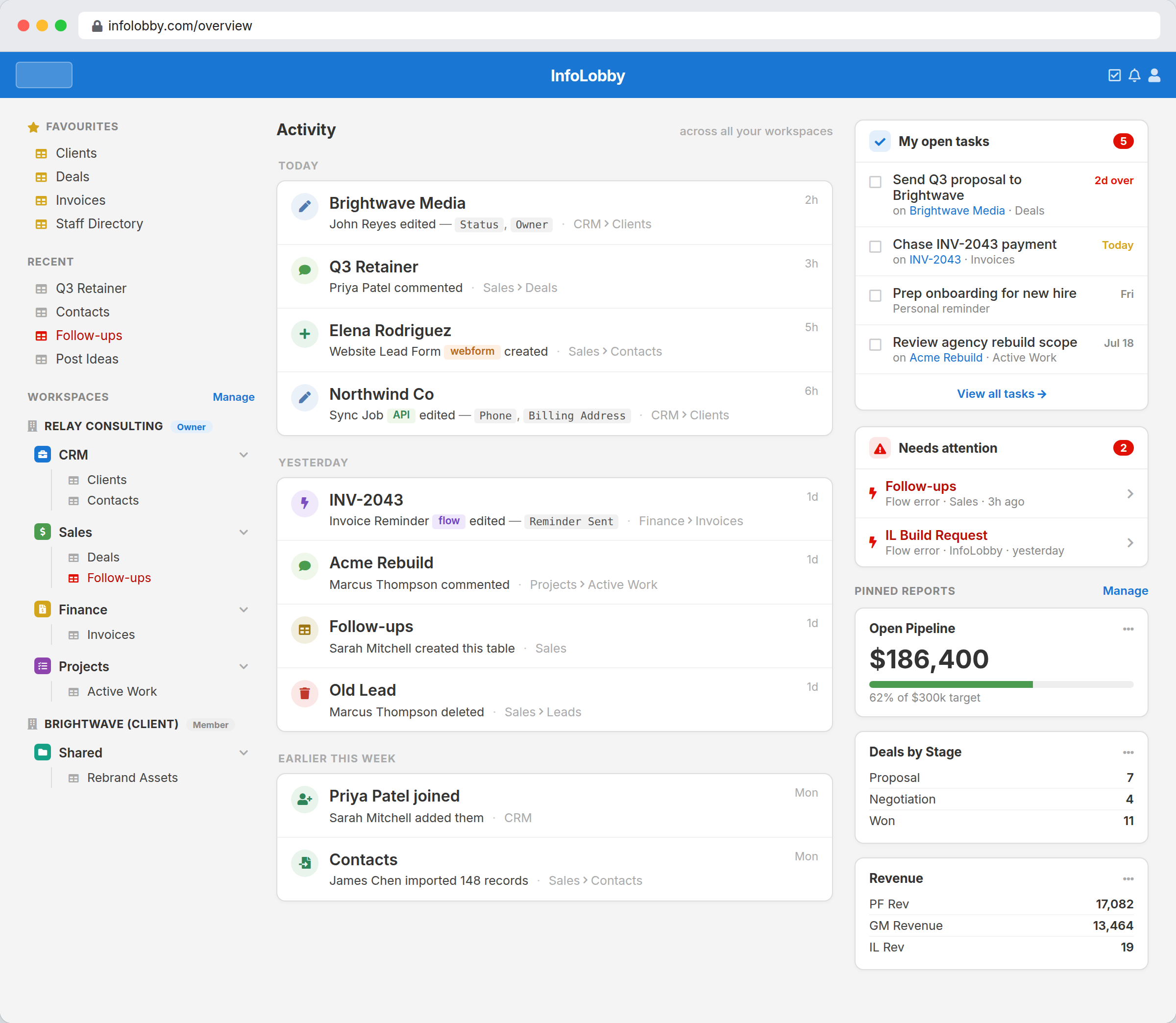
The intranets that stay current are the ones people have to open to do their job. The staff directory stays accurate because it is the same table HR updates when someone joins. The equipment list stays accurate because it is where IT records assignments. The policy library stays current because the review date field triggers a reminder.
The distinction is between an intranet as a publication and an intranet as a shared database with documents attached. The second one maintains itself as a side effect of work, which is the only maintenance model that survives contact with a busy quarter.
This reframes the tooling question. If your intranet is genuinely a set of pages, you want a content platform. If it is really structured information people look things up in, a database with permissions is a better fit and a much smaller project.
What actually goes in one
The honest starting list for a small business, in the order people ask for things:
| Content | Table shape | Why it stays current |
|---|---|---|
| Staff directory | People, with role, department, contact, start date, manager | Updated when someone joins or moves |
| Documents and policies | Documents, with owner, version, review date, file | Review date drives a reminder flow |
| Equipment and assets | Assets, with assignee, serial, purchase date, warranty | Updated when kit changes hands |
| Suppliers and contacts | Suppliers, with category, account manager, contract end | Contract dates drive renewals |
| How to request things | Web forms into request tables | It is the actual request path |
| Onboarding checklists | Tasks against a new starter record | Someone works through it |
Start with three. The most common three are documents, the staff directory, and a way to request the two or three things people always ask for. Everything else can wait until someone asks for it, and if nobody asks, that is useful information.
Permissions without an org chart project
Access is granted per workspace with Read Only, Read and Write, or Admin roles. The practical pattern for a small business is three or four workspaces:
- Company, readable by everyone, holding policies, the directory, and general reference
- HR, restricted, holding anything personal
- Finance, restricted
- Team workspaces, where a department keeps its own operational data
This is deliberately coarse. Small businesses that try to model fine-grained permissions spend more time on the permission structure than the content, and the structure is wrong within six months anyway because people change roles.
One exception is worth knowing, because it saves a workspace. When a single table needs a per-person slice, an HR table where a manager only sees their own reports, or an asset register where staff only see the kit assigned to them, a record lock ties that table's records to the person named in a User field. Everyone stays in the same workspace and the table splits itself. There is a worked example of both modes, one where people only see their own records and one where they see everything but only edit their own. It holds one user per record, so it covers ownership, not committees.
Every plan includes unlimited users, so everyone in the company gets access. An intranet available to a licensed subset is not an intranet, and this is the single strongest reason to run one this way. Plans are $29, $59, and $129 a month whether the company is eight people or eighty. Per-user intranet products commonly run $4 to $10 a person a month, which at forty staff is $160 to $400.
Workspaces are the number that decides your plan, not headcount: 3 on Starter, 10 on Team, 25 on Business. The four-workspace pattern above needs Team.
Making it do work, not just display it
This is where the approach beats a document library.
Requests become forms. Instead of a page explaining how to request a laptop, a form that creates a request record and notifies the right person. The instructions and the mechanism are the same thing, so the instructions cannot go stale.
Documents get review dates. A flow notifies the owner sixty days before a policy's review date. Policy libraries rot because nothing prompts anyone; a date field and a scheduled flow fix that permanently.
Onboarding becomes a checklist that runs. A new starter record with tasks assigned to IT, HR, and the manager, each with due dates. The intranet is not describing the onboarding process, it is executing it.
Contract and warranty dates raise reminders. The same mechanism, applied to whatever else has a date somebody should care about before it passes.
Where this is the wrong choice
- Internal communications platforms. If you want a news feed, employee engagement features, recognition, pulse surveys, and brand theming, buy Workvivo, Happeo, or similar. This has none of that.
- Deep Microsoft 365 integration. No co-authoring in Word, no Teams integration, no Office document editing in place. Files attach to records and download. Organizations living inside Microsoft 365 should probably use SharePoint despite the effort, because the integration is the point.
- Published page design. No page builder, no layouts, no visual editorial control. Content is records and documents, presented as records and documents.
- Large organizations. The coarse permission model and the absence of governance tooling suit tens of people, not thousands.
Is this really a SharePoint replacement?
For a small business whose intranet is genuinely shared data, documents, and request forms, often yes, and with a fraction of the setup. For anyone depending on Office co-authoring, published page design, or Microsoft ecosystem integration, no, and it is worth being direct about that rather than discovering it in month three.
The useful test: write down the ten things people would actually look up. If eight of them are lists of things with attributes, this fits. If eight are documents to read end to end, it does not.
Related
- Internal tools for operations teams for the operational systems behind the reference data
- Replace spreadsheets for operations for the trackers this usually absorbs
- Employee training tracking software for the training register
InfoLobby plan pricing and limits, and the competitor claims on this page, were last checked on 2026-09-11. Competitor pricing changes often and varies by region, so confirm current figures on the vendor's own pricing page before deciding. Our plans are on the pricing page.