TL;DR
- An invoice is the header and its lines. Atomic master-detail means both are validated and committed in one database transaction, so partial saves cannot exist.
- Linked records are not the same thing. A link says which records are associated. Master-detail says which rows exist only as part of this parent.
- Without it, teams rebuild the guarantee with filters, automations and cleanup rules, and those all have a window where the data is wrong.
- Airtable, monday.com and Podio all document item-oriented lifecycles rather than a parent-plus-lines transaction. Sources are cited inline for each.
- This matters for invoices, orders, expense reports and timesheets. It matters much less for a campaign and its tasks.
An invoice is not just an invoice header. It is the header and every line item beneath it.
The same is true of an order and its products, an expense report and its expenses, a timesheet and its entries, or a purchase request and its requested items. These records only make sense as a complete unit.
Many flexible work platforms can make that unit look complete. They let you link records, nest subitems, show a related-record grid, or calculate a rollup. That is useful, but it is not necessarily atomic master-detail.
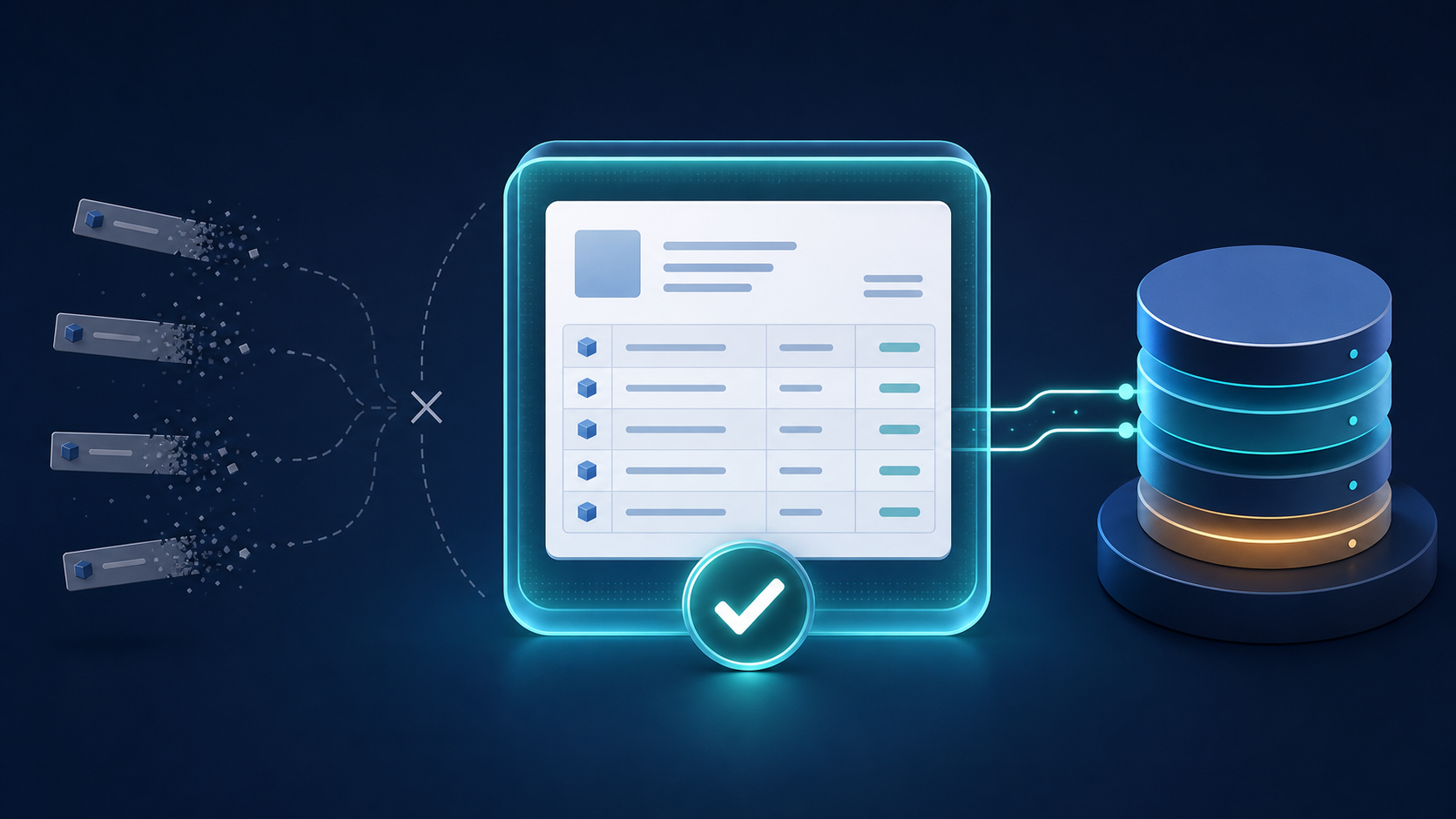
Atomic master-detail means the parent and all of its detail rows are validated and committed in one database transaction:
- If every part is valid, everything saves.
- If any part fails, nothing saves.
- Detail rows cannot be left behind without their parent.
- A stored total reflects the same committed set of lines.
That is not a cosmetic implementation detail. It is the difference between displaying related data and protecting a business record.
What “Atomic” Actually Protects
Imagine saving this invoice:
| Invoice | Value |
|---|---|
| Customer | Northwind Services |
| Line 1 | Consulting, $1,200 |
| Line 2 | Travel, $340 |
| Total | $1,540 |
Now imagine the parent saves, the first line saves, and the second line fails because of a validation error, timeout, permission problem, or interrupted automation.
The system may now contain a real invoice for $1,200 when the user intended to submit one for $1,540. If the total was calculated before every line settled, it may disagree with the persisted detail. If the parent failed after a child was created, the system may instead contain an orphan line.
An atomic transaction removes those intermediate states from the committed database:
- Validate the proposed parent and the complete proposed set of lines.
- Write the parent.
- Write, update, and delete its lines.
- Recompute stored rollups from those lines.
- Commit the entire unit, or roll it all back.
Users still see a familiar form and editable grid. The important difference is that the database never treats a half-finished business document as finished.
Linked Records Are Not Master-Detail
A link answers: Which records are associated?
Master-detail answers a stricter question: Which rows exist only as part of this parent?
That distinction is about identity and ownership, not appearance.
A customer linked to an invoice has an independent life. The customer can exist before the invoice, be linked to many invoices, and be edited on its own. That is a good use of a relationship.
An invoice line usually has no useful independent identity. It belongs to one invoice, should be created and deleted through that invoice, and should participate in the same validation and commit. Treating it as an ordinary record forces the application to recreate those guarantees with forms, filters, automations, and conventions.
How Airtable Falls Short
Airtable is strong at relational flexibility. Its linked-record fields connect records across tables, and record-detail interfaces can display related records and let editors add new ones.
But Airtable's own documentation describes each line item as its own record. Its form guidance says a typical line-item table is linked to a parent table, with lines added afterward, entered in the related table, created through an interface, or generated by an automation. Airtable also notes that an interface form cannot create a new linked record in the same form; the linked record must be created elsewhere first and the form reloaded before it can be selected. Sources: Building and sharing forms, Interface form layouts, and Record-detail layouts.
That is a linked-record workflow, not a documented parent-plus-lines transaction. It can produce a polished invoice interface, but the model still exposes independently created records and separate write steps.
For shared entities (customers, products, employees) that flexibility is exactly right. For dependent line items, the builder must supply the missing lifecycle rules.
How monday.com Falls Short
monday.com deserves more credit than a simple “no master-detail” comparison suggests. It has subitems, parent summaries, multiple hierarchy levels, and a WorkForms subitem question. For task decomposition and project structure, that is capable and convenient.
Its documented lifecycle is still item-oriented. Subitems can be created by automations, moved to another parent, converted into parent items, opened with their own activity log, deleted separately, and given a column structure separate from their parent. monday.com also states that parent values copied into an automated subitem are only copied at creation and do not remain synchronized. Sources: All about subitems and WorkForms question types.
For the broader product and pricing tradeoffs, see the best monday.com alternative for small business.
Those are useful product behaviors, but they describe independently addressable work items. The documentation does not promise that editing a parent and a changing set of subitems is validated and committed as one database transaction.
That may be perfectly acceptable for “launch campaign” and its tasks. It is a weaker integrity contract for an invoice and its lines.
How Podio Falls Short
Podio relationships connect items in separate apps. Podio's API documentation defines app items as rows and provides separate operations to add items, update items, retrieve references, and delete references. Its webforms can select an existing related item or automatically create and link a new item. Sources: Podio items API, Working with items, and Podio webforms.
That makes Podio relationships flexible: a related item is a first-class item that can be found, updated, referenced, and automated independently.
It also means an invoice-plus-lines design is assembled from separate app items and relationships. Podio's public documentation does not offer a native contract in which a variable set of dependent detail rows and its parent are submitted, validated, and committed as one unit.
Podio can automate around the gap. Automation is not the same guarantee. A workflow that repairs or completes related records after creation still has a period in which the database contains the partial state, and the workflow itself can fail.
The Hidden Cost of Faking It
Without native atomic master-detail, teams tend to build compensating machinery:
- A separate line-item table or app
- A relationship field back to the parent
- Filters that try to hide unrelated lines
- Automations that copy parent values into children
- Rollups that update after child changes
- Cleanup rules for orphan records
- Permissions intended to stop users editing lines out of context
- Status fields such as “Draft” or “Ready” to avoid acting on incomplete records
- Reconciliation reports to find totals that no longer match
Each workaround can be reasonable. Together they become an integrity system assembled at the application layer.
That system is harder to understand, test, and maintain than one transaction. It also moves failure handling onto the team: What retries? What rolls back? What happens if step four of six fails? Can another automation observe the record between steps?
Validation Is Stronger When It Sees the Whole Record
Many business rules cross the parent-detail boundary:
- An invoice must have at least one line.
- Every expense line needs a receipt above a threshold.
- The sum of allocations must equal the requested amount.
- A purchase order cannot exceed the supplier's approved limit.
- A timesheet cannot contain overlapping entries.
- A posted document cannot have its lines changed.
Per-record validation cannot reliably enforce these rules if the “record” being validated is only one row at a time.
True master-detail validation receives the proposed parent and the complete replacement set of detail rows before anything commits. It can reject the whole unit with one useful error and leave the previous committed version untouched.
Rollups Need the Same Transaction Boundary
A rollup is only trustworthy if it summarizes the committed lines that belong to the committed parent.
If lines and totals update through separate operations, users and automations can briefly observe:
- A new line with an old total
- A deleted line still included in the total
- A parent status changed before its final lines arrive
- A workflow triggered by an intermediate amount
Eventual consistency is fine for many dashboards. It is dangerous when the total drives approval, billing, inventory, or payment.
With atomic master-detail, rollups are recomputed inside the same transaction. The parent, detail rows, and stored summary become visible together.
When You Should Still Use Ordinary Relationships
Atomic master-detail is not a replacement for linked records.
Use an ordinary relationship when the related record:
- Exists independently of this parent
- May belong to several records
- Needs its own page, permissions, history, or workflow
- Should remain after the parent is deleted
- Can be reassigned to another parent
Customers, products, employees, suppliers, and projects are usually independent records.
Use master-detail when the row is a component of one business document: invoice lines, order items, expense entries, quote lines, inspection readings, or timesheet entries.
A simple test is: Would this detail row still mean anything if its parent disappeared? If the answer is no, it probably should not masquerade as an ordinary linked record.
How InfoLobby Handles It
InfoLobby sub-tables are weak-entity detail tables. They have no standalone data page and cannot be written through ordinary table operations. Users enter them in an editable grid inside the parent record.
On save, InfoLobby:
- Validates the proposed parent and all proposed lines as one unit.
- Creates or updates the parent.
- Replaces its line-item set.
- Recomputes stored sum, count, average, minimum, or maximum rollups.
- Commits everything in one MySQL transaction.
If any step fails, the transaction rolls back. No partial parent, stray line, or prematurely updated total becomes committed state.
That is what “true” in true master-detail means. It is not that the lines appear under the parent. It is that the platform makes the same integrity promise the business record requires.
See atomic master-detail in InfoLobby or read the sub-tables help guide.
FAQ
What is atomic master-detail?
Atomic master-detail is a data-entry and persistence model where one parent and all of its dependent detail rows are validated and saved in a single transaction. Either the complete unit commits or none of it does.
Are linked records the same as master-detail?
No. Linked records are independent records associated by a relationship. Master-detail rows belong exclusively to one parent and share its lifecycle and transaction boundary.
Do Airtable, monday.com, or Podio support related records?
Yes. Airtable and Podio provide linked records, while monday.com provides subitems and rollups. Those features are useful, but their public documentation does not promise one all-or-nothing database transaction for a parent and a variable set of detail rows.
Why does atomic saving matter for invoices and orders?
It prevents partial documents, orphan rows, stale totals, and automations reacting to intermediate state. That matters whenever the record controls money, inventory, approval, compliance, or customer commitments.
When is eventual consistency acceptable?
It is often acceptable for analytics, search indexes, notifications, and non-critical dashboards. It is a poor fit when a derived value or workflow decision must match the exact committed business document.
Related reading: modular business software building blocks, getting the most out of sub-tables, and MySQL frontend with automation. For direct comparisons, see the Airtable alternative and the monday.com alternative.