Best Database for Small Business in 2026: 10 Options Compared
Ten databases for small business compared on record limits, per-user pricing, and workflow depth, with honest guidance on which one fits your team.
If you need a database for small business operations, the right choice depends on two things most comparison lists skip: how many people need to edit the data, and whether the records need to carry files, tasks, and follow-up.
This page compares ten options on record limits, pricing model, and workflow depth. InfoLobby publishes it, so the recommendation for InfoLobby is stated plainly, along with the cases where a different tool is the better answer.
Start a free trial or compare pricing.
Quick answer
| Tool | Pricing model | Record or size limit | Best for |
|---|---|---|---|
| InfoLobby | Flat, unlimited users | 250,000 to 5 million | Teams where many people edit and records carry files, tasks, and history |
| Airtable | Per collaborator | 1,000 to 125,000 per base | Visual databases with the widest template and integration ecosystem |
| Knack | Flat, tiered | 20,000 to 2.5 million | A customer-facing database frontend you publish |
| Zoho Creator | Per user, from $8 | 1 app on Standard, unlimited above | Teams already standardized on Zoho |
| Baserow | Per user | 3,000 to 1 million per workspace | Open source and self-hosting requirements |
| Notion | Per member | 250,000 rows per database | Databases that live beside docs and wikis |
| Smartsheet | Per member | 20,000 rows per sheet | Sheet-style project operations |
| monday.com | Per seat | 10,000 items per board | Work shaped like tasks and boards |
| Google Sheets | Free, or per user | 10 million cells | Starting out, and one-person tracking |
| Microsoft Access | Bundled with Microsoft 365 | 2 GB file, 255 users | Existing desktop databases on a single site |
Pricing and limits checked August 20, 2026. Sources are listed at the end.
Direct recommendation
Choose InfoLobby when several people need to edit the same business records and the work around those records matters as much as the data: intake forms, attached files, comments, assigned tasks, approvals, and a history of what changed. Pricing is flat per plan with unlimited users, so the bill does not move when the fifth or fifteenth person needs edit access.
Do not choose InfoLobby if you need a polished customer-facing frontend (Knack), a fully custom application (a backend platform plus developers), analytics dashboards as the main product (a BI tool), or regulated records retention with formal disposition rules (a compliance platform).
Choose Airtable instead if you are one to three people, you want the largest template library and integration ecosystem, and per-seat cost is not yet a factor.
Choose Google Sheets instead if a single person maintains the data and nobody else needs enforced structure. Do not pay for a database before a spreadsheet actually breaks.
How to evaluate a small business database
Six factors decide this in practice. Feature checklists rarely do.
| Criteria | What to check |
|---|---|
| Cost as the team grows | Does adding an editor increase the bill? Per-seat pricing is the single biggest cost driver at 5+ users |
| Real capacity | Record limits vary by 1,000x across these tools, and some cap per base or per sheet rather than per account |
| Workflow depth | Can a record hold files, comments, tasks, status, and history, or is it only rows and columns? |
| Intake | Can outside people submit work through a form without a paid seat? |
| Permissions | Can you give read-only access without exposing everything? |
| Exit path | Is the data in a standard format you can export and move? |
Most small teams discover the first two only after committing.
The ten options
1. InfoLobby
Does well: Flat pricing with unlimited users on every plan. Managed MySQL underneath with 250,000 records on Starter ($29/month), 1 million on Team ($59/month), and 5 million on Business ($129/month). Records carry fields, files, comments, tasks, notifications, and full activity history. Web forms for intake, role-based workspaces, visual and code-based automation, and a public REST API.
Where it fails: No published customer-facing frontend to match Knack. Not a BI or reporting product. Smaller template library and ecosystem than Airtable. Younger product with a smaller community.
Ideal user: A 3 to 30 person team running operations that outgrew a shared spreadsheet, where several people edit and the records need files, follow-up, and accountability.
Hard limits: Record and storage caps by plan. Not suitable for records retention compliance, medical or legal regulated systems, or a fully branded customer product.
2. Airtable
Does well: The most mature visual database experience, an extensive template library, and the deepest third-party integration ecosystem in this category. Strong views, interfaces, and automations.
Where it fails: Per-collaborator pricing compounds quickly. Base-level record caps arrive earlier than most teams expect.
Ideal user: Small teams and individuals who value ecosystem and polish, and who have few paid editors.
Hard limits: As checked July 29, 2026: 1,000 records per base on Free, 50,000 on Team ($20 per collaborator/month annually, $24 monthly), 125,000 on Business ($45 annually, $54 monthly). Team bills owners, creators, editors, and commenters. Ten Team collaborators is $200/month annually.
3. Knack
Does well: Publishes a configurable, customer-facing database frontend. If external users need to log in and interact with your data, Knack does something the others here do not attempt.
Where it fails: Higher entry price than most. Records count across every database in the account, not per app.
Ideal user: A business that needs a client portal or public-facing database application without hiring developers.
Hard limits: As checked July 29, 2026: Starter $59/month ($49 annually) for 20,000 records, Pro $130/month ($110 annually) for 50,000, Corporate from $300/month ($250 annually) for 125,000 to 2.5 million. API calls are capped at 1,000/day on Starter and 5,000/day on Pro.
4. Zoho Creator
Does well: Deep integration with the wider Zoho suite. If a business already runs Zoho CRM, Books, or Desk, keeping data in the same ecosystem removes real integration work. Includes an app builder and portal permissions.
Where it fails: Per-user pricing. Value depends heavily on already being a Zoho customer; standing alone it competes less clearly.
Ideal user: Teams already standardized on Zoho who want custom apps against shared data.
Hard limits: Three tiers plus a free edition limited to one app. US list pricing as of August 2026 is Standard at $8 per user/month on annual billing ($12 monthly), Professional at $20 ($30 monthly), and Enterprise at $25. Standard allows 1 application and 5 data sources; Professional and Enterprise allow unlimited applications with 15 and 30 data sources respectively. Zoho displays prices by region, so a Canadian or European account will see different figures. Confirm on Zoho's pricing page for your country and billing term.
5. Baserow
Does well: Open source, with self-hosting available. That matters if you have data residency requirements or want to avoid vendor dependency outright. The hosted tiers are competitively priced.
Where it fails: Per-user pricing on hosted plans. Self-hosting means you own upgrades, backups, and uptime. Smaller ecosystem than Airtable.
Ideal user: Technically comfortable teams with self-hosting or open-source requirements.
Hard limits: As checked August 20, 2026: Free gives 3,000 rows and 2 GB per workspace. Premium is $10 per user/month billed yearly ($12 monthly) for 50,000 rows and 20 GB. Advanced is $18 per user/month yearly ($22 monthly) for 250,000 rows and 100 GB. Enterprise is quoted and reaches 1 million rows.
6. Notion
Does well: Databases sit directly alongside documents, wikis, and notes. For teams whose process is as much written context as structured data, that combination is hard to replicate.
Where it fails: Databases slow down well before their hard limits under heavy filters, formulas, and rollups. The API is rate-limited at roughly three requests per second, which constrains integrations.
Ideal user: Teams where documentation and structured records belong in one workspace.
Hard limits: As checked August 6, 2026: 250,000 rows and 500 properties per database. Free, Plus at $10 per member/month yearly, Business at $20. Paid plans bill per workspace member; guests are free but see only pages they are invited to.
7. Smartsheet
Does well: Familiar to anyone who thinks in spreadsheets, with real project management, reporting, and enterprise governance on top. Unlimited free contributors on paid plans can substantially reduce cost.
Where it fails: Sheet-level limits interact awkwardly. Relational modeling across sheets is weaker than a true database.
Ideal user: Project-heavy operations teams, especially in larger or more regulated organizations.
Hard limits: As checked July 29, 2026: 20,000 rows, 400 columns, and 500,000 cells per sheet. Those interact, so a 20,000-row sheet supports at most 25 columns. Pro is $9 per member/month annually ($12 monthly), Business $19 ($24 monthly).
8. monday.com
Does well: Excellent when work is genuinely shaped like tasks, boards, and timelines. Strong visual interface and broad adoption.
Where it fails: It is a work management platform first and a database second. Custom relational business data becomes awkward. Automation actions are metered per plan.
Ideal user: Teams whose primary unit of work is a task or project rather than a business record.
Hard limits: As checked July 29, 2026: 10,000 active items per board on non-Enterprise plans. Basic $9, Standard $12, Pro $19 per seat/month billed annually. Standard allows 250 automation actions per month; Pro allows 25,000.
9. Google Sheets
Does well: Free with a personal account, universally understood, and instantly collaborative. For a single maintainer or an early process, it is genuinely the correct answer.
Where it fails: No enforced structure, no record-level permissions, no reliable history of who changed what, and files and follow-up live elsewhere. These are the exact failures that push teams to look for a database.
Ideal user: One person tracking a list, or any process still being figured out.
Hard limits: 10 million cells or 18,278 columns per spreadsheet. A 20-column sheet reaches the cell ceiling near 500,000 rows, and performance degrades well before that. Google Workspace, as checked July 30, 2026, runs $7, $14, and $22 per user/month annually for Business Starter, Standard, and Plus.
10. Microsoft Access
Does well: Mature, powerful for single-site desktop use, and already paid for if you have Microsoft 365. Decades of institutional knowledge exist around it.
Where it fails: Desktop-first in a browser-first world. Multi-user access over a network is fragile. No native web forms, no mobile access, and no modern API surface.
Ideal user: Businesses maintaining an existing Access database at one location with a technical owner.
Hard limits: 2 GB per database file minus system objects, and 255 concurrent users, though practical multi-user performance degrades far earlier. Access is included with Microsoft 365 Business Standard on PC, which moved to $14 per user/month on July 1, 2026.
Where InfoLobby fits
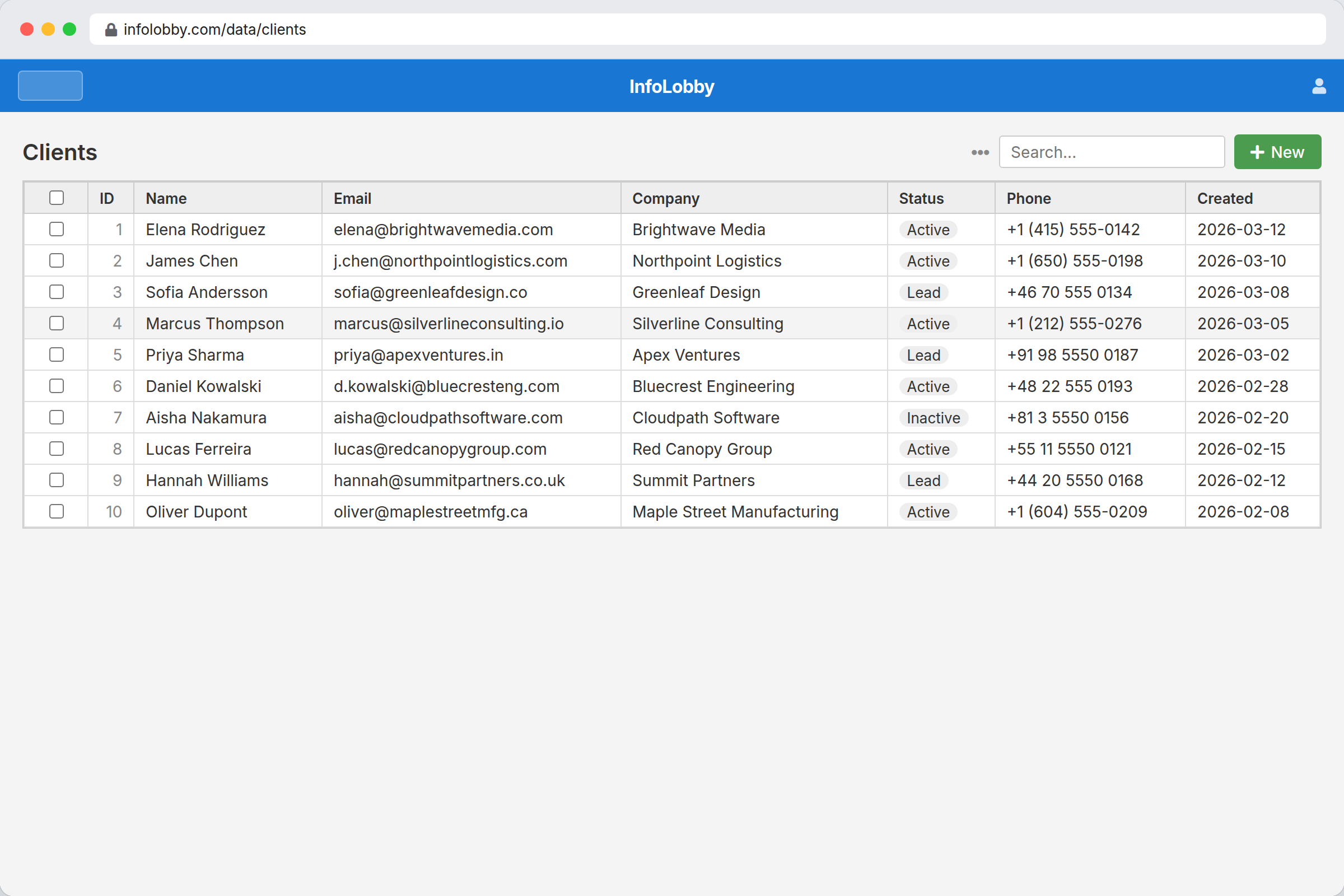
InfoLobby gives each account a managed MySQL database and S3-backed file storage with the application layer already attached: workspaces, tables, fields, records, views, and permissions.
The difference from a spreadsheet replacement is that the record and the work around it stay together:
- Lead intake: a web form creates a lead record, an automation assigns follow-up, comments track the decision
- Service requests: customer files, status, owner, due date, and task history stay on the request
- Vendor tracking: contacts, contracts, renewal dates, files, and reminders live in one record
- Asset tracking: equipment records carry location, status, photos, maintenance tasks, and history
- Approvals: submissions arrive through forms, reviewers comment, automations notify the next owner
Explore features or see managed database software.
Who this is for
- Teams of roughly 3 to 30 where more than two people edit the same records
- Businesses that have outgrown a shared spreadsheet but do not want a development project
- Operations where files, comments, tasks, and approvals belong with the record
- Teams that want standard MySQL underneath with export available
Who this is not for
- One person tracking a simple list. Use a spreadsheet
- Teams needing a branded customer-facing product. Use Knack or a development platform
- Analytics and dashboards as the primary output. Use a BI tool
- Legal records retention, regulated compliance systems, or enterprise content management
- Raw database hosting with no application layer
Choose by situation
- Many editors, tight budget: InfoLobby. Flat pricing with unlimited users is the only model here that does not scale with headcount.
- Fewest editors, richest ecosystem: Airtable.
- External users must log in: Knack.
- Already running Zoho: Zoho Creator.
- Self-hosting or open source required: Baserow.
- Docs and data in one place: Notion.
- Projects, timelines, and enterprise governance: Smartsheet.
- Work is tasks, not records: monday.com.
- Nothing has broken yet: Google Sheets.
- Existing desktop database, one site: Microsoft Access.
Common objections
Per-seat pricing is not that expensive
It is at the margin that matters. Ten Airtable Team collaborators cost $200/month billed annually. Ten monday.com Standard seats cost $120/month. Ten Smartsheet Business members cost $190/month. InfoLobby Team is $59/month regardless of whether three or thirty people need edit access. The gap widens with every hire, and it changes behavior: teams on per-seat plans start rationing access, which quietly recreates the single-owner spreadsheet problem.
Migration will take months
It should not, if you scope it correctly. Start with one spreadsheet that is already causing pain. Create a workspace, model the main table, import the key fields, and get people using it. Add forms, tasks, and automation only after the fields are stable. A first useful version is a narrow system for one process, not a full rebuild. Teams that attempt everything at once are the ones that stall.
What about lock-in?
InfoLobby stores data in standard MySQL, supports workspace export and import, and lets teams connect their own MySQL, S3, or FTP. Apply the same test to any tool on this list before committing: ask what the export produces and whether you could actually rebuild from it.
Is a real database overkill for us?
Sometimes, yes. If one person maintains the data and nobody is blocked, stay on the spreadsheet. The signals that it is time to move: multiple people editing the same file, follow-up depending on memory, files living apart from the records they describe, and nobody able to say who changed what.
FAQ
What is the cheapest database for a small business with 10 users?
Compare total cost, not headline price. At ten editors on annual billing, Airtable Team is $200/month, Notion Business $200/month, Smartsheet Business $190/month, monday.com Standard $120/month, Baserow Premium $100/month, and Zoho Creator Standard $80/month. InfoLobby Team is $59/month with unlimited users. Google Sheets is free if enforced structure and record permissions are genuinely not needed.
The gap narrows at the bottom of that list. Zoho Creator Standard is the closest per-seat option on price, though Standard limits you to one application. The difference is what happens at twenty or thirty editors: every option above scales with headcount and InfoLobby does not.
Can I use a database without knowing SQL?
Yes, for every tool on this list. All ten present a visual interface. InfoLobby stores data in standard MySQL so a developer can query it directly or through the API, but daily use requires no SQL.
How many records can each of these actually hold?
Limits vary by three orders of magnitude and are measured differently. Airtable caps per base (1,000 to 125,000). Smartsheet caps per sheet (20,000 rows). monday.com caps per board (10,000 items). Notion allows 250,000 rows per database. Baserow allows 3,000 to 1 million per workspace. InfoLobby allows 250,000 to 5 million per account. Check which unit a vendor is measuring before comparing numbers.
Should I use my own database server instead?
Only if you have someone to run it. A raw MySQL or PostgreSQL server gives full control but no login, permissions, forms, file handling, search, comments, tasks, history, or API layer. You would build or assemble all of it. InfoLobby connects to your own MySQL if you want that control later without giving up the application layer.
Is a free plan enough to start?
For evaluation, usually. Airtable, Notion, Baserow, and monday.com all have free tiers, and Google Sheets is free outright. Free tiers are where record caps bite first: Airtable's 1,000 records per base and Baserow's 3,000 rows per workspace arrive quickly on a real dataset. InfoLobby offers a 14-day trial with no credit card rather than a free tier.
What happens when we outgrow the tool we pick?
Ask two questions before committing: what does the export produce, and does the tool have a paid tier above your expected growth. The expensive migrations are the ones where data was structured around a tool's constraints rather than the business process.
Bottom line
For most small businesses, the decision comes down to how many people need to edit and whether the records need to carry the work around them.
If the answer is "several people" and "yes," per-seat pricing becomes the dominant cost and a record layer with files, tasks, comments, and history becomes the dominant requirement. That is the case InfoLobby is built for: managed MySQL, unlimited users, forms, files, tasks, permissions, history, automation, and API access from $29/month.
If the answer is "one person" and "no," stay on the spreadsheet a while longer. It is still the right tool until it isn't.
Start a free trial or compare pricing.
Related pages
- Online database software for small business teams
- Operations management software for small business teams
- Best Airtable alternative for small business
- Best Knack alternative for small business
- Best Google Sheets alternative for small business
- Best Notion database alternative for small business
Sources checked
Competitor pricing and limits were checked on the dates noted in each section. Most vendors show prices by region, so your figures may differ. Verify before making a purchase decision.
- Airtable plans overview
- Airtable billable collaborator rules
- Knack pricing
- Knack API limits
- Zoho Creator pricing (prices shown vary by region; US list figures above are as reported by Capterra)
- Baserow pricing
- Notion pricing
- Notion database performance and limits
- Smartsheet pricing
- Smartsheet system requirements and limits
- monday.com pricing
- monday.com item and subitem limits
- Google Workspace pricing
- Access specifications
- Microsoft 365 Business Standard
- InfoLobby features
- InfoLobby pricing
This page was last updated on 2026-08-20. Competitor pricing and limits change often and vary by region, so check the vendor's own pricing page before deciding. Where a specific figure was verified, the date it was checked is noted beside it.