Web Forms
Web forms let people who have no InfoLobby login work with your data. There are three kinds.
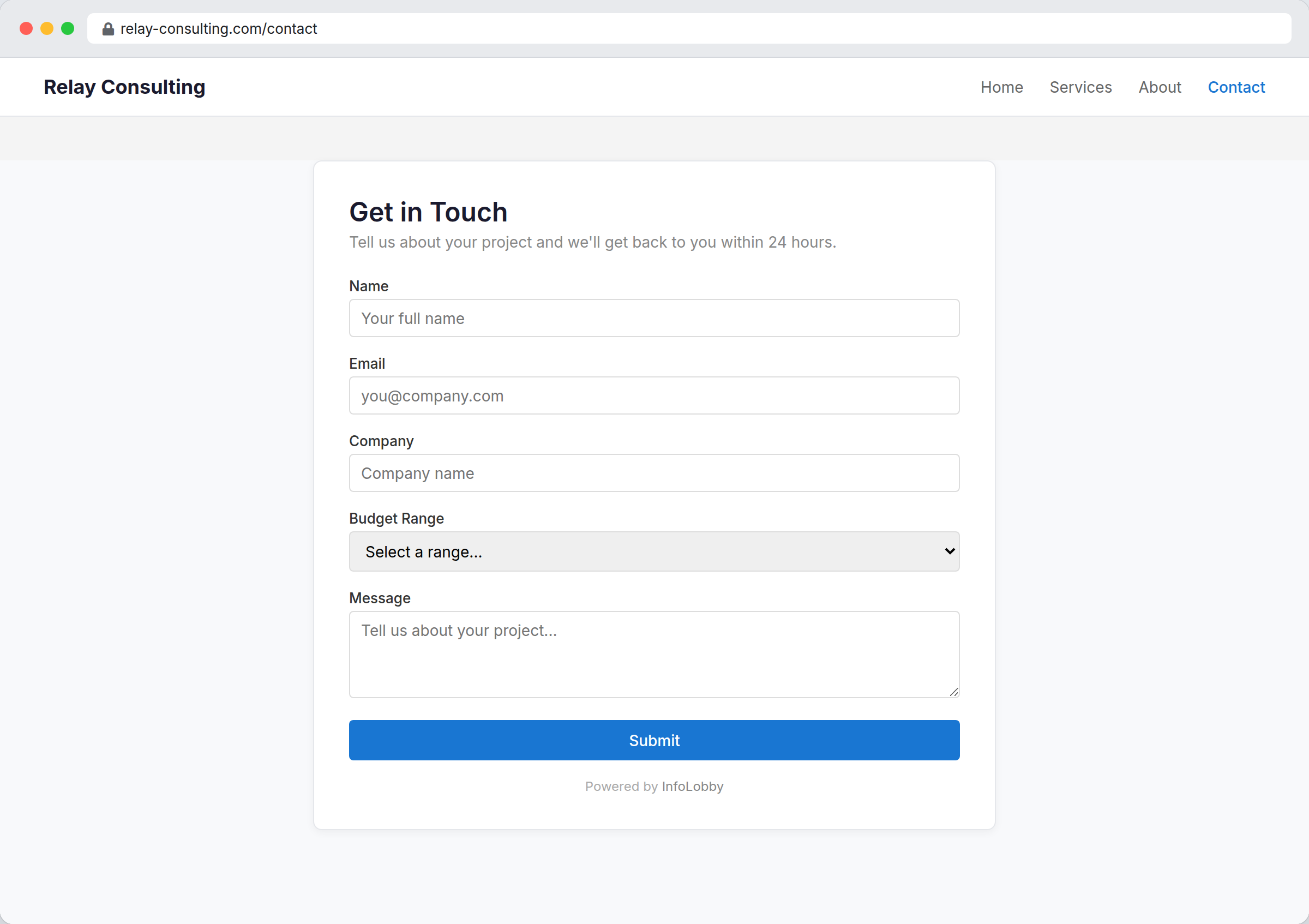
A create form collects new submissions. Anyone with the link fills in a blank form and a new record lands in your table.
An edit form works the other way round. It opens one existing record so someone outside your workspace can correct or complete it. Each record gets its own private link, which you share from the record itself or send with an automation.
A signature form sends a document out to be signed. It opens one record, shows the document, and collects a legally binding electronic signature. Everything else on the record is shown read-only by default, so the signer reads the whole context and changes none of it, though you can unlock individual fields when you need details filled in along with the signature.
Create a form
Open a table, choose Configure from the table menu, switch to the Public tab, then click Create New Web Form in the Web Forms section and pick the kind you want.
Configure the form
| Setting | Purpose |
|---|---|
| Name | Internal label. For an edit or signature form it is what you pick from the Share menu, so name it for whoever you send it to |
| Allowed Domains | Domains allowed to embed the form (create forms only) |
| Password | Visitors must enter this before the form is shown. Leave blank for no password |
| HTML Header | Optional intro content. Click the preview to open the editor |
| Custom CSS | Form styling. Click the preview to open the editor |
| Fields | Fields shown to visitors (use Select all / Unselect all above the list to toggle them in one click) |
| Signature | Which signature the form collects (signature forms only) |
| CAPTCHA | Adds an anti-bot challenge field (see below) |
| Link Expiry | Days a share link stays valid, 0 for never (edit and signature forms) |
| Redirect URL | Where to send visitors after they submit |
| Submit Message | Message shown when no redirect is set |
After saving a create form, InfoLobby gives you embed HTML and a direct link. Embedded forms automatically resize their iframe height as the form content changes.
Fields marked Required on the table show a red * beside their label, so visitors know what's needed before they hit Submit. To restyle or hide it, target .formrow[data-required="1"] > .label::after in Custom CSS.
Required fields you include on the form are enforced on our servers as well as in the browser, so a bot posting straight to the form's address can't skip them. A required field you leave off the form is not enforced, since visitors have no way to fill it. Give it a default value, or set it with an automation after the record is created.
Each submission creates a record in the table and fires your On Create automations, just like records added inside InfoLobby.
Edit forms
An edit form opens one record. Use it to have a customer confirm their own details, a supplier update a price, or a contractor fill in the half of a job sheet you don't have.
Choose what they can change
Every field on an edit form is either Edit or Read-only, set with the dropdown beside it in the Fields list. Read-only fields are shown so the visitor has context, but nothing they send back can change them. That is enforced on our servers, not just in their browser.
An edit form needs at least one field set to Edit. If you only want to display data, publish an embed instead.
Saving an edit form fires your On Update automations, the same as an edit made inside InfoLobby, and the record's Activity tab shows what changed.
Calculated and rollup fields can be shown on an edit form, but only as read-only. InfoLobby works those out for you.
User fields are not available on either kind of form. They point at a member of your workspace, and the person filling in the form is not one.
Share a record
This is how you send an edit form or a signature form. Open any record in the table, choose Share from its menu, and copy the link. Send it however you like: email, a message, a support ticket.
Each record has one link, and it stays the same. An email you sent last month still works today.
Anyone holding the link can open and edit that one record, with no login. The link works for that record only. It gives no access to anything else in the table, and no way to browse to another record.
If a link reaches the wrong person, open that record's Share menu and use:
- Reset Link to replace it. The old link stops working immediately and you get a new one to send.
- Revoke to switch it off with no replacement. Reset it later if you change your mind.
Either only affects that one record. Everyone else's links keep working.
The Share dialog also shows when the link was last opened, so you can tell a link that arrived from one that never did.
See who opened it
When someone opens a record through a share link, the record's Activity tab records it, along with the IP address they came from. Repeat views from the same address within an hour are counted once, so a visitor refreshing the page doesn't bury the record's real history.
If the form has a password, nothing is recorded until the password has been entered.
Files on an edit form
If a file field is set to Edit, visitors see the files already attached and can add more. Their uploads are added to what is there, never replacing it, and they cannot delete anything.
Signature forms
A signature form gets one document signed. Use it for a contract, a quote approval, a waiver, or a policy acknowledgement.
Before you can create one, the table needs a Signature field, which names the rich text field being signed. Once it does, choose Signature form when you create the web form and pick which signature it collects.
What the signer sees
The document first, at full height with no heading over it, because the document is the point of the page. Below it, a consent statement, a box to type their name, and a confirmation that they intend that name as their signature. All three are needed, and the name box stays locked until both statements are confirmed. Below that are two buttons: Sign, and Decline to sign.
Any other field you put on the form sits between the document and the signature, read-only unless you unlocked it (see below).
Whatever else you tick in the Fields list is shown above the document as read-only context, which is useful for an order number or a total. The document itself is always included, whether you tick it or not: nobody can consent to text they were not shown.
What you get back
When they sign, the record holds a permanent account of who signed, when, from where, and exactly what the document said at that moment. Editing the document afterwards flags the signature in red rather than silently invalidating it. There is a full explanation in Signature Fields.
The signer can download a certificate of completion straight from the page: the document as it stood when they signed it, plus the audit trail. Their link stays live, so they can come back for it later. You can download the same certificate from the record at any time.
If they decline
Declining is recorded on the record just as firmly as a signature, with the reason if they gave one. That way the record distinguishes "nobody has signed yet" from "this was refused on 12 March".
A signature form is one form for one signature. If two parties sign the same document, create a form for each. That is deliberate: it means the link you send one party cannot be used to sign for the other.
Collecting details along with the signature
Sometimes you need more than a name on a line: the signer's job title, a PO number, a delivery address. Tick those fields onto the form and click the padlock beside each one to let the signer fill it in, exactly as on an edit form. Everything you tick starts locked, so a field is only writable if you say so.
The document itself is the one exception. It is always on the form and always read-only, and there is no way to unlock it. A signer who could edit the agreement while signing it would be signing nothing at all.
Every lock is enforced on our servers, not just in the signer's browser. A locked field stays untouched no matter what is sent back.
Add a password
Set a Password on any form to put a gate in front of it. Visitors must enter it before they see the form at all, and until they do, InfoLobby sends them nothing: not your field names, and for an edit form not the record's values either.
The password is stored as you typed it, so you can look it up in the form's settings any time you need to share it again.
Use it alongside an edit form when the record holds anything sensitive. The link on its own is unguessable, but a password means a forwarded link is not enough by itself.
Send links from an automation
An automation can send a record's share link. Use the {{webform_url:ID}} token in an email body or any other text field, and pick the form from the token list under Record Share Links.
It builds the link for the record the automation is running on, so an "order shipped" automation can email each customer a link to their own order.
The link an automation sends is the same one the Share menu shows, and stays the same on every run. Resetting or revoking it from the record affects the automation's links too.
Prevent spam submissions
Tick CAPTCHA in the Fields list to add an anti-bot challenge to the form. Visitors must read a short distorted-image equation and type the answer before the form will submit. The answer is verified on our servers, so automated bots that post directly to the form (bypassing the page) are rejected too.
Enable it on any form that collects public leads or orders to cut down on junk submissions.