Activity
Every edit in InfoLobby is logged. Activity shows who changed what, when, across your workspace and on individual records.
Workspace activity
From the Workspaces page, click the ellipsis (…) next to any workspace and pick Activity. You'll see a chronological feed of everything that happened in that workspace — tables created, records edited, comments posted, imports run.
Each row shows:
- Who made the change (with a badge if it came via the API, a flow, or a web form)
- What changed (record / table / comment)
- Which fields were touched (by name)
- When it happened (in your local timezone)
The feed lazy-loads as you scroll. Rows link to the table or record they reference — except for entries pointing at deleted tables or records, which are shown without links.
Record activity
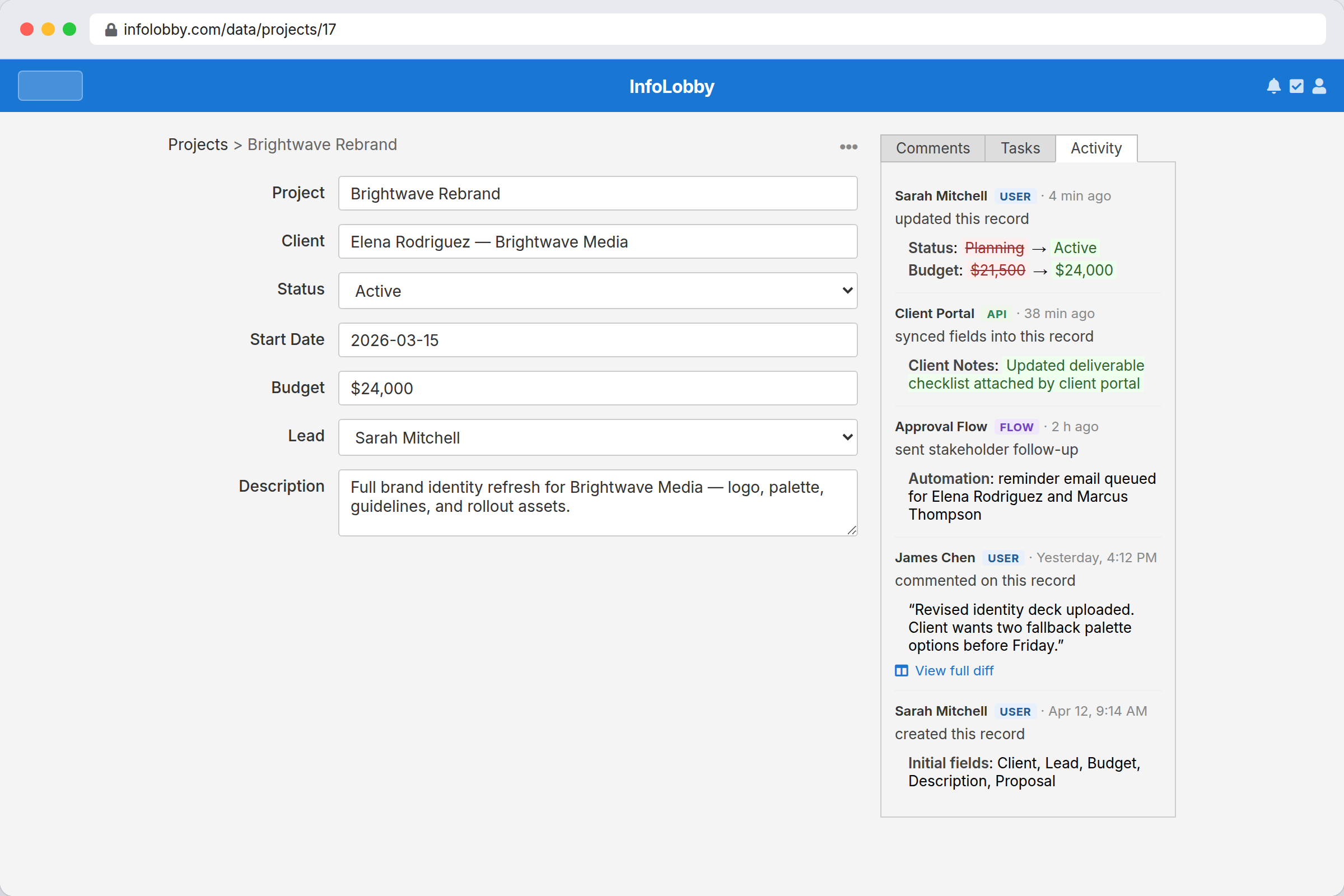
Open any record and click the Activity tab next to Comments. You get the full history for just that record, including the before/after values of each field that changed.
- Short text fields show the old and new values inline (old in red, new in green)
- Long text, rich text, and file fields show a View diff link that opens a side-by-side modal
What's tracked
- Records: create, update (field-level diff), delete
- Tables: create, update (column diff — added/removed/renamed), delete
- Comments: create, update (text diff), delete
- Imports: start, finish, failure
Who can see it
Any member of the workspace — Read Only, Read & Write, and Admin alike — can view the Activity feed.
Retention
Activity retention depends on the workspace database:
- Workspaces using InfoLobby managed databases keep activity for one year.
- Workspaces using your own database keep activity until you delete it from that database.
Activity does not count toward your plan's record or storage limits.